42
7 DOING A TEST
7.1 NEW SAMPLE
A sample is a group of tests on the same part, usually 5 to 50 tests.
Tests are grouped in this way to help analyse process trends.
You need to use the New Sample screen before starting a test.
Note: The screen will appear automatically when you attempt the first test.
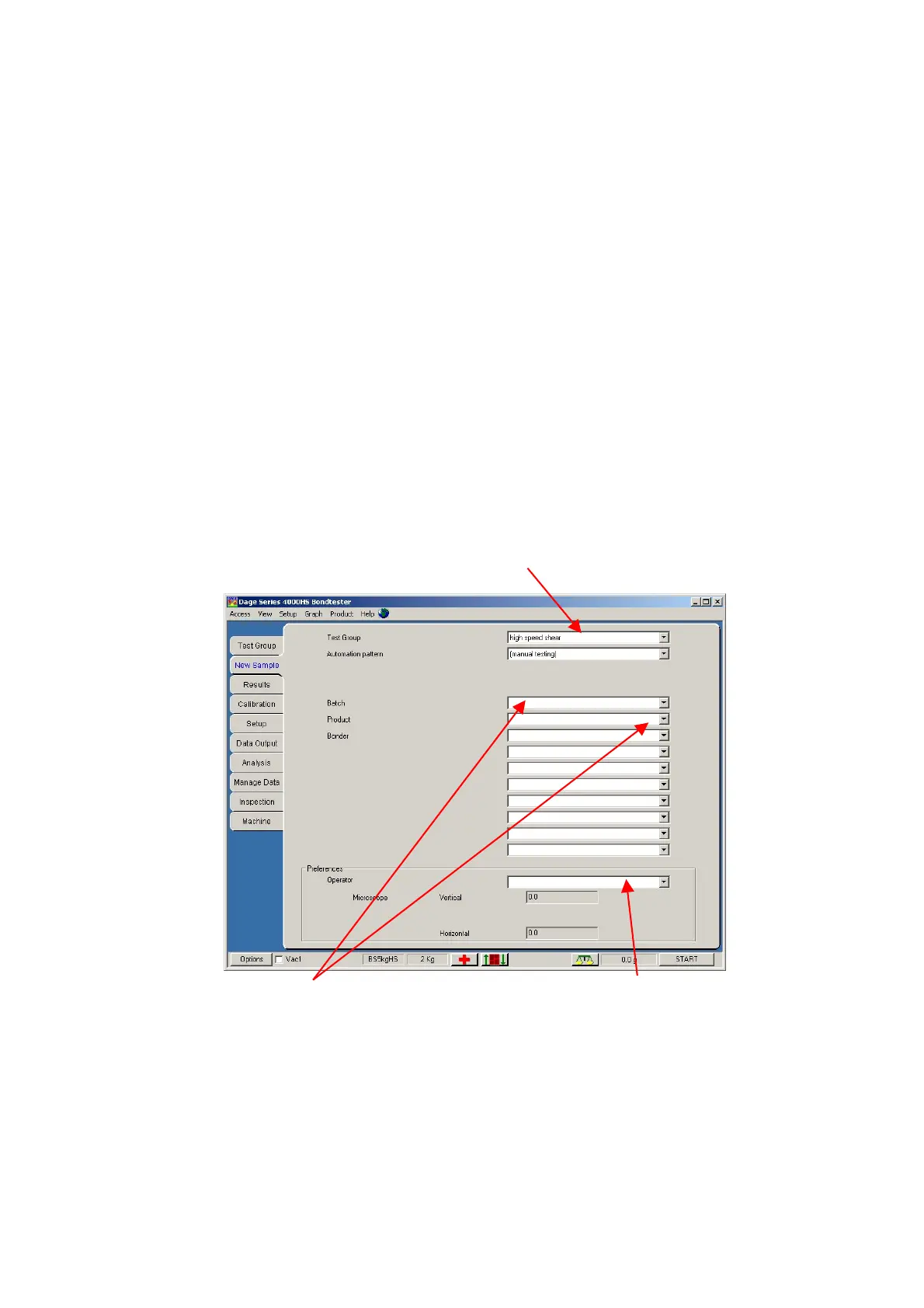
The screen is divided into three areas: -
a) Operator name and information.
b) Test Group selection - where to save the test results.
c) Other information to be saved with the sample - configured by your engineer.
Note: You may be forced to enter new information into these fields.
7.1.1 Understanding the screen layout
Choose the test group from a list by pressing the arrow.
This sets up the test. Ask which one is appropriate.
Choose your name from a
list by pressing the arrow
Type any additional information
required or choose from lists



 To Next Page