●Troubleshooting
117
7
Troubleshooting
Troubleshooting
Check 3
Check the compressor resistance
①Turn off the power supply, and then disconnect wires (U, V, W) from the compressor.
②Measure insulation resistance between each of the terminals and the casing of the compressor.
③Measure resistance between terminals of the compressor.
*Normal compressor coil resistance (±5% )
Applicable compressor
(model with equipped)
1Y091AKAX1C
(AKZ14A, 32A, 43A)
2Y147AKAX1S
(AKZ56A)
2Y260APAX2S
(AKZ90A)
Coil resistance Ω (20℃)
(Mean value between terminals)
1.764 1.114 0.310
Check 4
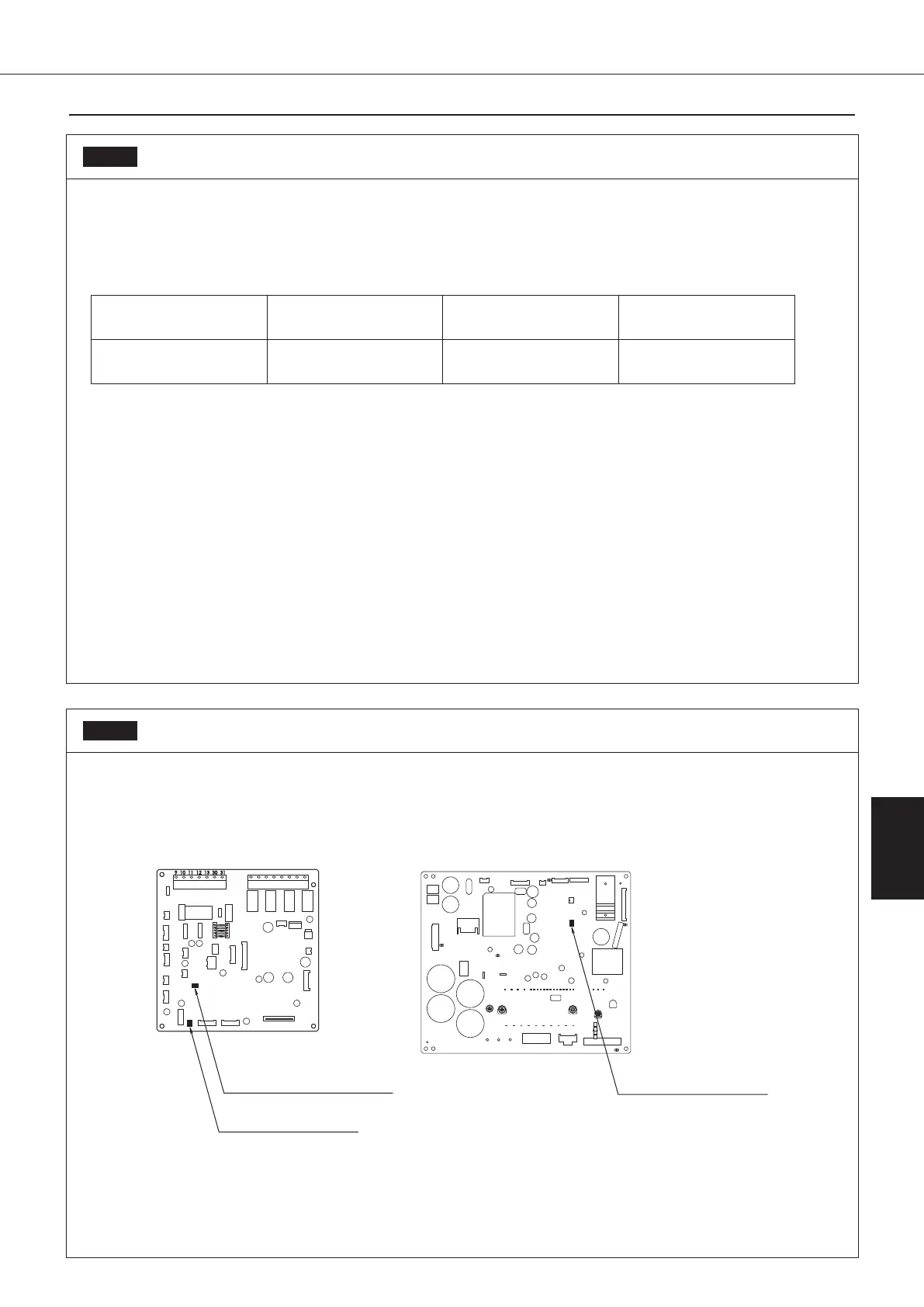
LED lamp position on the control board
Check that the control CPU LED, inverter CPU LED, and inverter–control CPU communication LED are blinking
green in the 3 positions shown below.
It is normal that the LED lamp on the board blinks.
If the LED lamp turns ON or OFF, that shows an abnormality.
Inverter–control CPU
communication (LED140)*
Control CPU (LED A)
Inverter CPU (LED300)
Control board (A1P) Inverter board (A2P)
*The inverter–control CPU communication LED blinks faster than the other 2 LEDs.
00_PB00540A_M10.indb 117 2023/08/09 12:59:08


 To Next Page