60
5
Control Panel
2-1. Normal mode
When the power supply turns ON, the system will be automatically brought to this mode. This mode is used to
display the following contents according to the status of the Oil Cooling Unit.
Operation Procedure by Mode
2
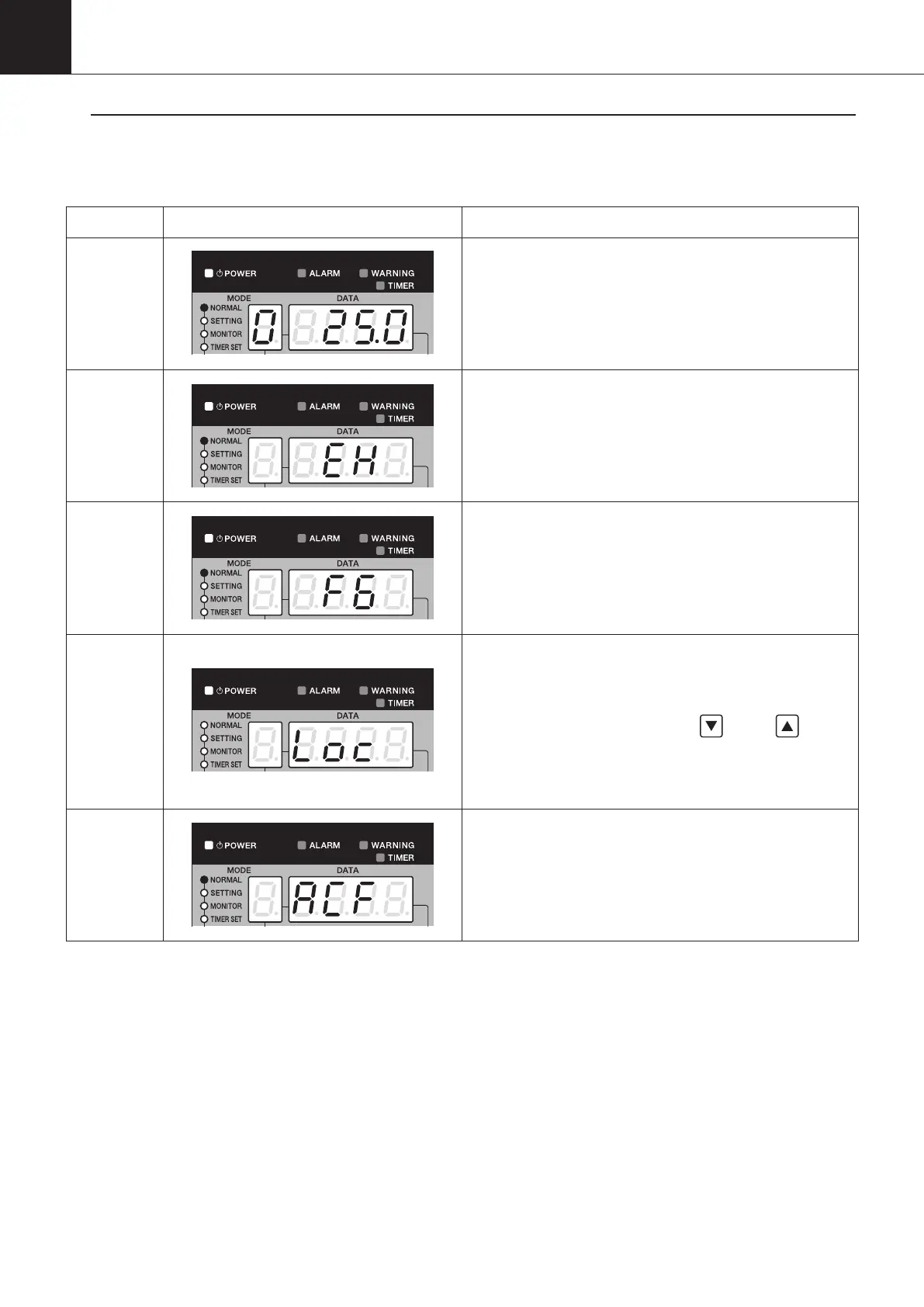
Status Display of control panel Remarks
Normal
operation
・POWER lamp: ON
・MODE: Operation mode No. displayed
・DATA: Target operating temperature displayed
Alarm
・POWER lamp: ON
・ALARM lamp: Flashes when the alarm level 1 occurs
ON when the alarm level 2 occurs
・MODE: OFF
・DATA: Flashing alarm code displayed
Warning
・POWER lamp: ON
・
WARNING lamp: Flashes when the alarm level 1 occurs
ON when the alarm level 2 occurs
・MODE: OFF
・DATA: Flashing warning code displayed
Operation
Lock
・POWER lamp: ON
・MODE: OFF
・DATA: Blinking
“
Loc
”
displayed
To unlock, press and hold the
“
”
and
“
”
for a
period of five seconds.
In the operation lock mode, the Oil Cooling Unit
stops all operations including the pump operation.
AC failure
When the main power supply is OFF, “ACF” is
displayed for a few seconds (during charging of the
inverter board, the main power supply is OFF).
00_PB00540A_M10.indb 60 2023/08/09 12:59:01


 To Next Page