●Control Panel
63
5
Control Panel
Control
Panel
2-5. Operation Lock Mode
This mode is used to lock the Oil Cooling Unit to the stop status and prohibit operations of buttons except for the
UNLOCK button.
While in a normal use mode (i.e., normal, operation setting, or monitor mode), press and hold the
“
”
and
“
”
buttons for a period of five seconds. “Loc” on the data display block will flash to put the system into locked status.
To release the operation lock mode, also press and hold the
or button for a period of five seconds.
In order to start or stop the Oil Cooling Unit on the control
panel, start with this operation.
2-3. Monitor Mode
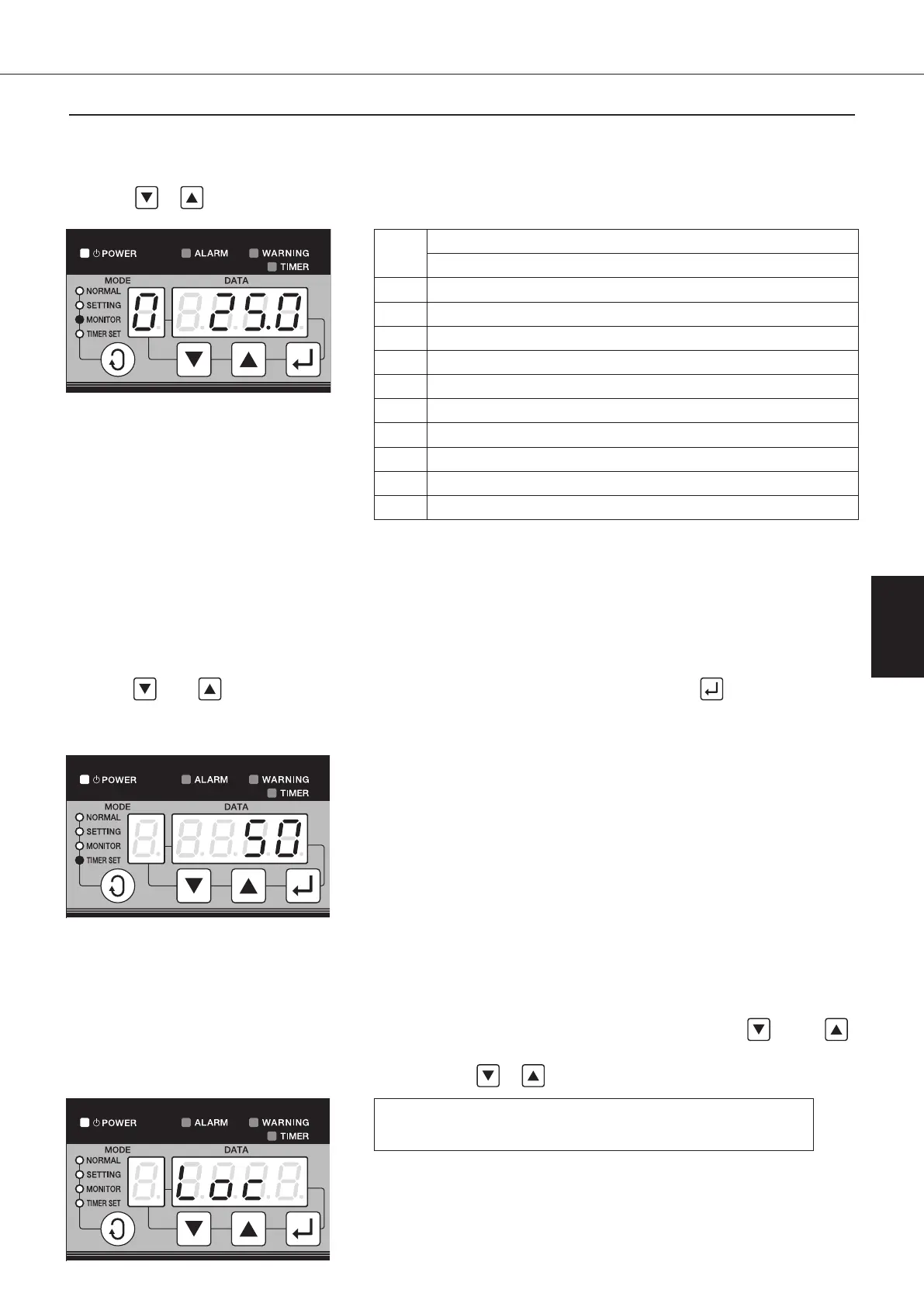
This mode is used to display temperatures detected by each sensor of Oil Cooling Unit and Inlet/Outlet status.
Using the
or button makes it possible to select data No.
(Example) The screen above displays
that the machine
temperature is 25℃.
Data
No.
Contents
AKZ Series
0 Machine temperature (Th-1) *1
1 Outlet oil temperature (Th-2) *1
2 Room temperature (Th-3) *1
3 Inlet oil temperature *1
4 Spare
5
Difference in temperature between oil inlet and outlet (Th-4 - Th-2)
*1
6 Value instructed by direct capacity control (%) *2
7 Revolutions of inverter compressor (rps)
8 Power consumption (kW)
9
Setting status with communication board (optional) mounted
*1: If the thermistor is not connected or contains a broken wire, -99.9
will be displayed for the temperature.
*2: DATA display flashes during reduced compressor operation at time
of overload.
2-4. Timer Setting Mode
This mode is used to display ON timer setting and timer value (in hours up to the maximum of 999 hours).
Use the
“
”
or
“
”
button to make setting of the timer value. Saving the input with the
“
”
button will put the
system into the timer status, thus stopping the Oil Cooling Unit operation.
To release the timer status, set the timer value to “0”.
00_PB00540A_M10.indb 63 2023/08/09 12:59:02


 To Next Page