72
5
Control Panel
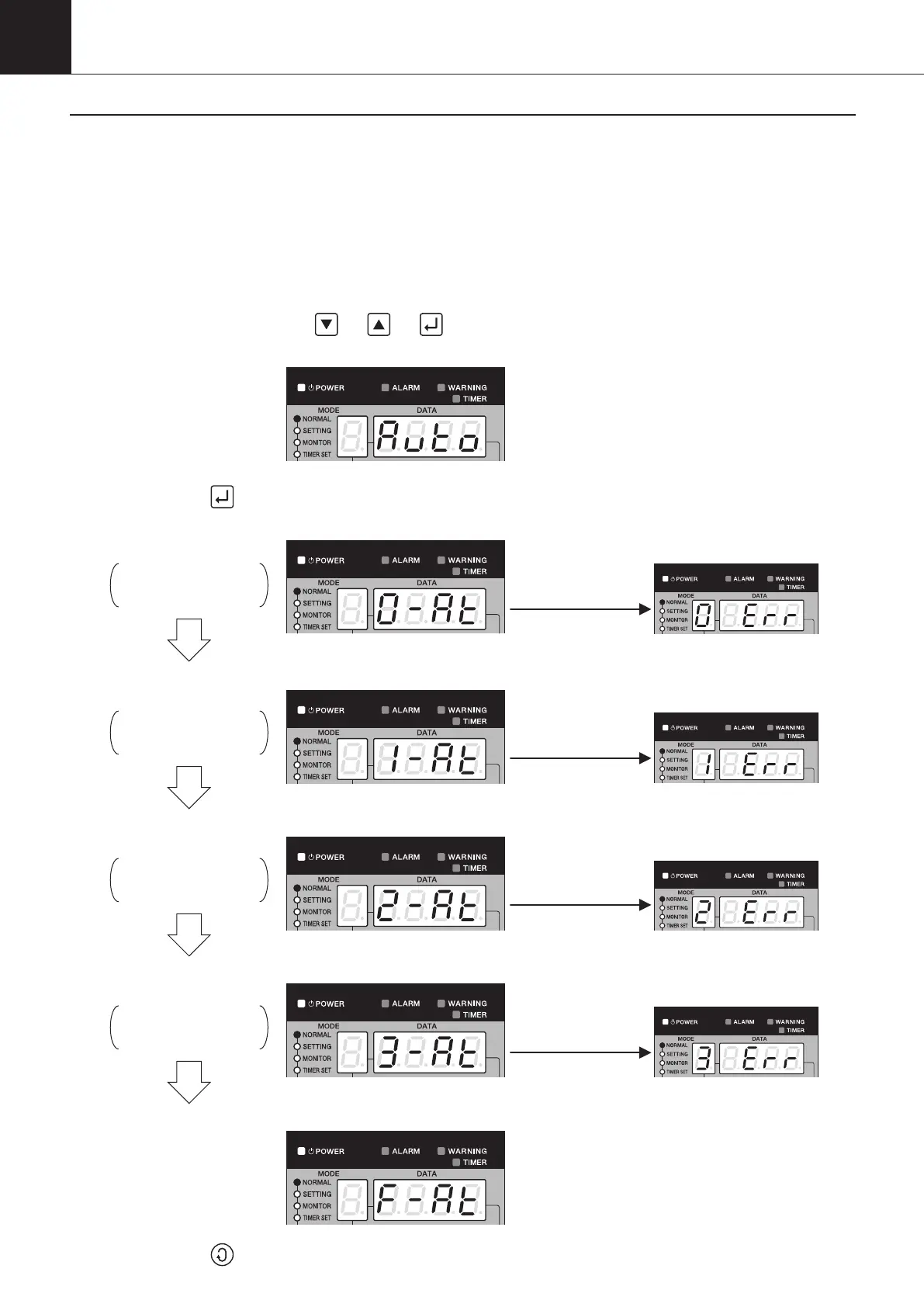
2-7. Auto Tuning Mode
This mode is used to automatically compute controlled variables for PI control and set them with parameters n006 to n009.
(1) Setting procedure
(Previous operation mode remains unchanged.)
(Previous operation mode remains unchanged.)
(Running at 1% capacity)
(Running at 100% capacity)
(Running at 0% capacity: Stop)
(Running at 0% capacity: Stop)
An error
occurs.
An error
occurs.
An error
occurs.
An error
occurs.
(Previous operation mode remains unchanged.)
(Running at 0% capacity: Stop)
(Running at 0% capacity: Stop)
(Running at 0% capacity: Stop)
Turning ON power supply:
①Turn ON the power supply. (The system will be automatically put into “normal mode”.)
Auto tuning mode:
② Pressing and holding the
“
”
“
”
“
”
buttons for a period of five seconds or more will put the
system into the
“
auto tuning mode
”
.
③Pressing the
button will initiate the auto tuning.
(The system will automatically go through the following steps.)
Step 0
Used to check for auto
tuning conditions.
Step 1
Used to operate for the
stabilization of initial conditions.
Step 2
Used to operate for gathering
data on control subject.
Step 3
Used to compute and set
the result with a parameter.
End of auto tuning
④Pressing the button will return the system to
“
normal mode
”
.
00_PB00540A_M10.indb 72 2023/08/09 12:59:04


 To Next Page