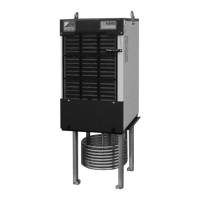
●Control Panel
73
5
Control Panel
Control
Panel
Note) 1. Before putting the system into the auto tuning mode, be sure to set the operation mode (except for mode
No. 9 while in operation setting mode) in order to determine the thermistor subject to control.
2. Initiate auto tuning from the state in which the room temperature is approximately equal to the oil
temperature (i.e., stable state). Furthermore, perform the auto tuning with no load (in a stop state) on the
main machine side.
3. If an
“
error
”
occurs while in auto tuning, the auto tuning will be disabled. In this case, press the
button to
return the system to
“
normal mode
”
.
Probe the causes of the error to take measures against the error and then perform the auto tuning again.
4. In Step 2, the system runs at 100% capacity. Consequently, oil may be overcooled. Make adjustment of
overcooled oil with parameter n004 (Setting of auto tuning end conditions). (Set the conditions to as large
value as possible to the extent that no damage is caused to the machine.)
5. In order to compute the optimum control variable based on data gathered, the setting of response
coefficient should be made with the parameter n005. (Making the variable smaller provides a higher level of
stability, while making it larger provides a higher level of responsiveness.)
6. Depending on the conditions of control subject (machine), the optimum control gain may not be computed
at one time. In this case, perform multiple calculations to take an average value or use a mode value
(except for an extreme value).
00_PB00540A_M10.indb 73 2023/08/09 12:59:04


 To Next Page