30
PIM00504
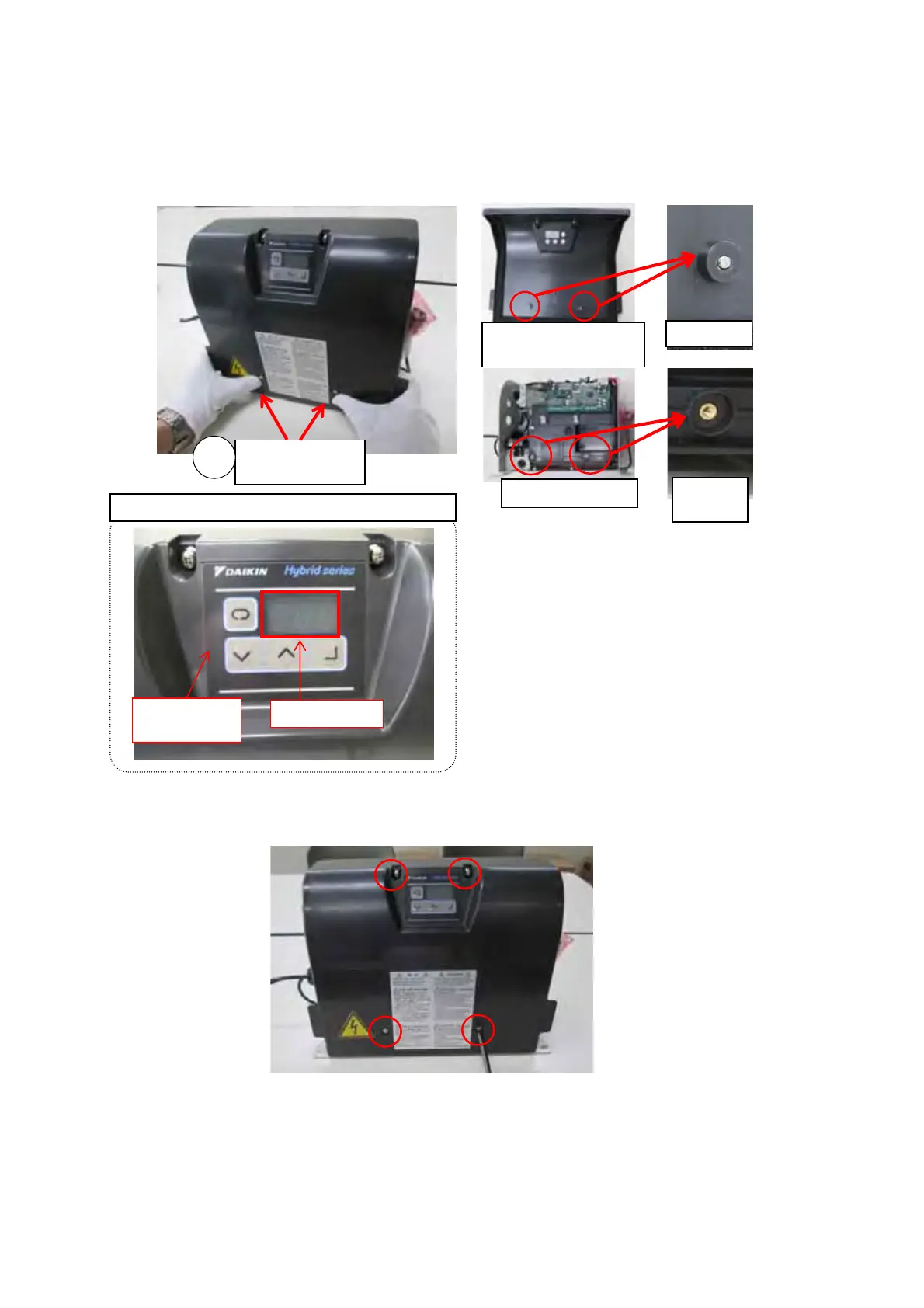
④ Press in the vicinity of the two screws at the bottom of the exterior cover to position it.
∗ When pressing the vicinity of the screws, confirm that a clicking sound is heard as the projections on the
exterior cover go into the mating parts on the interior cover.
∗ Check that the 7-segment display is located in the center of the display window in the operating section
sheet.
⑤ Tighten the two screws in the lower part of the cover, then tighten the two screws at the top.
Pro
ection
Mating
part
Exterior cover
(back face)
Interior cove
Vicinity of
screws
4
Dis
la
Operating
section
Position check with the dis
la
windo





 To Next Page