46
PIM00504
11.6 Alarm Mode Display
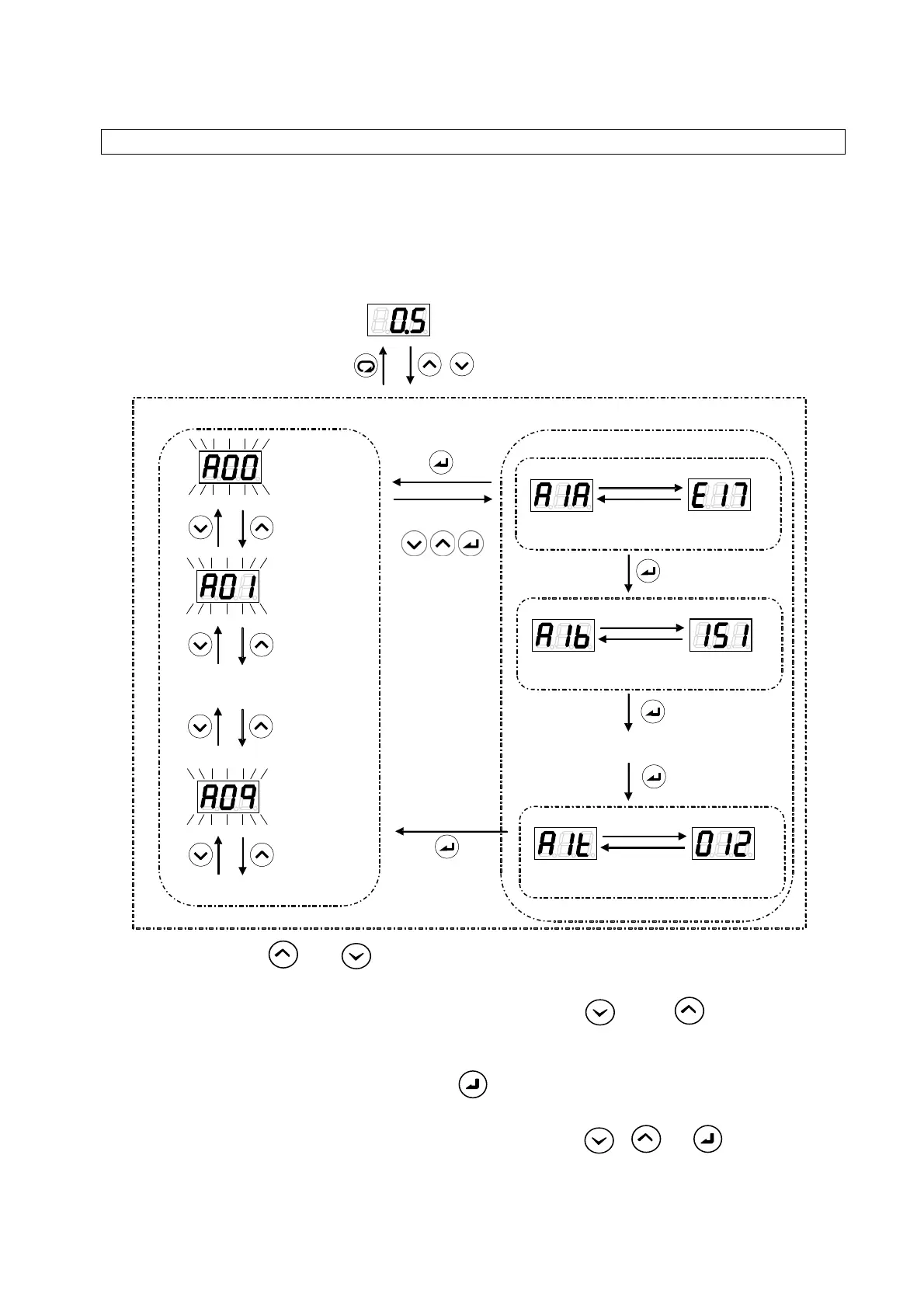
The alarm mode enables checking of up to 10 alarms in the history of alarms that have occurred in the
past. For details on the displayed alarm codes and their meanings, refer to “13.1 Alarm Causes and
Corrective Actions”.
11.6.1 Alarm mode operations
(1) Hold down the
and keys together in the regular mode. After about 2 seconds, the
mode will switch to the alarm mode.
(2) Select the alarm history number to be displayed by using the
key or key. During
alarm history number selection, the display will flash. A00 is the latest alarm, with older alarm
displayed in sequence in this order: A01
→
A02
→
.
(3) Confirm the alarm history number with the
key. The corresponding alarm code and the
following data upon occurrence of the alarm concerned will be displayed alternately.
(4) Return to the alarm history number selection by pressing the
, or key.
...
A00
History of alarm numbers
(2)
Latest alarm
Previous alarm
9th-previous
alarm
Elapse of 2 seconds
Elapse of
2 seconds
E17: For the motor’s
electronic
thermal relay
Elapse of 2 seconds
Elapse of 2 seconds
Power-on count of 151
Elapse of 2 seconds
Elapse of 2 seconds
Operation time: 12,000 h
...
larm data display
Regular mode
Holding down together
(approx. 2 seconds)
(1)
One of
(4)
(3)
larm Mode





 To Next Page