79
PIM00504
Chapter 15. ABOUT Hybrid-Win (MAINTENANCE/CONTROL FUNCTIONS)
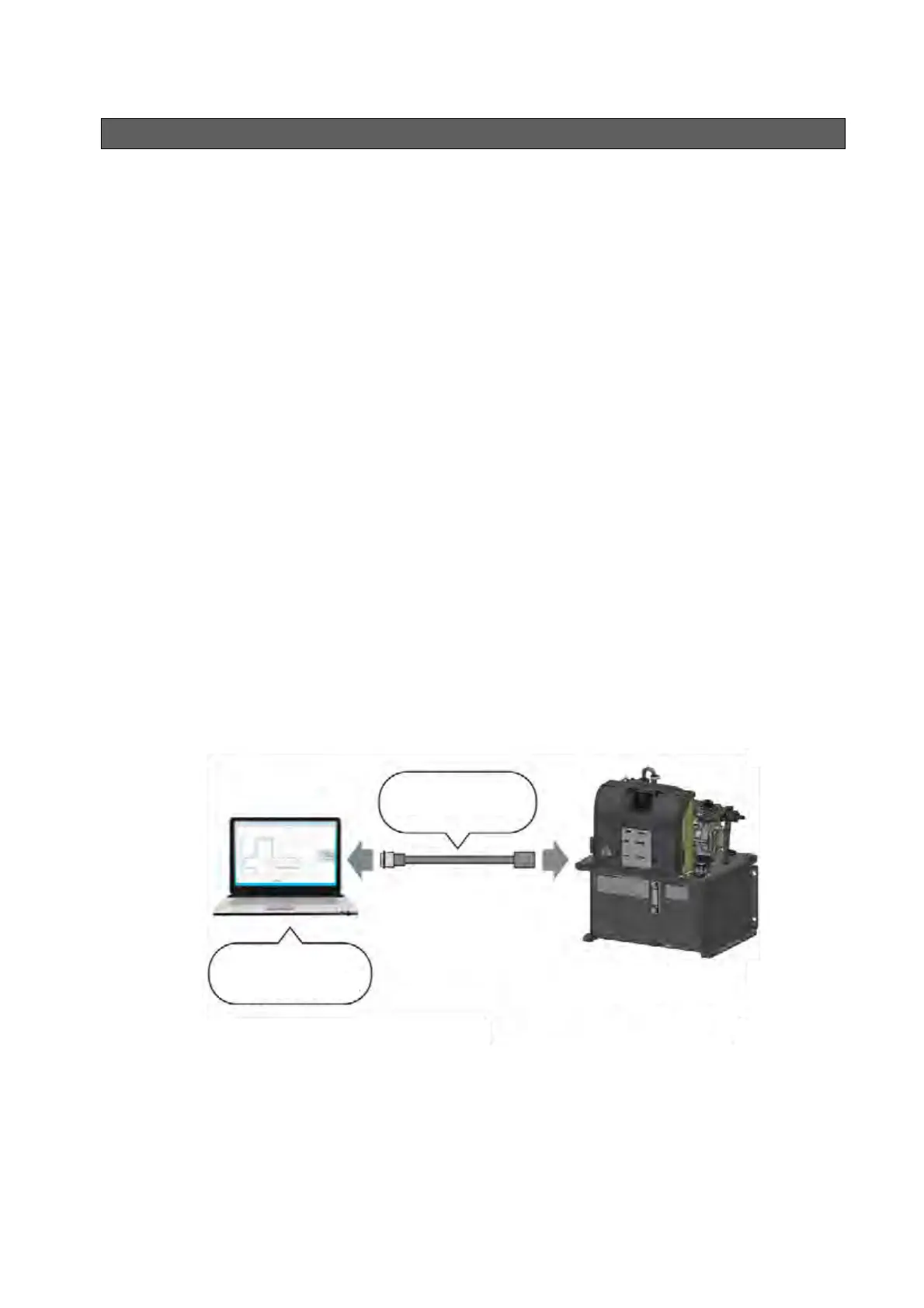
Hybrid-Win is a software tool for reading and controlling the information of a Daikin hybrid system
(SuperUnit, ECORICH, Oilcon, etc.) on a personal computer. It makes it possible to set and monitor
parameters efficiently from a Windows screen on the personal computer.
Main functions
(1) Graph display
The pressure, flow rate, and other inverter internal data, can be monitored and displayed in graph
form. This can speed up tasks such as checking operations during test running, adjusting
parameters such as time constants, and investigating the cause when trouble occurs.
(2) Reading, writing, editing and saving parameters
By editing parameters on a personal computer and batch writing them to the hybrid system, the
time taken to set them can be shortened considerably. Reading and saving set values makes
control easier.
(3) Reading and saving the alarm history
This is useful for speeding up the identification of parts that need maintenance, and shortening
stoppage times. It serves as a guide for determining the replacement of consumable parts based
on “operating time”, and maintenance intervals. Troubleshooting, including the diagnosis of the
causes of alarm occurrences, and corrective actions, can be displayed.
* Hybrid-Win is a software tool for monitoring the internal status with a personal computer. The tool itself
and its instruction manual can be downloaded free of charge after registering as a user in the website
(http://www.daikinpmc.com/).
* The communication cable must be purchased separately.
* There are some models that require separate, model-specific monitor harnesses.
* It is possible to add a wireless module to connect to smart phones or a wireless LAN (available as an
option). This helps with the users’ daily inspections, maintenance and remote monitoring.
Communication
cable
PC (to be prepared
by a customer)
ECORICH





 To Next Page