Troubleshooting by Remote Controller Si33-105
146 Troubleshooting R407C PLUS Series Heat Recovery System
2.3 Self-diagnosis by Wireless Remote Controller
In Case of
BRC7A~ Type
If operation stops due to malfunction, the light reception section operation LED blinks. The
malfunction code can be decided by the following procedure. (If operation stops due to
malfunction, you can find out the cause by checking the malfunction code, or you can find out
what the most recent malfunction code is during normal operation.)
1. Push INSPECTION/TEST, and select “inspection.”
Operation then enters the inspection mode. “UNIT” lights and unit No. display “0” blinks.
2. Unit No. setting
Change the unit No. by pushing the “advance” or “backward” button, and continue pushing
until the buzzer (
!
1) sounds from the indoor unit.
!
1 Buzzer sound times
3 times :
Carry out all of the following operations.
1 time :
Carry out operations 3 and 4. Carry out operation 4 until the buzzer sounds
continuously. When the buzzer sounds continuously. The malfunction code is set.
Continuous :
There is no malfunction.
!
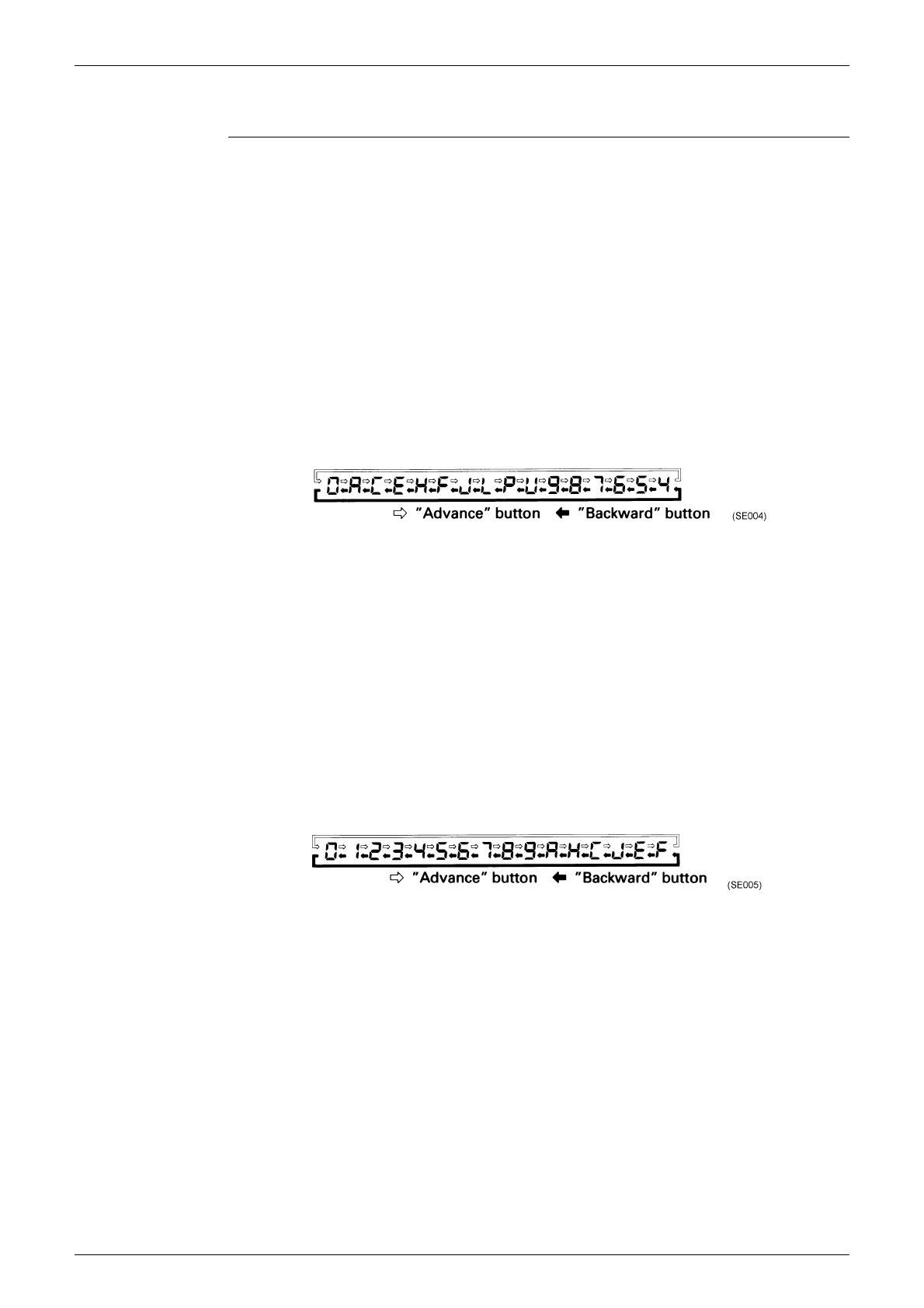
The upper digit of the code changes as shown below by pushing the “advance” or
“backward” button.
3. Push the operation mode selector button. The “0” (upper digit) on the left side of the
malfunction code blinks.
4. Malfunction code upper digit diagnosis Push the “advance” or “backward” button until the
malfunction code matching buzzer (
!
2) sounds and select the malfunction code upper digit.
!
2 Buzzer sound times
Continuous :
Both upper and lower digit agree. (Malfunction code set)
2 times :
Upper digit agrees
1 time :
Lower digit agrees
5. Push the operation mode selector button.
The “0” (upper digit) on the right side of the malfunction code blinks.
6. Malfunction code lower digit diagnosis Push the “advance” or “backward” button until the
malfunction code matching buzzer sounds continuously, and select the malfunction code
lower digit.
!
The lower digit of the code changes as shown below by pushing the “advance” or
“backward” button.



 To Next Page