Si33-105 Test Operation
Test Operation R407C PLUS Series Heat Recovery System 109
1.4 Setting Modes
There are the following three setting modes.
&
Setting mode 1 (H1P off)
Used to select the cool/heat setting, low-noise run and sequential start.
&
Setting mode 2 (H1P on)
Used to modify the running status and to program addresses, etc. Usually used in servicing the
system.
&
Monitor mode (H1P flashing)
Used to check the programs made in the setting mode 2, the number of units being connected,
and other entries.
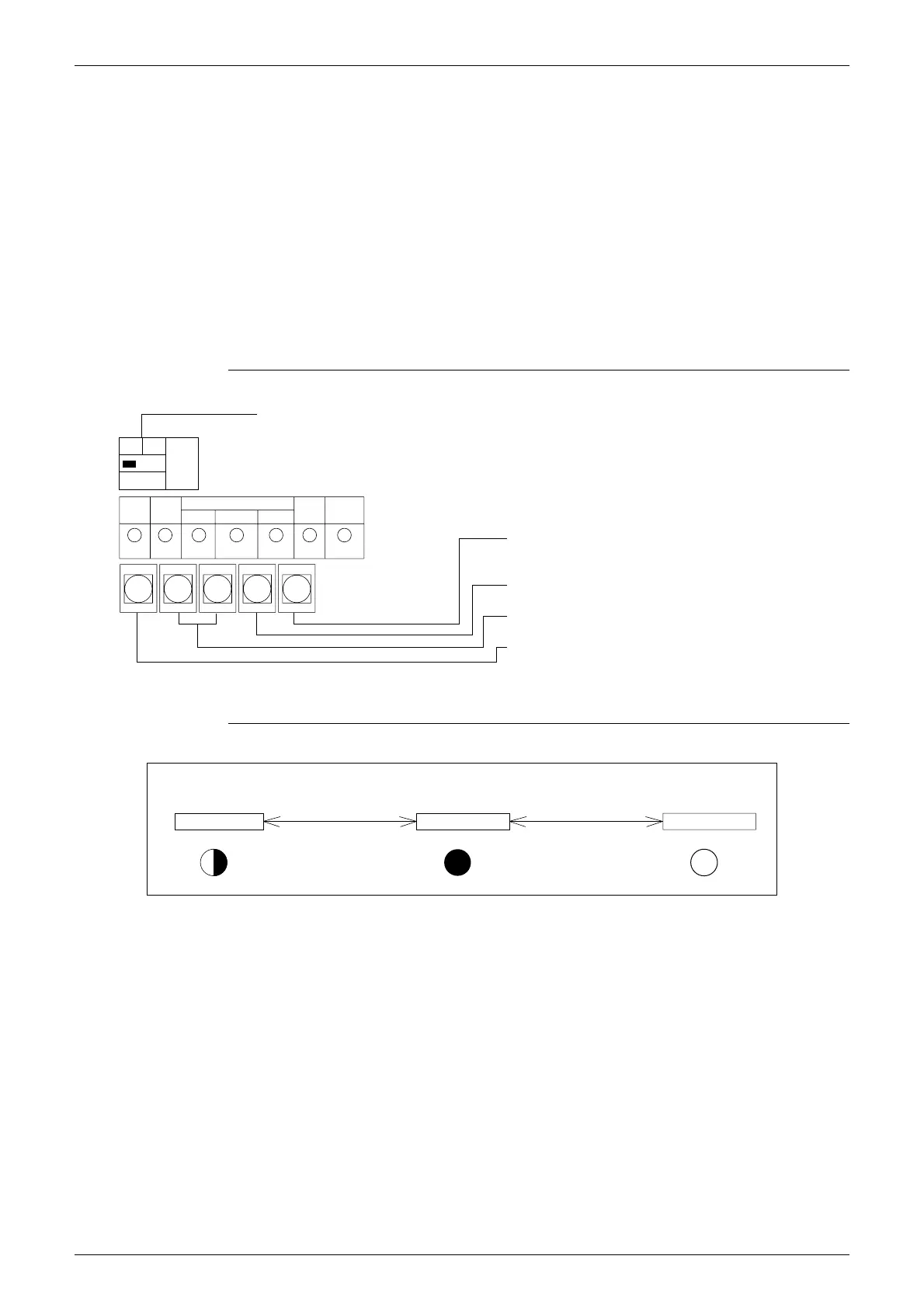
Functions of Pushbutton Switches
Mode Change
MODE TEST
C / H select
SEQ.
START
L.N.
O.P
IND
MASTER
SLAVE
MODE
BS1
SET
BS2
RETURN
BS3
WIRING CHECK
BS4
RESET
BS5
H1P H2P H3P H4P H5P H6P H7P
IN/D
UNIT
OUT/D
UNIT
C / H
SELECT
SS1
Used to rearrange the addresses in modifying the
cabling or increasing the number of indoor units.
Used to check for wrong cabling.
Used for field programming.
Used to change the setting modes.
(VL120)
Used to set the cool/heat select.
Using the MODE button, the modes can be changed as follows.
Monitor mode Setting mode 1 Setting mode 2
(Normal)
Press the MODE
button once.
Hold down the MODE
button for 5 seconds.
Press the MODE
button once.
MODE
Flashing
H1P
MODE
Off
H1P
MODE
On
H1P
(VL121)



 To Next Page