DKM-411 User Manual Rev_01 Firmware V-1.0
K46D03-EN - 51 -
Event logs are displayed within the program mode menu. This is designed in order to reduce the
interference of event logs with other measurement screens.
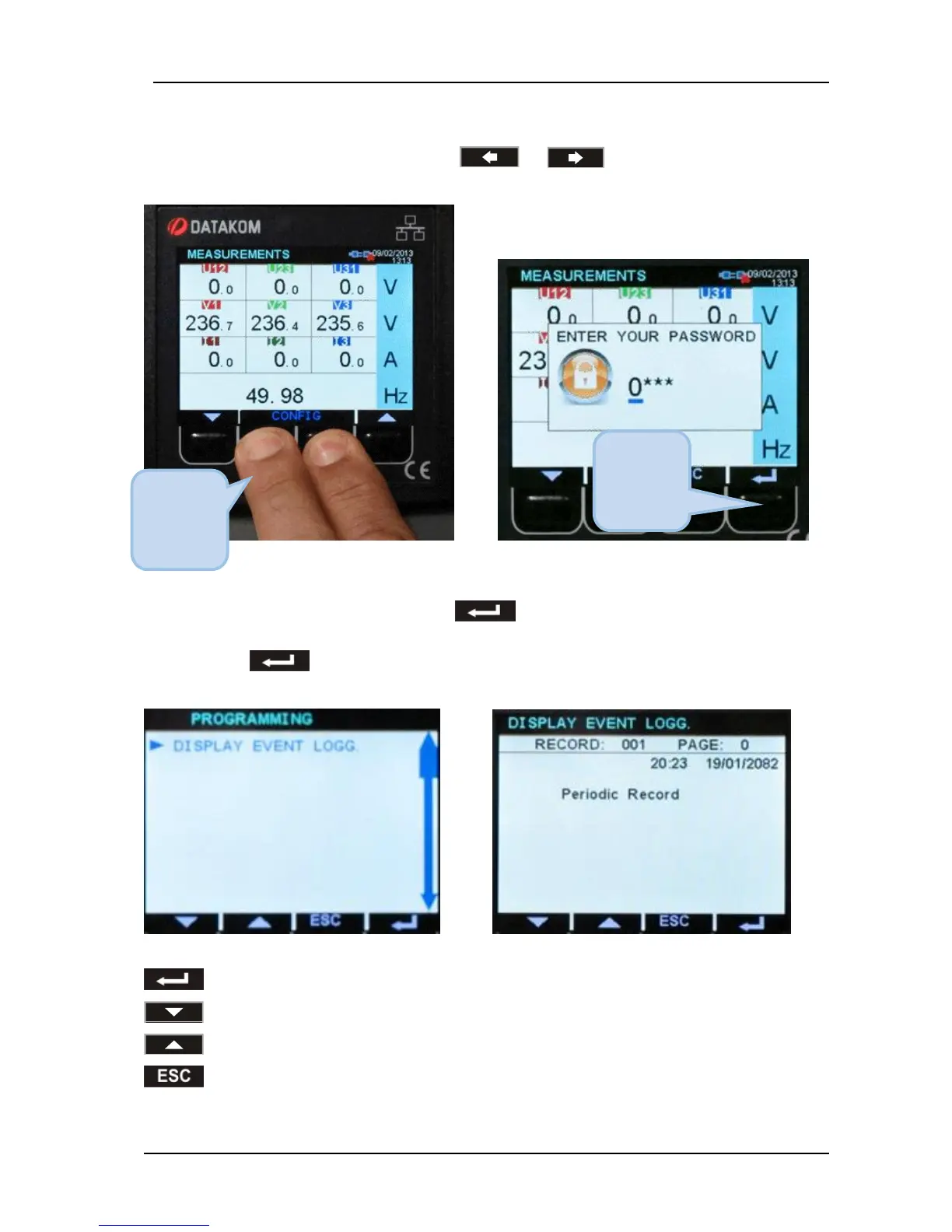
To enter the event display, press together with and buttons for 5 seconds.
When the program mode is entered, below password entry screen will be displayed.
Skip the password entry screen by pressing the button 4 times. The screen below left will
come.
Press again the button. The last stored event will open, as in the below-right picture.
The first page will display the event number, event type, fault type and date-time information.
When displaying event logs:
button will display the next information in the same event
button will display the same information of the previous event
button will display the same information of the next event.
button, when held pressed returns to the main event display screen.



 To Next Page