Enter/Exit Programming Mode GS1 DataBar
TM
Omnidirectional
124 QuickScan™ I QM21X1 / QBT21X1
GS1 DataBar
TM
Omnidirectional
The following options apply to the GS1 DataBar Omnidirectional (formerly RSS-
14) symbology.
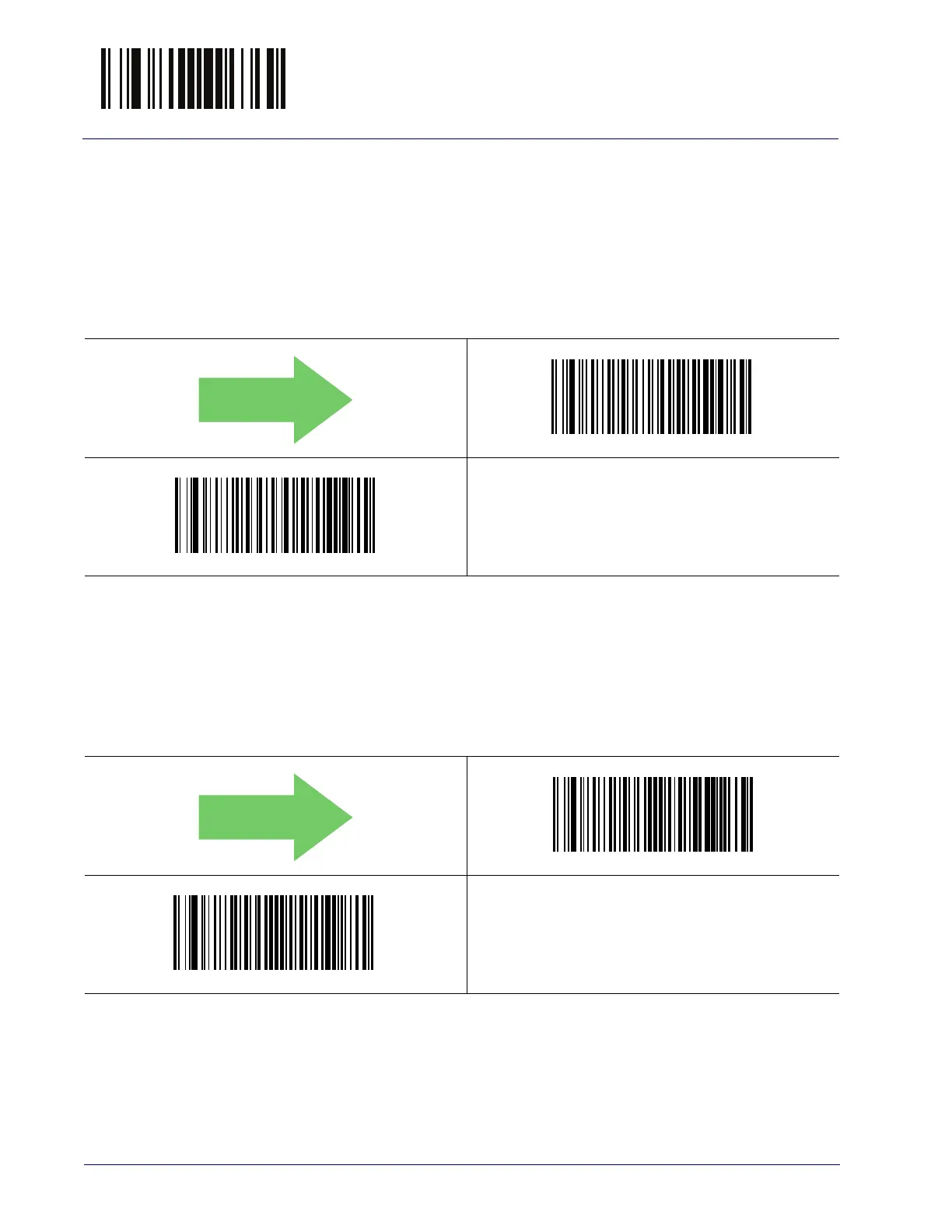
GS1 DataBar Omnidirectional Enable/Disable
When disabled, the reader will not read GS1 DataBar Omnidirectional bar codes.
GS1 DataBar Omnidirectional GS1-128 Emulation
When enabled, GS1 DataBar Omnidirectional bar codes will be translated to the
GS1-128 label data format.
$C4BEN00
GS1 DataBar Omnidirectional = Disable
$C4BEN01
GS1 DataBar Omnidirectional = Enable
DEFAULT
$C4BU800
GS1 DataBar Omnidirectional GS1-128 Emulation = Disable
$C4BU801
GS1 DataBar Omnidirectional GS1-128 Emulation = Enable
DEFAULT



 To Next Page
 Loading...