EasyManua.ls Logo

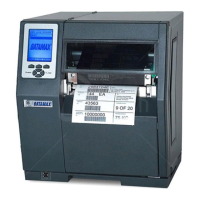
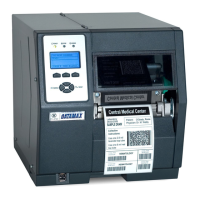
Datamax H-4212X - User Manual

Datamax H-4212X
186 pages
Print Icon
To Next Page IconTo Next Page
Loading...
Operator’s Manual

Table of Contents

Questions and Answers

  • C
    Craig SingletonAug 26, 2025
    What to do if Datamax Printer does not print from software?
    • C
      Courtney DavisAug 27, 2025
      If the printer is at READY, observe the display when sending your label format. If 'Receiving Data' is not indicated, check the protocol, port settings, and/or IP Address between the printer and host. For networking, check for the appropriate Current State Icon. Also, ensure that the interface cable meets the requirements and is properly connected. If 'Receiving Data' is indicated, enter COMMUNICATIONS / ESC SEQUENCES and disable the setting.
  • S
    Stanley JacobsonAug 25, 2025
    Why Datamax H-4212X is not printing with thermal transfer media?
    • D
      doyleandreAug 26, 2025
      If an image is visible on the used ribbon, verify that the ribbon was loaded properly. To identify the coated side, press the sticky side of a label against the ribbon surfaces to see if ink lifts from the coated side. Clean the printhead and reinstall the ribbon. If no image is on the used ribbon, run a test label. If an image prints, ensure that the protocol and port settings for the printer and host match, increase the HEAT setting, and verify that the media and ribbon combination is compatible.
  • J
    Jonathan FowlerAug 23, 2025
    Why is my Datamax H-4212X Printer feeding erratically?
    • R
      rwhiteAug 25, 2025
      The printer may require calibration.

Summary

Overview

About the Printer

Introduces the H-Class printer and its manual content.

Standard Features

Lists standard features available across different printer models.

Optional Features

Details optional features offered for the printer, with model specifics.

Getting Started

Unpacking

Instructions for safely unpacking the printer and checking contents.

Installation

Steps for setting up the printer, including power and interface connections.

Setting up the Printer

Media Loading

Procedures for loading different types of media into the printer.

Ribbon Loading

Instructions for loading thermal transfer ribbons correctly.

Quick Calibration

Procedure for fine-tuning the printer for media using a quick calibration method.

Using the Control Panel

The Menu System

Describes the structure and branches of the printer's menu system.

Media Settings

Configuration options for media type, sensor type, label length, and width.

Print Control

Settings related to print quality, speed, heat, and offsets.

Printer Options

Configuration for various printer options like modules, sensors, and cutters.

Operating, Adjusting and Maintaining the Printer

Calibration

Procedures to ensure correct media detection and sensor function.

Standard Calibration

Step-by-step guide for standard media sensor calibration.

Reset Methods

Different levels of printer resets and how to perform them.

Maintenance

Recommended maintenance supplies, schedules, and methods for printer upkeep.

Troubleshooting

Problem Resolution

Guidance for resolving common printer problems and issues.

Warning and Fault Messages

Explains warning and fault messages displayed when alerts or problems occur.

Specifications

Model-Specific Specifications

Details unique parameters and features for different printer models.

Print Quality Controls

How print controls like heat, speed, and contrast affect output quality.

Appendix A: Module Assignments, and File Handling Definitions and Messages

File Handling Definitions

Defines supported file types and their requirements for printer processing.

Appendix B: Resolutions, Widths, Speeds, Emulations, & Custom Adjustments

Print Resolutions and Widths

Table detailing printhead resolutions and maximum print widths for various models.

Speed Ranges

Lists speed ranges and default settings for different printer functions and models.

Appendix C: RS-422;485 Port Configuration

Appendix E: Saving a Configuration File

Appendix F: Ethernet Setup

Appendix H: Printer Driver and Port Installation

Datamax H-4212X Specifications

General IconGeneral
Print Resolution203 dpi
Print TechnologyThermal Transfer or Direct Thermal
Print Speed12 ips
Media Width1 inch to 4.65 inches
Media Thickness0.0025 inches to 0.0100 inches
ConnectivityUSB, Serial, Ethernet
Max. Print Width4.09 inches
Maximum Print Width4.09 inches
Maximum Print Length99 inches
Label Width Range1 inch to 4.65 inches
Label Thickness Range0.0035" - 0.008" (0.09 mm - 0.2 mm)
Power Requirements100-240 VAC

Related product manuals