EasyManua.ls Logo

DaVinci Resolve Advanced Panel - Page 47

Default Icon
62 pages
Print Icon
To Next Page IconTo Next Page
To Previous Page IconTo Previous Page
Loading...
Key Shift Up Primary Function Shift Down
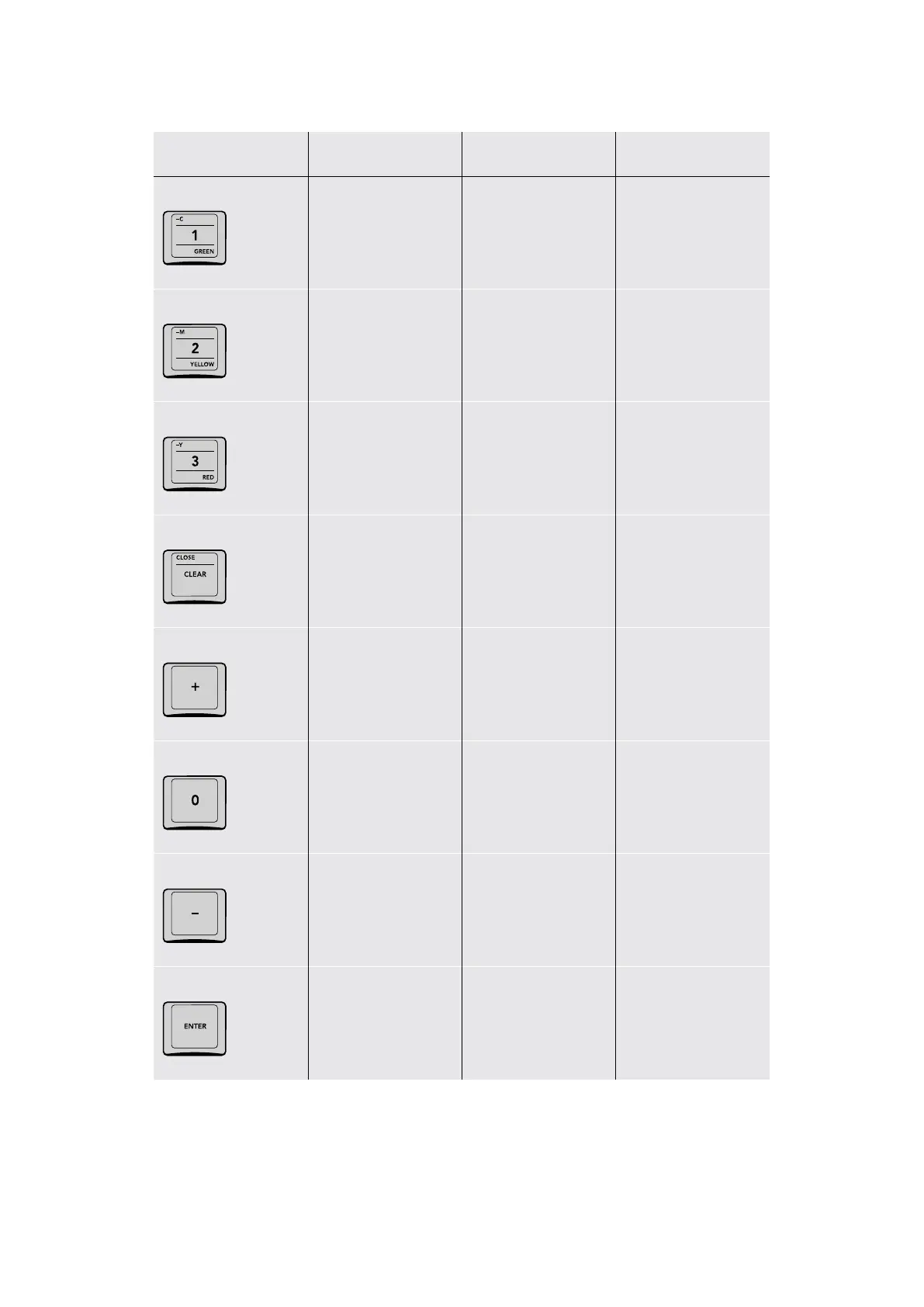
C/1/GREEN
C (Minus Cyan
or Green+Blue in
P/LITE mode)
(1) The one key (GREEN) Loads the
Green Qualifier preset
–M/2/YELLOW
M (Minus Magenta
or Red+Blue in
P/LITE mode)
(2) The two key (YELLOW) Loads the
Yellow Qualifier preset
–Y/3/RED
Y (Minus Yellow
or Red+Green in
P/LITE mode)
(3) The three key (RED) Loads the Red
Qualifier preset
CLOSE/CLEAR
(SHIFT UP CLOSE) (CLEAR) Clears
all numbers you
were typing in case
of mistakes
+
(+) The Plus key, use
for entering relative
timecode, such as +10
to move the playhead
forward 10 frames
0
(0) The zero key
(–) The Minus key, use
for entering relative
timecode, such as –10
to move the playhead
backward 10 frames
ENTER
(ENTER) The Enter
key, use after you’ve
typed a timecode value
to execute moving
the playhead
47The Search Dial Panel

Table of Contents