58 | Removing the Display Assembly
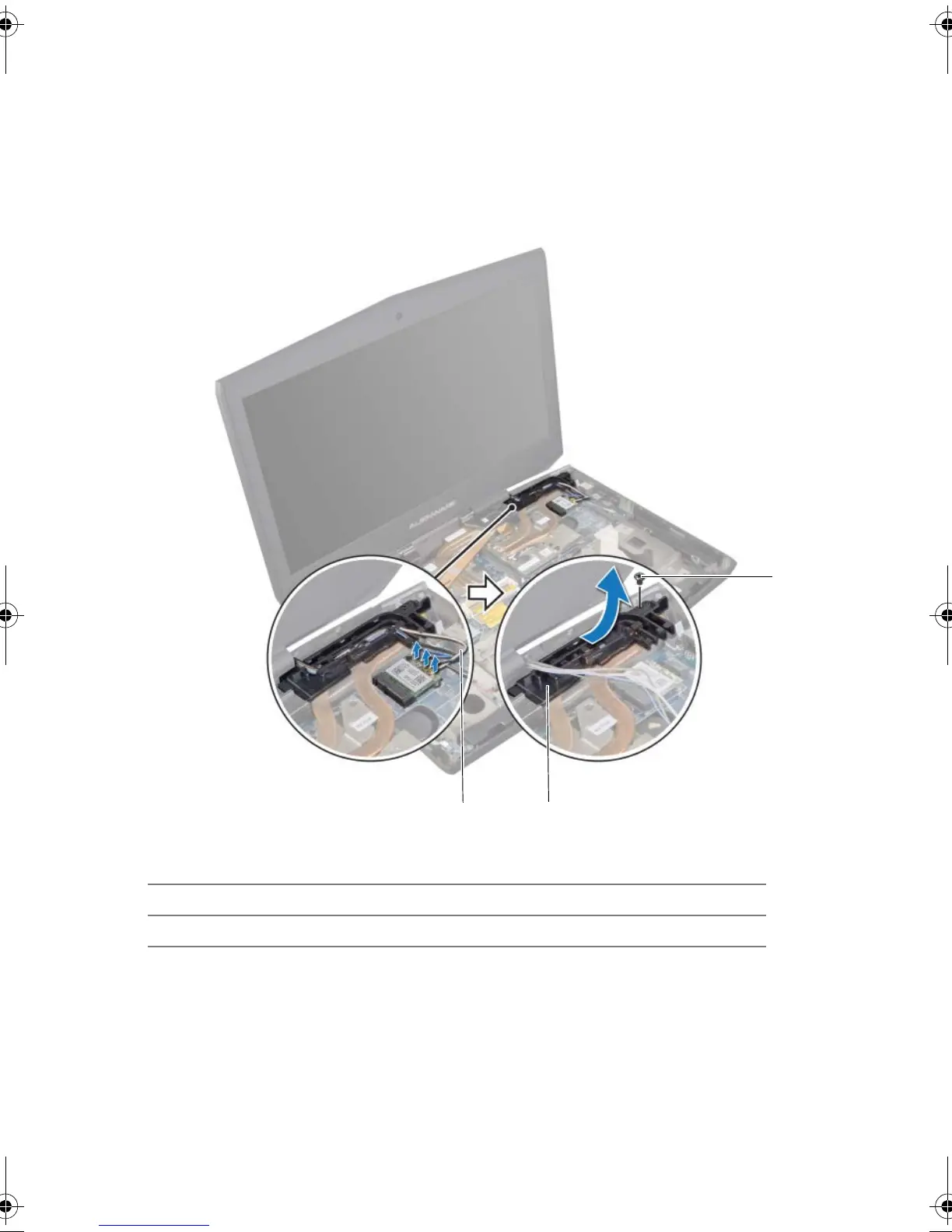
7 Disconnect the antenna cables from the connectors on the Mini-Card. See "Removing
the Wireless Mini-Card" on page 105.
8 Note the routing of the antenna cables, and then remove the cables from the routing
guides on the computer base.
9 Remove the screw that secures the routing guides to the computer base.
10 Slide and lift the routing guides off the computer base.
1 screw 2 routing guides
3 antenna cables (3)
Book.book Page 58 Friday, June 28, 2013 11:10 AM












 To Next Page