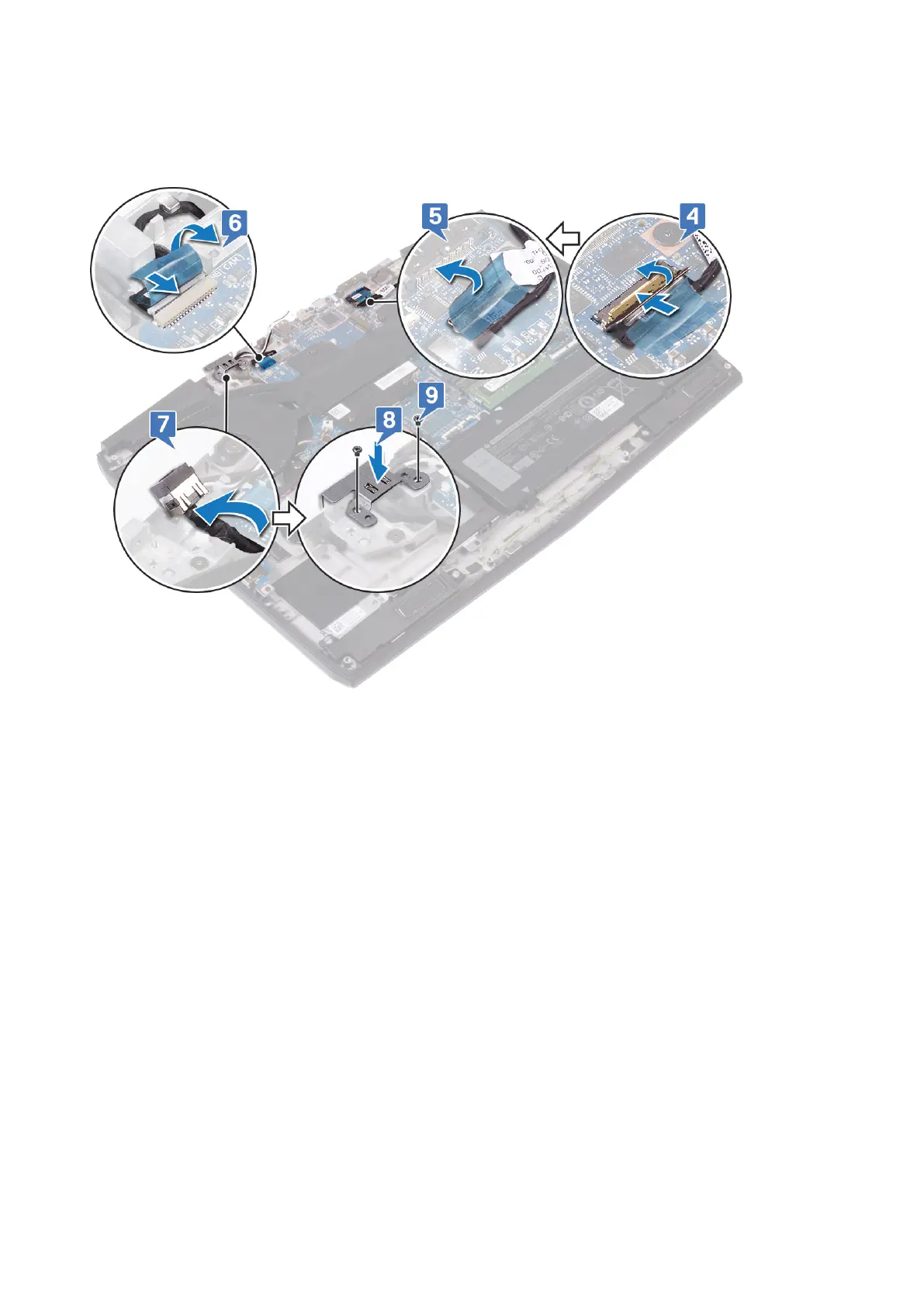
7. Place the power-adapter port into the slot on the palm-rest assembly.
8. Place the power-adapter port bracket onto the power-adapter port, aligning the screw holes on the power-adapter port to
the screw holes on the palm-rest assembly.
9. Replace the two screws (M2x3) that secure the power-adapter port bracket to the palm-rest assembly.
Post-requisites
1. Replace the wireless card.
2. Replace the base cover.
Replacing the display assembly
71












 To Next Page