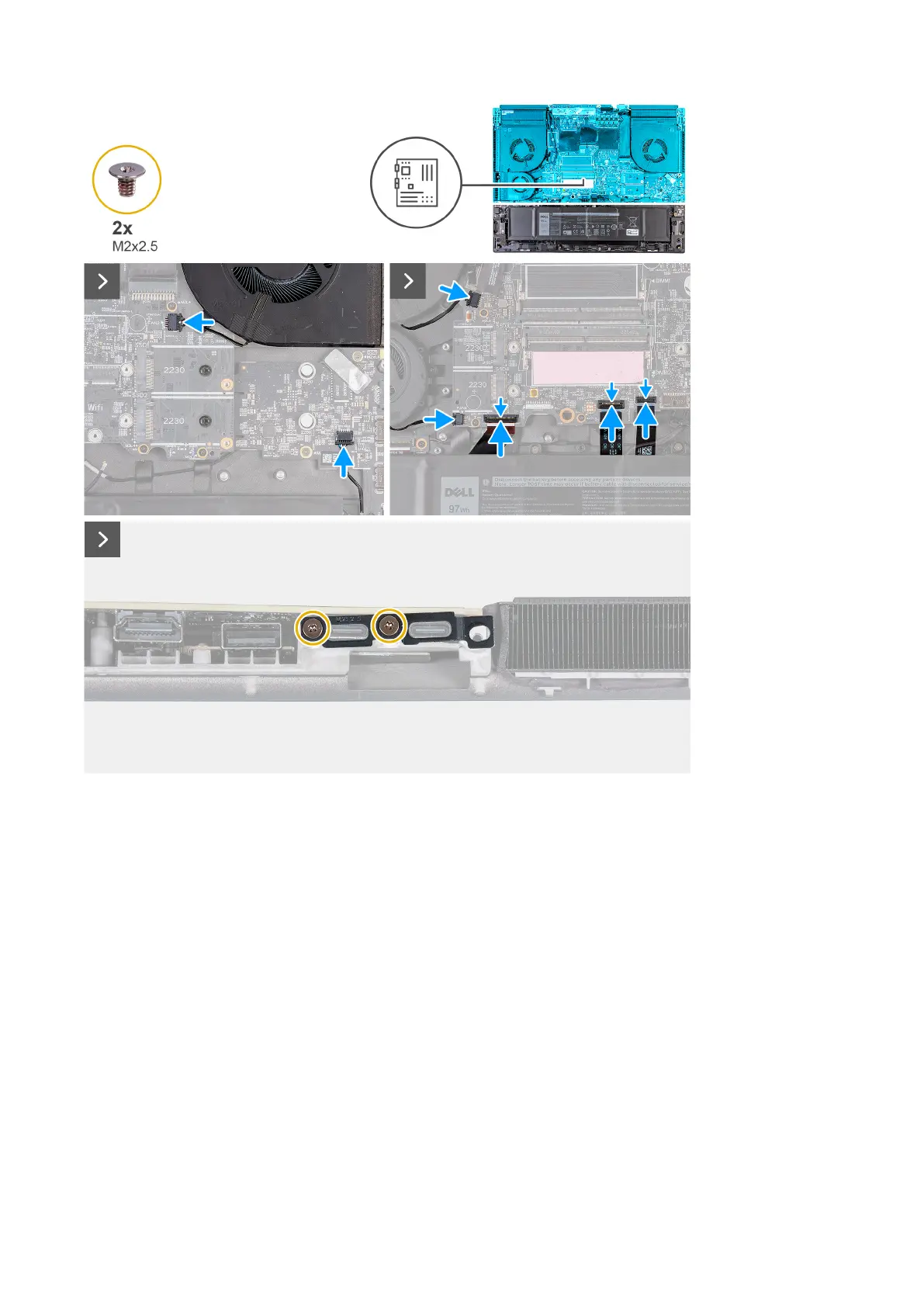
9. Connect the speaker cable to the connector on the system board.
10.Connect the right-fan cable to the connector (FAN2) on the system board.
11. Connect the two left-fan cables to the connector (FAN1 and FAN4) on the system board.
12. Connect the left I/O board cable to the connector on the system board and close the latch to secure the cable.
13. Connect the keyboard-controller board cable to the connector (KBBL2) on the system board and close the latch to secure the
cable.
14. Connect the touchpad cable to the connector (TPAD1) on the system board and close the latch to secure the cable.
15.Align the screw holes on the Type-C bracket with the screw holes on the palm-rest and keyboard assembly.
16.Place the Type-C bracket on the system board.
17. Replace the two screws (M2x2.5) that secure the Type-C bracket to the system board.
80










 To Next Page