For WLAN, see Replacing the WLAN/WiMax Card.
7. Place any unused antenna cables in the base assembly cable holders next to the card slot.
8. Replace the keyboard (see Replacing the Keyboard).
9. Replace the LED cover (see Replacing the LED Cover).
10. Replace the service panel (see Replacing the Service Panel).
11. Follow the procedures in After Working on Your Computer.
Removing the Display Bezel
1. Follow the instructions in Before Working on Your Computer.
2. Remove the service panel (see Removing the Service Panel).
3. Remove the LED cover (see Removing the LED Cover).
4. Remove the keyboard (see Removing the Keyboard).
5. Remove the display assembly (see Removing the Display Assembly).
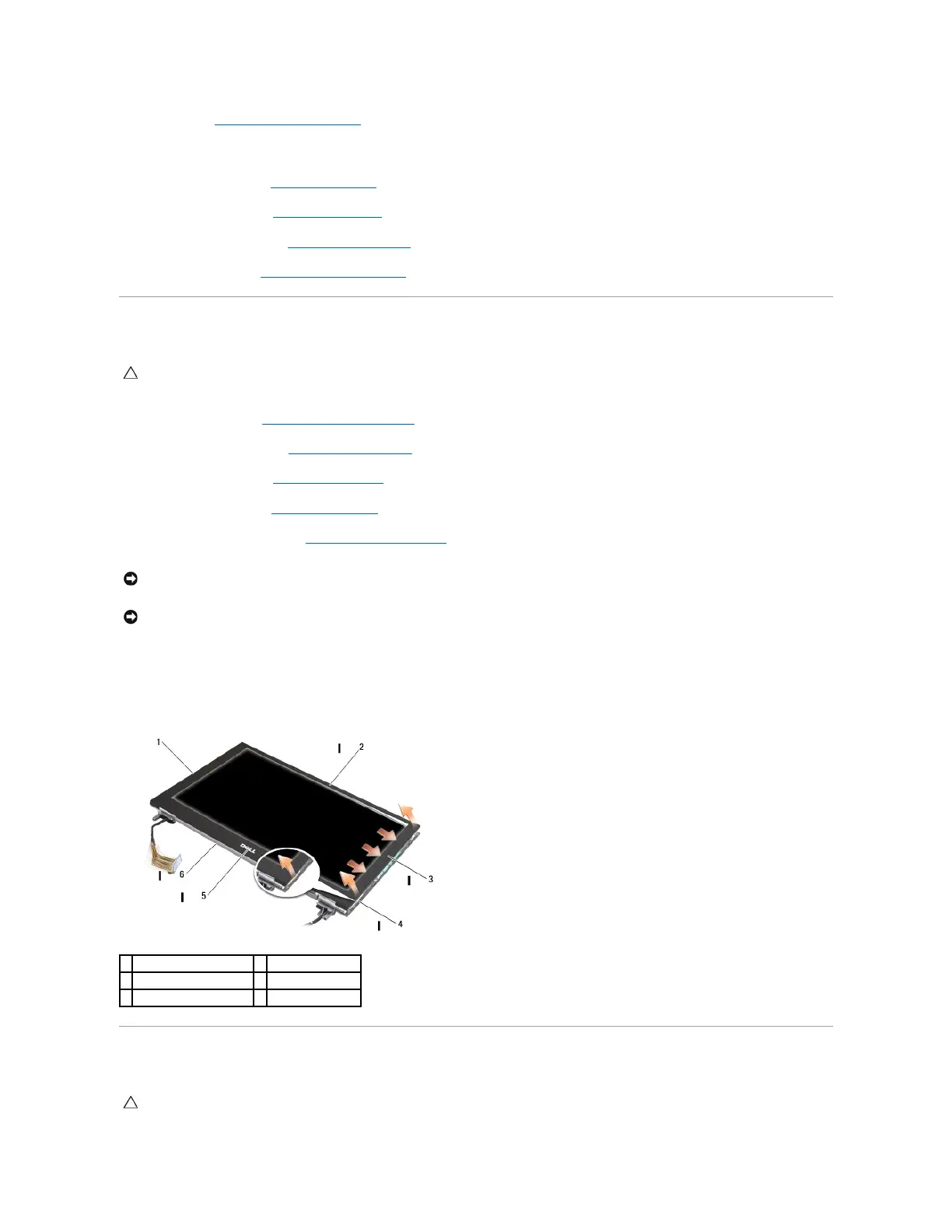
6. Starting from one side of the bezel, use your fingers to pry the inside edges of the bezel upward and outward from the display panel. Lift up on the
released side of the bezel, and continue to release the top and bottom of the bezel. Release the remaining side of the bezel last.
7. Once all snaps are released, lift the bezel from the display assembly.
Replacing the Display Bezel
CAUTION: Before working inside your computer, read the safety information that shipped with your computer. For additional safety best
practices information, see the Regulatory Compliance Homepage on www.dell.com at: www.dell.com/regulatory_compliance.
NOTICE: Removal of the bezel from the display back cover requires extreme care to avoid damage to the bezel and the display panel. Special
attention is required for the corners, especially for the bezels used with the LED display panels.
CAUTION: Before working inside your computer, read the safety information that shipped with your computer. For additional safety best
practices information, see the Regulatory Compliance Homepage on www.dell.com at: www.dell.com/regulatory_compliance.

















 To Next Page