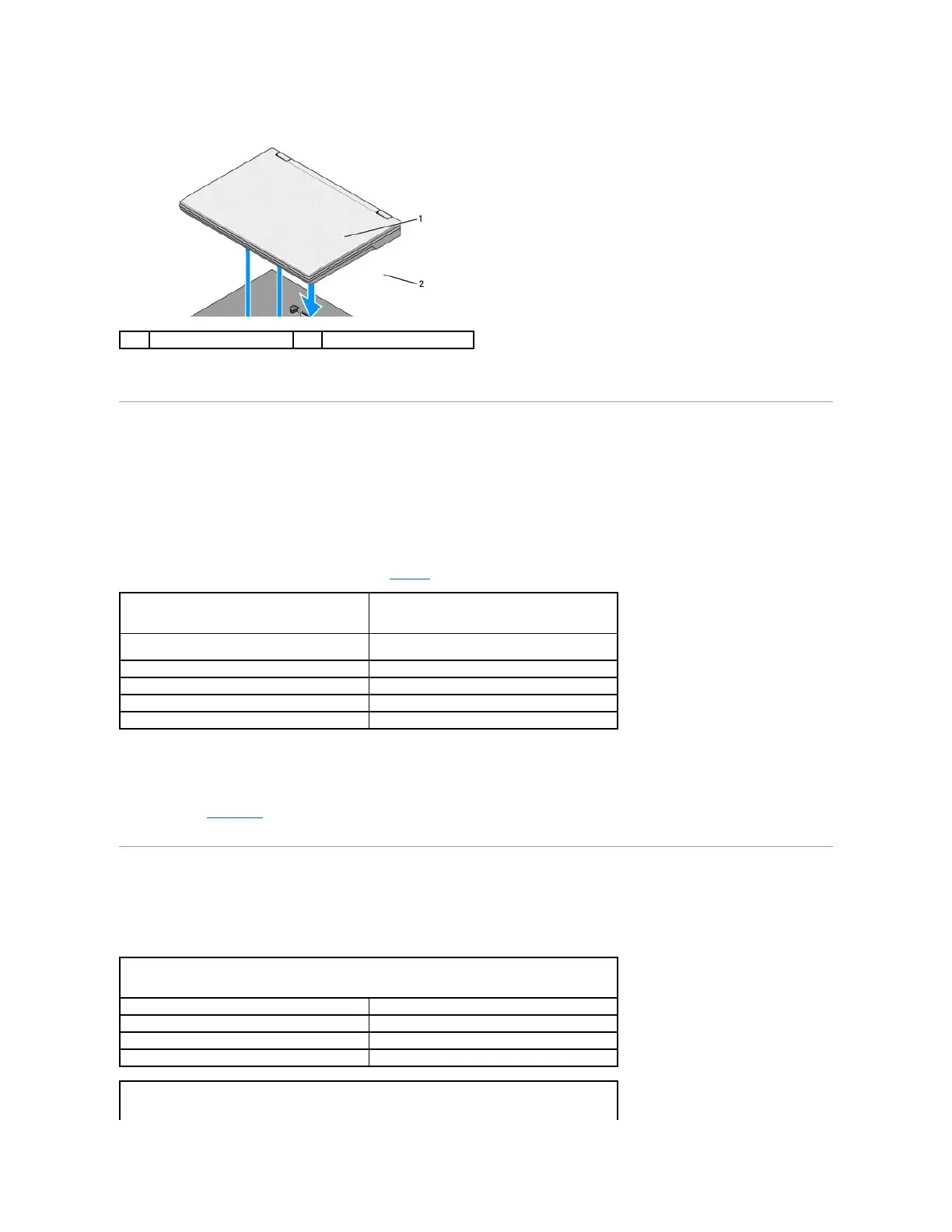
4. Lift the back edge of the laptop up and slide the laptop toward the back of the battery slice.
Charging Your Battery Slice
Your battery slice charges whenever it is attached to the laptop and the laptop is attached to an electrical outlet through the AC adapter.
You can also charge your battery slice when it is detached from your laptop using an AC adapter that is compatible with your laptop. Connect an AC adapter to
the AC adapter connector on the battery slice and to an electrical outlet.
Power Status Light
When the battery slice charges, the power status light (see Top View) indicates the following states:
Charge Gauge
The operating time of a battery slice depends on the number of times it is charged. To check the battery charge, press and release the status button on
charge gauge (see Bottom View) to illuminate the charge-level lights. Each light represents approximately 20 percent of total battery charge. For general
battery information, see the Dell Technology Guide at support.dell.com.
Specifications
Latitude E4200 Battery Slice

















 To Next Page