Back to Contents Page
Service Panel
Dell™Latitude™E4200ServiceManual
Removing the Service Panel
Replacing the Service Panel
Removing the Service Panel
1. Follow the procedures in Before Working on Your Computer.
2. Close the display and turn the computer upside down.
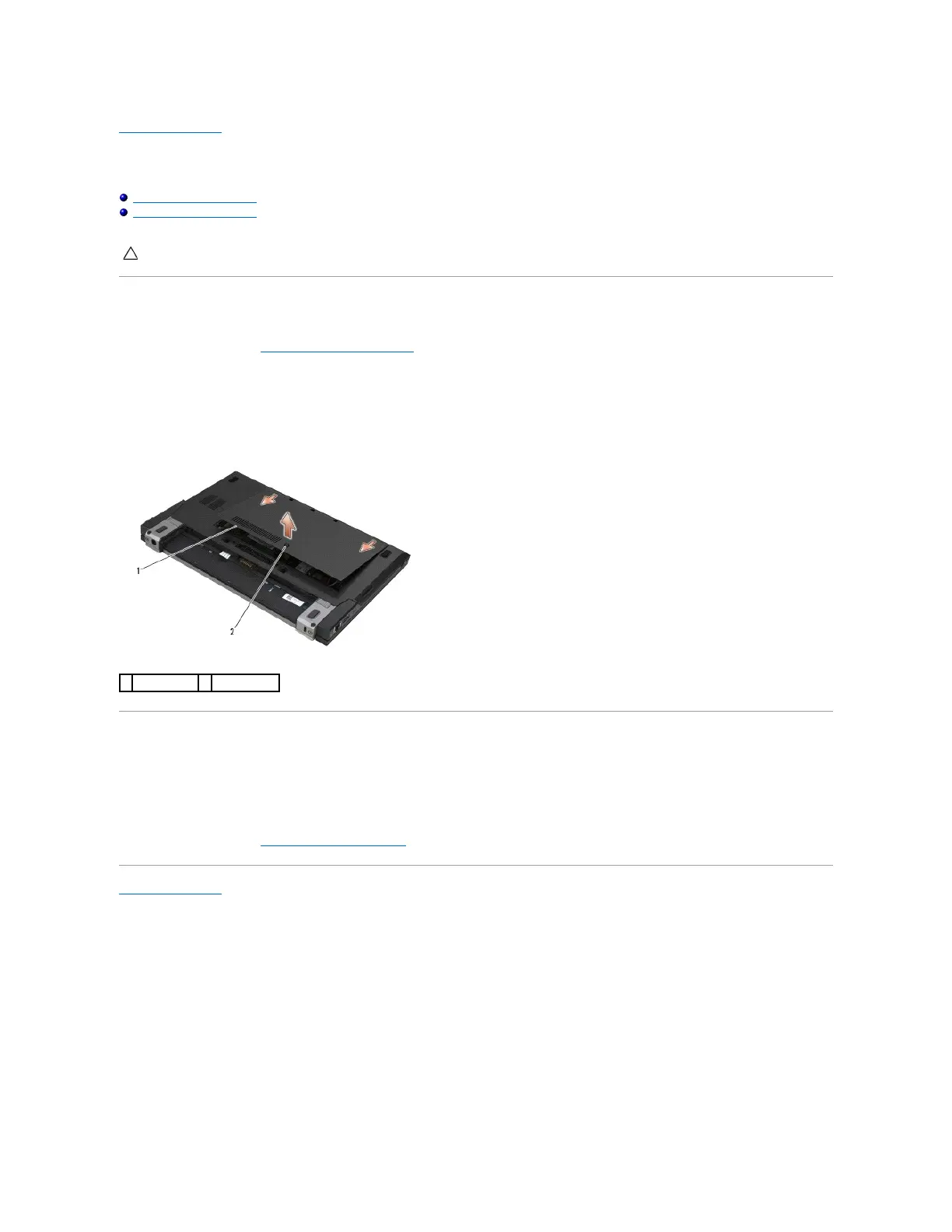
3. Loosen the captive screw securing the service panel.
4. Slide the service panel towards the back of the computer, and then lift it by the captive screw to remove it from the computer.
Replacing the Service Panel
1. Lower the service panel into place, press down on the center of the panel, and then slide the panel towards the front of the computer.
2. Press down on the captive screw and then tighten the screw.
3. Follow the procedures in After Working on Your Computer.
Back to Contents Page
CAUTION: Before working inside your computer, read the safety information that shipped with your computer. For additional safety best
practices information, see the Regulatory Compliance Homepage on www.dell.com at: www.dell.com/regulatory_compliance.

















 To Next Page