Back to Contents Page
Keyboard
Dell™Latitude™E4200ServiceManual
Removing the Keyboard
Replacing the Keyboard
Removing the Keyboard
1. Follow the procedures in Before Working on Your Computer.
2. Remove the LED cover (see Removing the LED Cover).
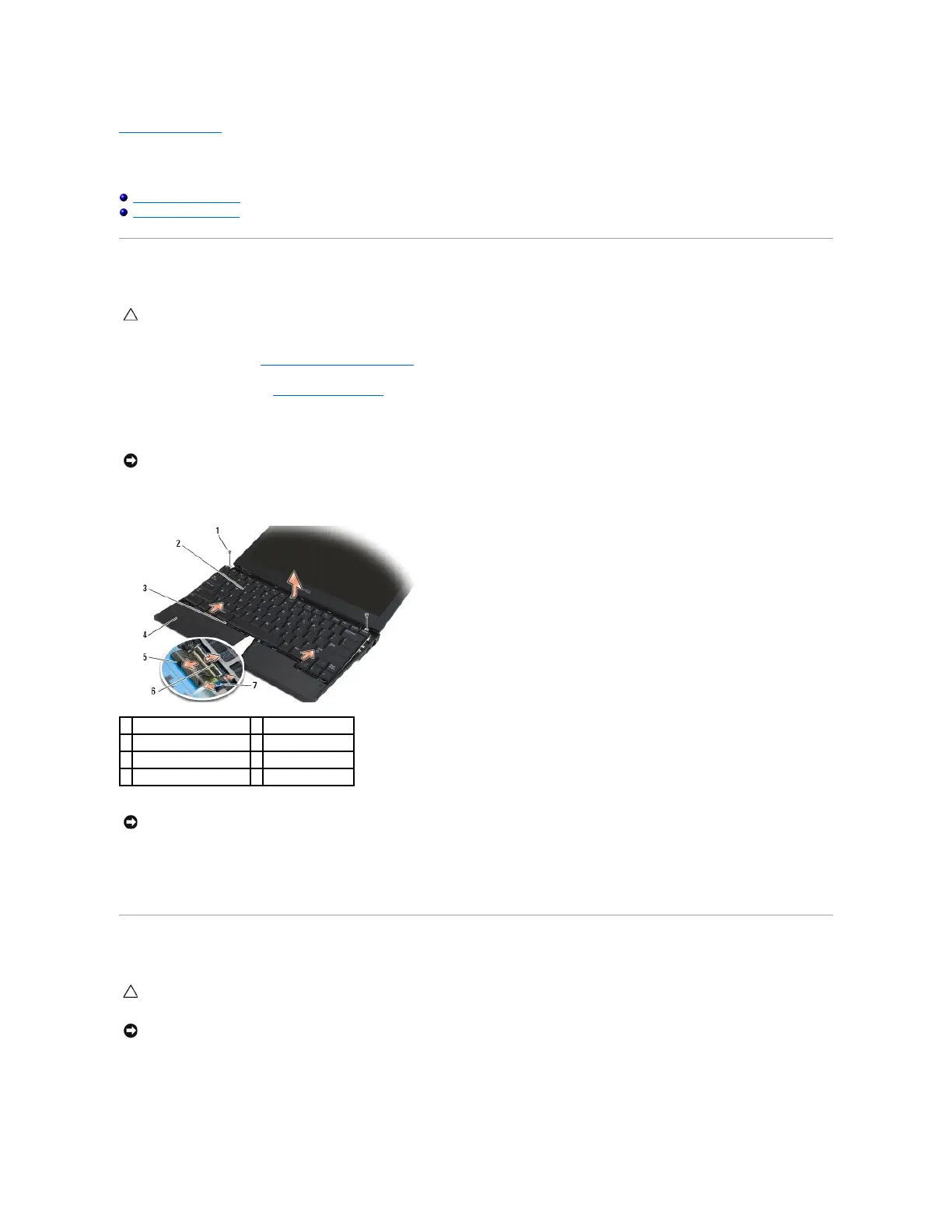
3. Remove the two M2 x 3-mm screws along the top of the keyboard.
4. Slide the keyboard towards the back of the computer to release the keyboard tabs from the palm rest.
5. Rotate the top of the keyboard away from the display, and lay it upside down on the palm rest to gain access to the keyboard connector.
6. Disconnect the keyboard cable and backlight cable (optional) from the system board by gently pulling up on the release latches.
Replacing the Keyboard
1. Connect the keyboard cable and backlight cable (optional) to the system board using the release latches.
2. Place the keyboard tabs into the palm rest and lay the keyboard down on the palm rest.
CAUTION: Before working inside your computer, read the safety information that shipped with your computer. For additional safety best
practices information, see the Regulatory Compliance Homepage on www.dell.com at: www.dell.com/regulatory_compliance.
NOTICE: The key caps on the keyboard are fragile, easily dislodged, and time- consuming to replace. Exercise care when removing and handling
the keyboard.
NOTICE: Lift the keyboard carefully to ensure that you do not pull on the keyboard cable.
CAUTION: Before working inside your computer, read the safety information that shipped with your computer. For additional safety best
practices information, see the Regulatory Compliance Homepage on www.dell.com at: www.dell.com/regulatory_compliance.
NOTICE: The key caps on the keyboard are fragile, easily dislodged, and time- consuming to replace. Exercise care when removing and handling
the keyboard.

















 To Next Page