Back to Contents Page
DC Power Cable
Dell™Latitude™E4200ServiceManual
Removing the DC Power Cable
Replacing the DC Power Cable
Removing the DC Power Cable
1. Follow the instructions in Before Working on Your Computer.
2. Remove the service panel (see Removing the Service Panel).
3. Remove the WLAN and WWAN cards (see Removing the WLAN/WiMax Card and Removing a WWAN Card).
4. Remove the memory module (see Removing the Memory Module).
5. Remove the solid state drive (see Removing the Solid State Drive and Cable Assembly).
6. Remove the LED cover (see Removing the LED Cover).
7. Remove the keyboard (see Removing the Keyboard).
8. Remove the module with Bluetooth
®
wireless technology (see Removing the Card With Bluetooth Wireless Technology).
9. Remove the display assembly (see Removing the Display Assembly).
10. Remove the coin-cell battery (see Removing the Coin-Cell Battery).
11. Remove the palm rest assembly (see Removing the Palm Rest Assembly).
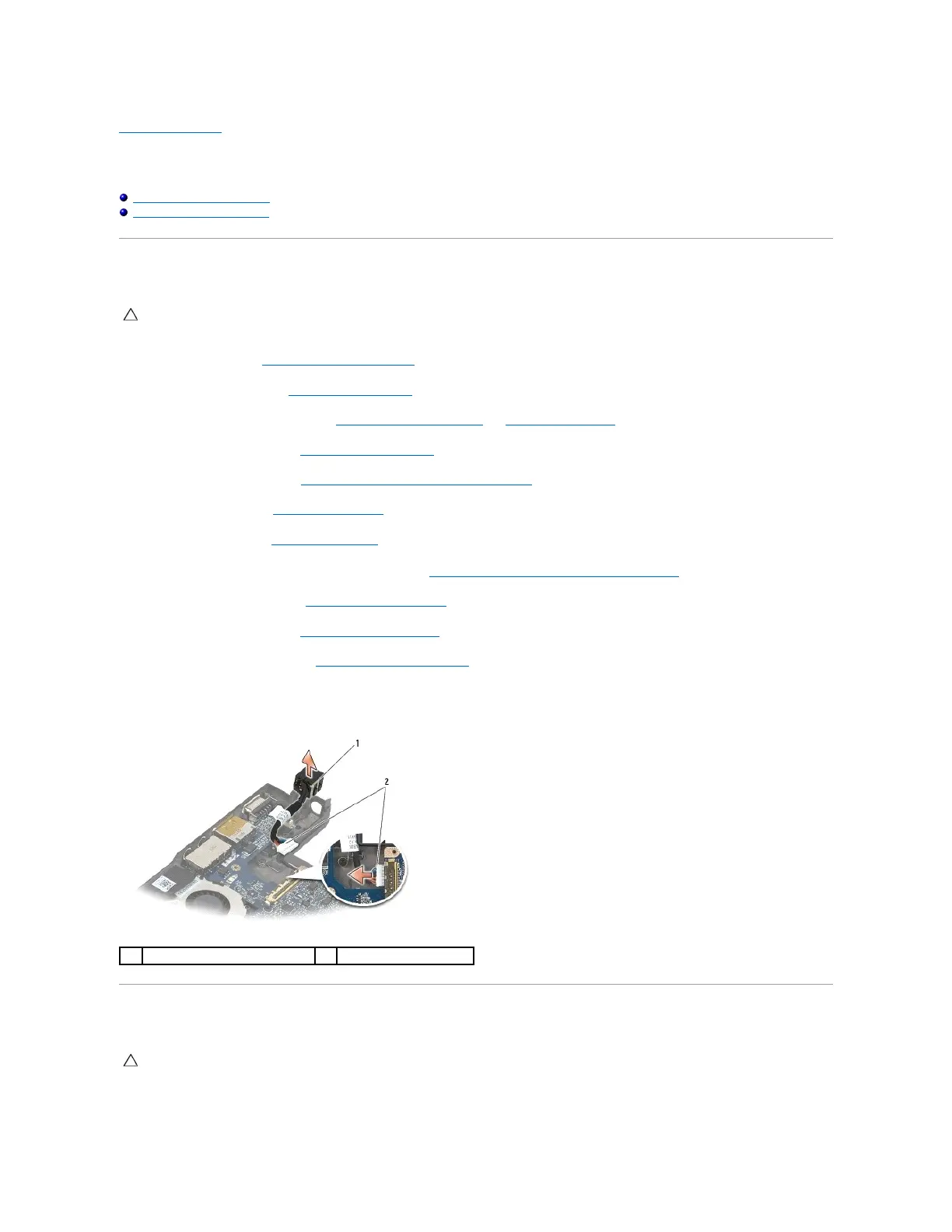
12. Disconnect the DC power cable from the system board.
13. Unroute the DC power cable from the base assembly and remove it.
Replacing the DC Power Cable
1. Place the DC power connector in the base assembly, aligning the guides on the connector sides with the base.
CAUTION: Before working inside your computer, read the safety information that shipped with your computer. For additional safety best
practices information, see the Regulatory Compliance Homepage on www.dell.com at: www.dell.com/regulatory_compliance.
CAUTION: Before working inside your computer, read the safety information that shipped with your computer. For additional safety best
practices information, see the Regulatory Compliance Homepage on www.dell.com at: www.dell.com/regulatory_compliance.

















 To Next Page