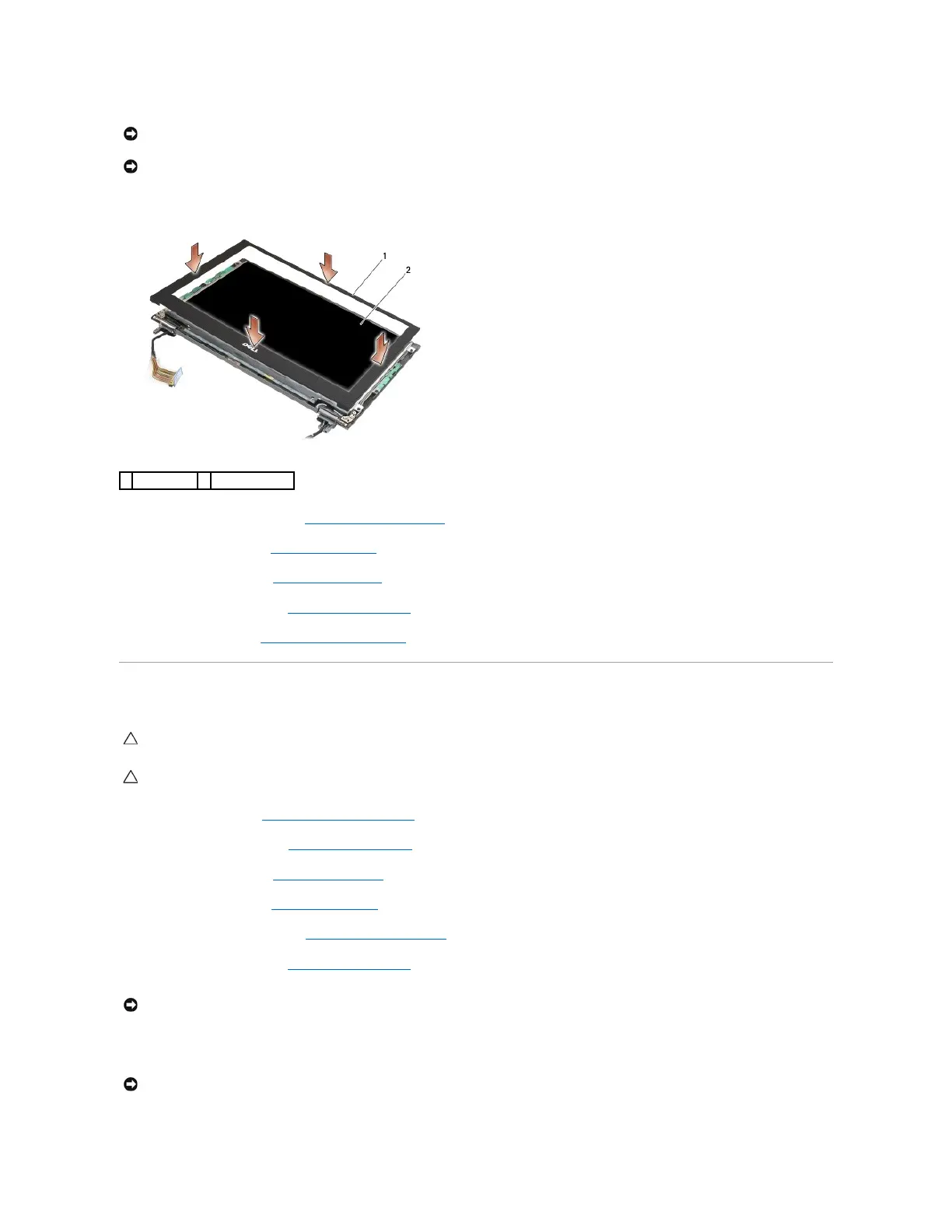
1. Align the bezel edges with those on the display assembly, and gently snap the bezel into place around the entire perimeter of the assembly.
2. Replace the display assembly (see Replacing the Display Assembly).
3. Replace the keyboard (see Replacing the Keyboard).
4. Replace the LED cover (see Replacing the LED Cover).
5. Replace the service panel (see Replacing the Service Panel).
6. Follow the procedures in After Working on Your Computer.
Removing the Display Panel
1. Follow the instructions in Before Working on Your Computer.
2. Remove the service panel (see Removing the Service Panel).
3. Remove the LED cover (see Removing the LED Cover).
4. Remove the keyboard (see Removing the Keyboard).
5. Remove the display assembly (see Removing the Display Assembly).
6. Remove the display bezel (see Removing the Display Bezel).
7. Remove the four M2 x 3-mm screws from the display panel.
NOTICE: When replacing the display bezel, press only on the outer edges when snapping the bezel into place. Pressing on the inner edges could
cause the display panel to crack.
CAUTION: Before working inside your computer, read the safety information that shipped with your computer. For additional safety best
practices information, see the Regulatory Compliance Homepage on www.dell.com at: www.dell.com/regulatory_compliance.

















 To Next Page