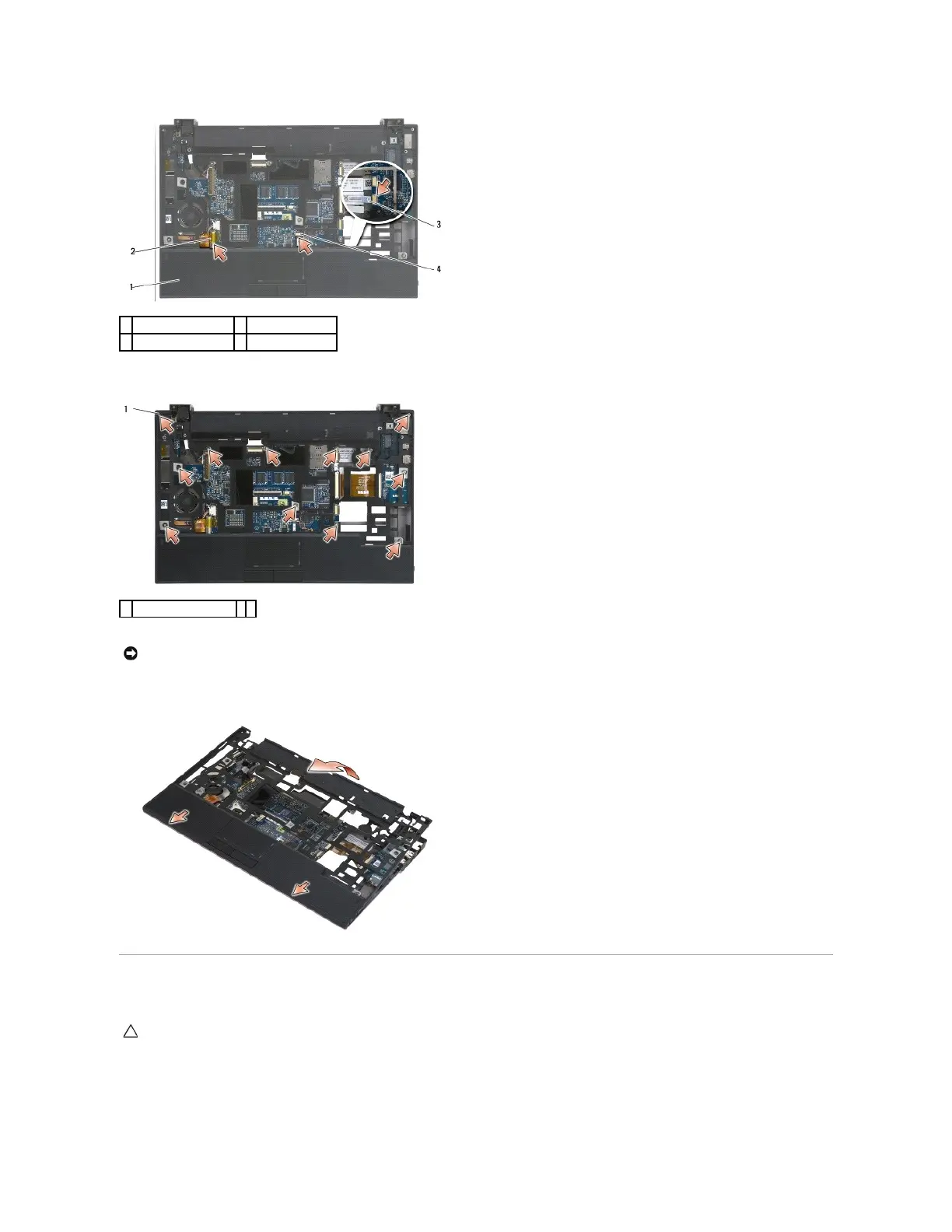
15. Remove the twelve silver M2 x 5-mm screws labeled "P".
16. Lift the palm rest at the rear edge, and push the palm rest slightly forward to unhook the remainder of the palm rest from the front of the base.
Replacing the Palm Rest Assembly
1. Holding the palm rest at an angle, connect the front of the palm rest to the computer, securing all tabs.
2. Lower the rear edge of the palm rest into place.
NOTICE: Do not use force to separate the palm rest from the computer. If you encounter resistance, gently flex or apply pressure to the palm rest
until the palm rest is free.
CAUTION: Before working inside your computer, read the safety information that shipped with your computer. For additional safety best
practices information, see the Regulatory Compliance Homepage on www.dell.com at: www.dell.com/regulatory_compliance.

















 To Next Page