4. Replace the keyboard (see Replacing the Keyboard).
5. Replace the LED cover (see Replacing the LED Cover).
6. Follow the procedures in After Working on Your Computer.
Removing the Right LED Board
1. Follow the procedures in Before Working on Your Computer.
2. Remove the LED cover (see Removing the LED Cover).
3. Remove the keyboard (see Removing the Keyboard).
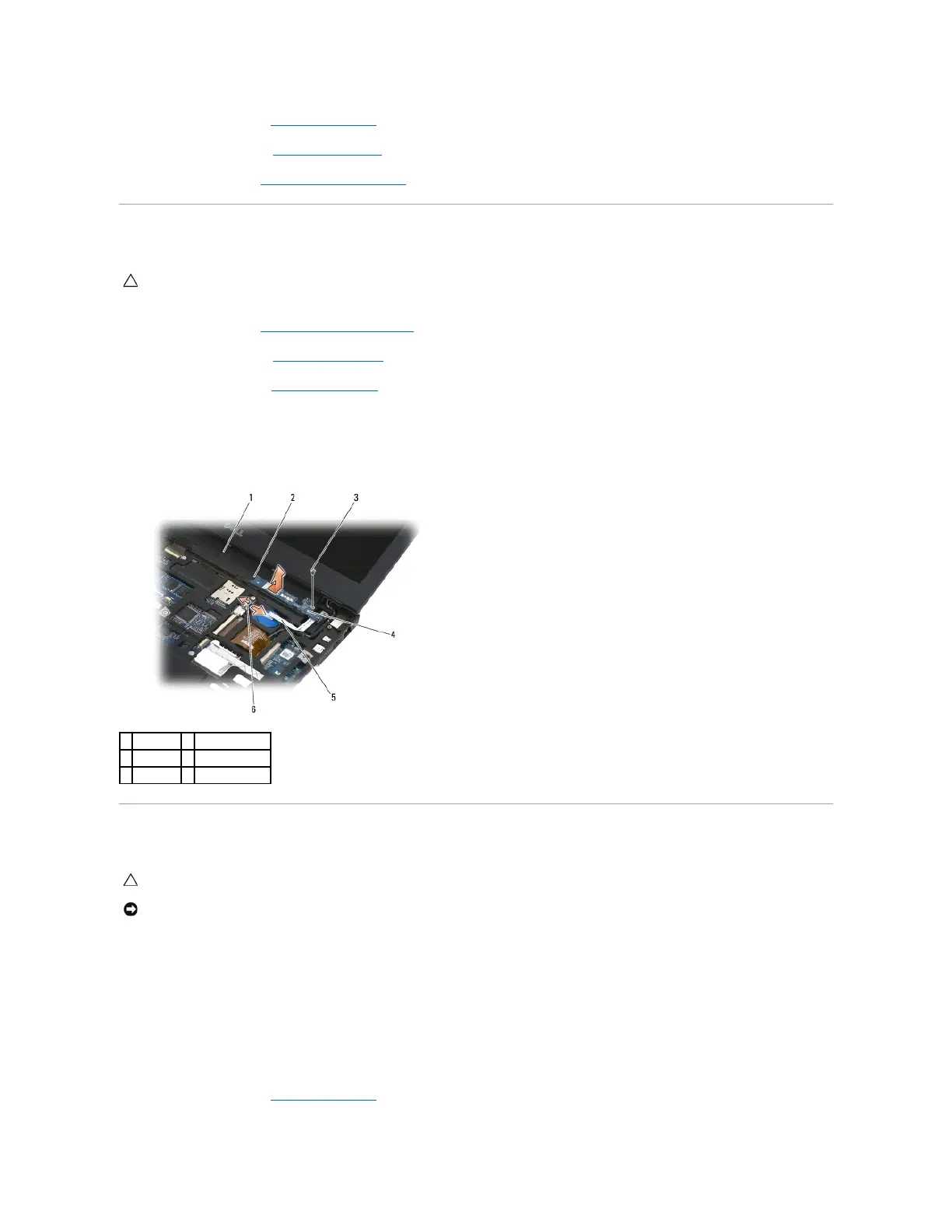
4. Disconnect the cable to the system board by gently pulling up on the release latch and pulling on the blue tab on the end of the cable.
5. Remove the M2 x 3-mm screw on the right side of the LED board.
6. Slide the board slightly to the right, and lift up the board to release the board from the tabs on the palm rest.
Replacing the Right LED Board
1. Lay the right LED board on the palm rest with the cable on the right side.
Place the narrow center section of the board between the two tabs on the right side of the palm rest.
2. Slide the board towards the left of the computer to secure the board under the tabs on the palm rest.
3. Replace the M2 x 3-mm screw on the right side of the LED board.
4. Connect the LED board cable to the system board using the release latch.
5. Replace the keyboard (see Replacing the Keyboard).
CAUTION: Before working inside your computer, read the safety information that shipped with your computer. For additional safety best
practices information, see the Regulatory Compliance Homepage on www.dell.com at: www.dell.com/regulatory_compliance.
CAUTION: Before working inside your computer, read the safety information that shipped with your computer. For additional safety best
practices information, see the Regulatory Compliance Homepage on www.dell.com at: www.dell.com/regulatory_compliance.

















 To Next Page