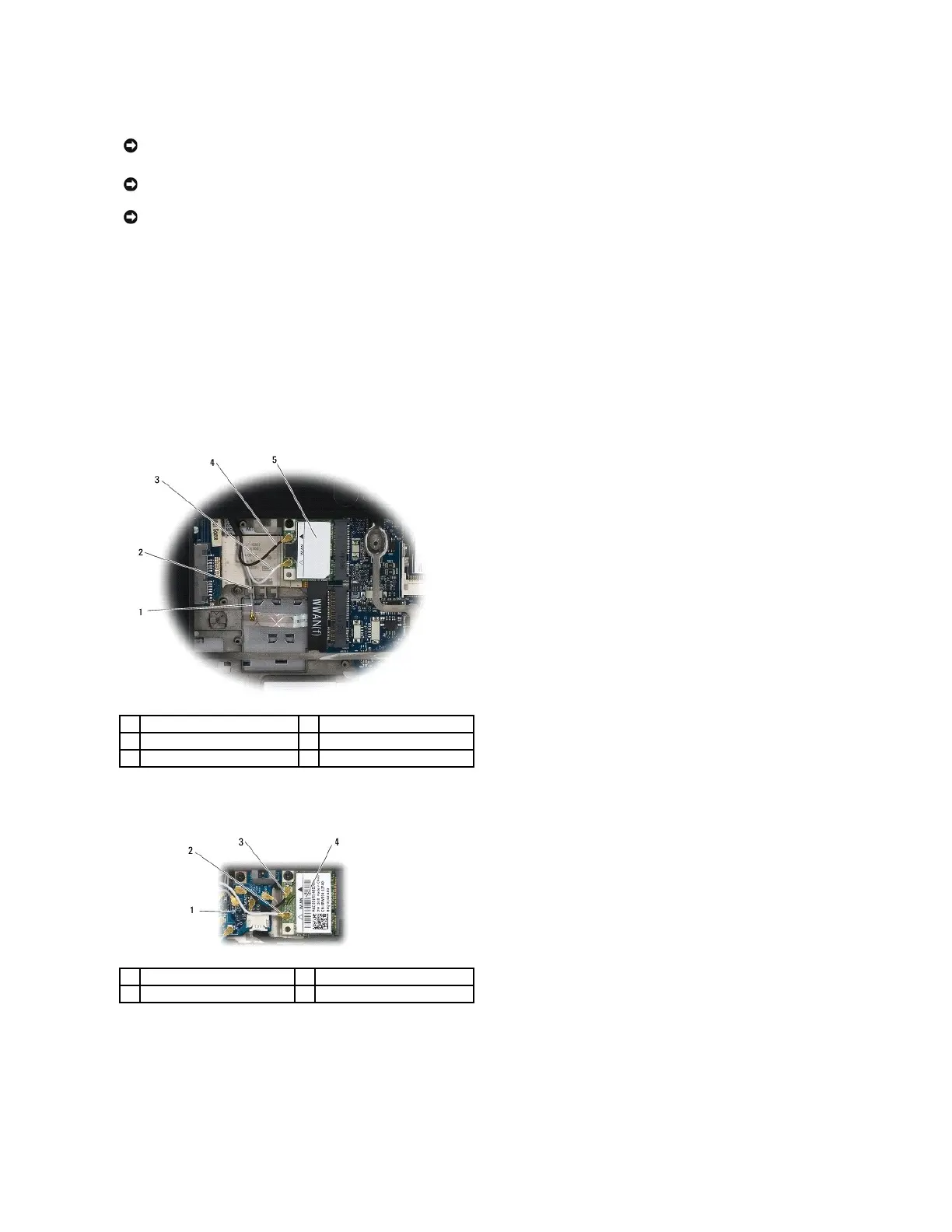
1. Slide the card into the connector labeled WLAN/WiMax.
2. Press the card down and hold it in place.
3. Replace the M2 x 3-mm screw.
4. If your computer does not have the radio switch board installed, connect the appropriate antenna cables from the display assembly to the card you are
installing:
If the card has two triangles on the label (white and black), connect the white antenna cable to the connector labeled "main" (white triangle), and
connect the black antenna cable to the connector labeled "aux" (black triangle). Secure the gray antenna cable in the hook in the base assembly next to
the card.
If the card has three connectors, connect the white antenna cable to connector 1, connect the black antenna cable to connector 2, and connect the gray
antenna cable to connector 3.
If your computer has the radio switch board installed, connect the appropriate antenna cables to the card you are installing:
If the card has two triangles on the label (white and black), connect the white antenna cable from the display assembly to the connector labeled
"main" (white triangle), and connect the black antenna cable from the radio switch board to the connector labeled "aux" (black triangle).
If the card has three connectors, connect the white antenna cable from the display assembly to connector 1, and connect the black antenna cable from
the radio switch board to connector 2. Disconnect the gray antenna cable from the connector on the right side of the radio switch board and connect it
to connector 3.

















 To Next Page