106 Troubleshooting Tools
Diagnostic Lights
CAUTION: Before you begin any of the procedures in this section, follow the
safety instructions located in the Product Information Guide.
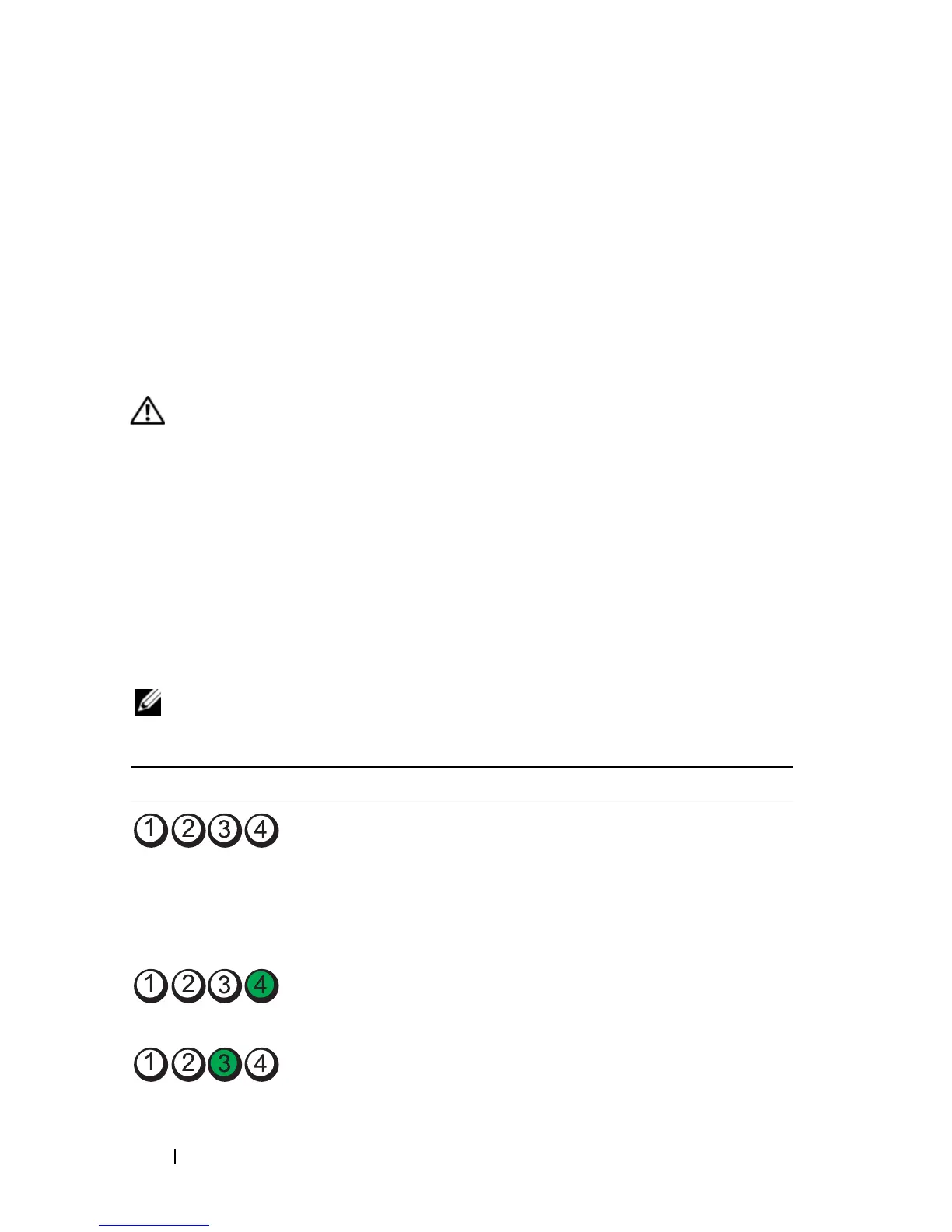
To help you troubleshoot a problem, your computer has four lights labeled
"1," "2," "3," and "4" on the front or back panel. The lights can be off or green.
When the computer starts normally, the patterns or codes on the lights
change as the boot process completes. When the computer starts normally,
the patterns or codes on the lights change as the boot process completes. If
the POST portion of system boot completes successfully, all four lights
display solid green. If the computer malfunctions during the POST process,
the pattern displayed on the LEDs may help identify where in the process the
computer halted.
NOTE: The orientation of the diagnostic lights may vary depending on the system
type. The diagnostic lights can appear either vertical or horizontal.
NOTICE - HARD DRIVE SELF MONITORING SYSTEM HAS REPORTED THAT A
PARAMETER HAS EXCEEDED ITS NORMAL OPERATING RANGE. DELL
RECOMMENDS THAT YOU BACK UP YOUR DATA REGULARLY. A PARAMETER OUT
OF RANGE MAY OR MAY NOT INDICATE A POTENTIAL HARD DRIVE PROBLEM.—
S.M.A.R.T error, possible HDD failure. This feature can be enabled or disabled in
BIOS setup.
Light Pattern Problem Description Suggested Resolution
The computer is in a normal
"off" condition, or a possible
pre-BIOS failure has occurred.
The diagnostic lights are not lit
after the computer successfully
boots to the operating system.
Plug the computer into a
working electrical outlet and
press the power button.
A possible BIOS failure has
occurred; the computer is in
the recovery mode.
Run the BIOS Recovery utility,
wait for recovery completion,
and then restart the computer.
A possible processor failure has
occurred.
Reinstall the processor and
restart the computer.














 To Next Page