Setting Up Your Computer 61
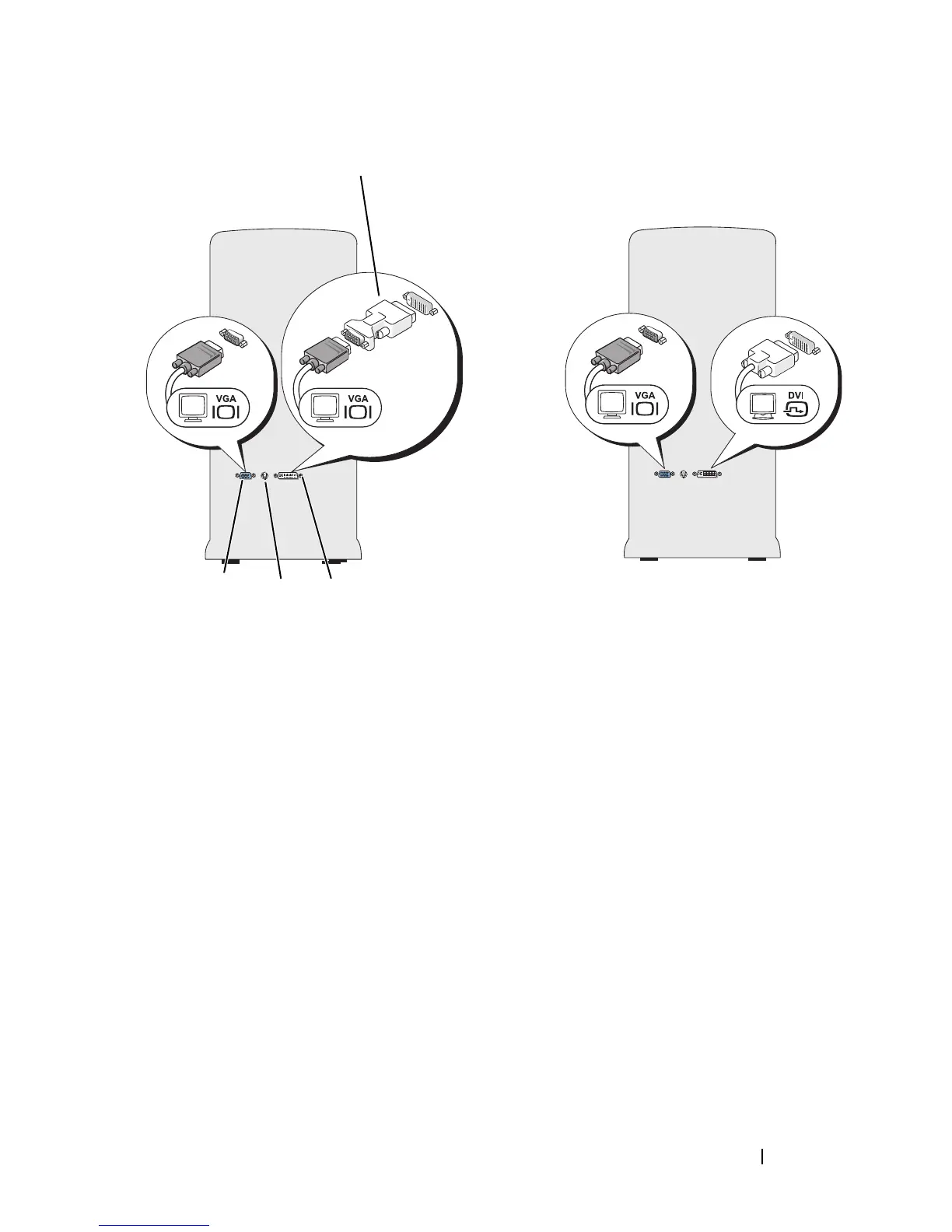
Connecting One Monitor With a VGA Connector and One Monitor With a
DVI Connector
1
Shutdown your system.
2
Connect the VGA connector on the monitor to the VGA (blue) connector
on the back of the computer.
3
Connect the DVI connector on the other monitor to the DVI (white)
connector on the back of the computer.
4
Restart your system.
1 optional DVI adapter 2 DVI (white) connector
3 TV-OUT connector 4 VGA (blue) connector
1
23
4














 To Next Page