System Setup 91
Clearing Forgotten Passwords
CAUTION: Before you begin any of the procedures in this section, follow the
safety instructions located in the Product Information Guide.
NOTICE: This process erases both the system and administrator passwords.
1
Follow the procedures in "Before You Begin" on page 143.
2
Remove the computer cover.
3
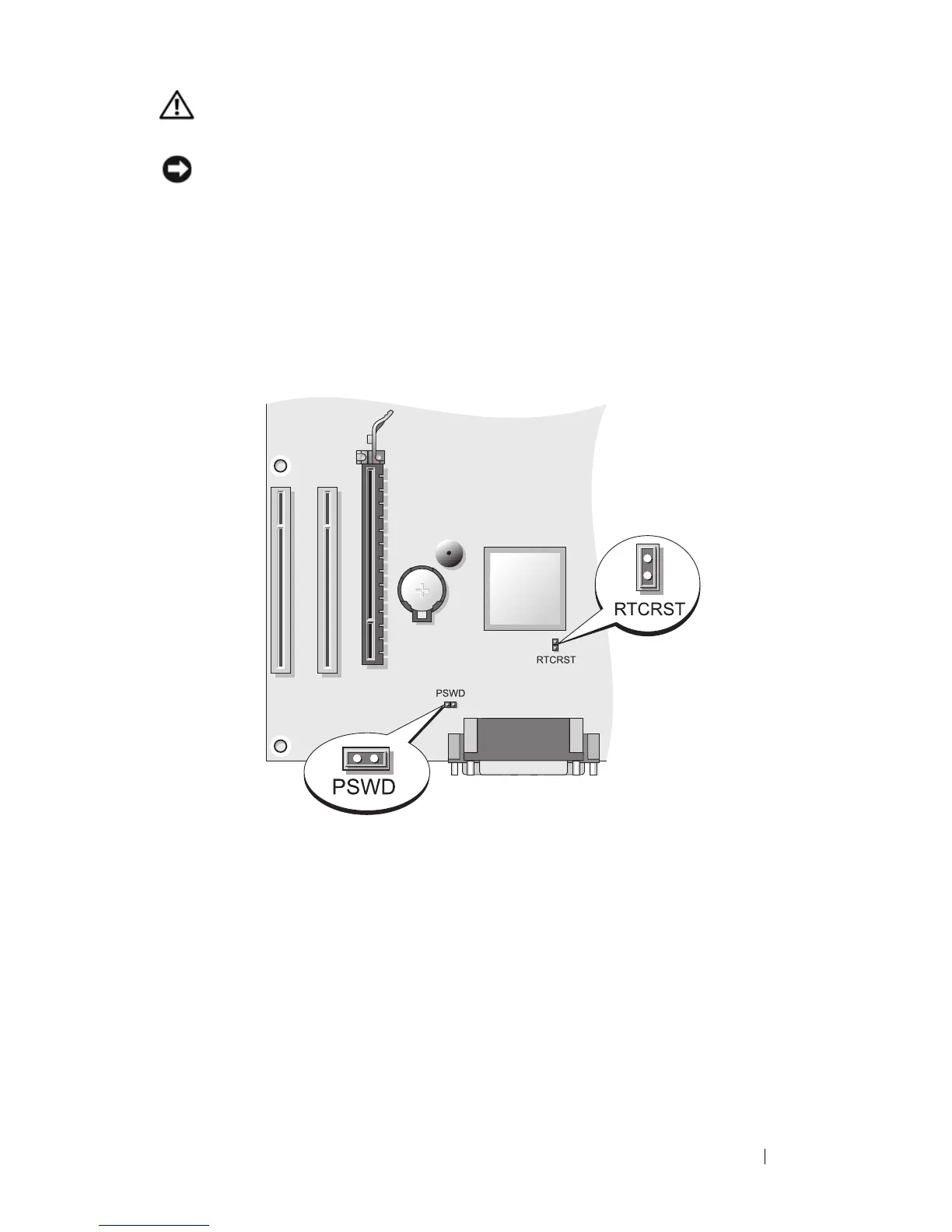
Locate the 2-pin password jumper (PSWD) on the system board. By
default, Pin1 and Pin2 should be connected. You will need to remove the
jumper and boot rhe system, as follows.
4
Remove the jumper.
5
Replace the computer cover (see "Replacing the Computer Cover" on
page 207).
6
Connect your computer and monitor to electrical outlets, and turn them
on.
7
After the Microsoft
®
Windows
®
desktop appears on your computer, shut
down your computer (see "Turning Off Your Computer" on page 143).
8
Turn off the monitor and disconnect it from the electrical outlet.
9
Disconnect the computer power cable from the electrical outlet, and press
the power button to ground the system board.














 To Next Page