Desktop Computer Parts 249
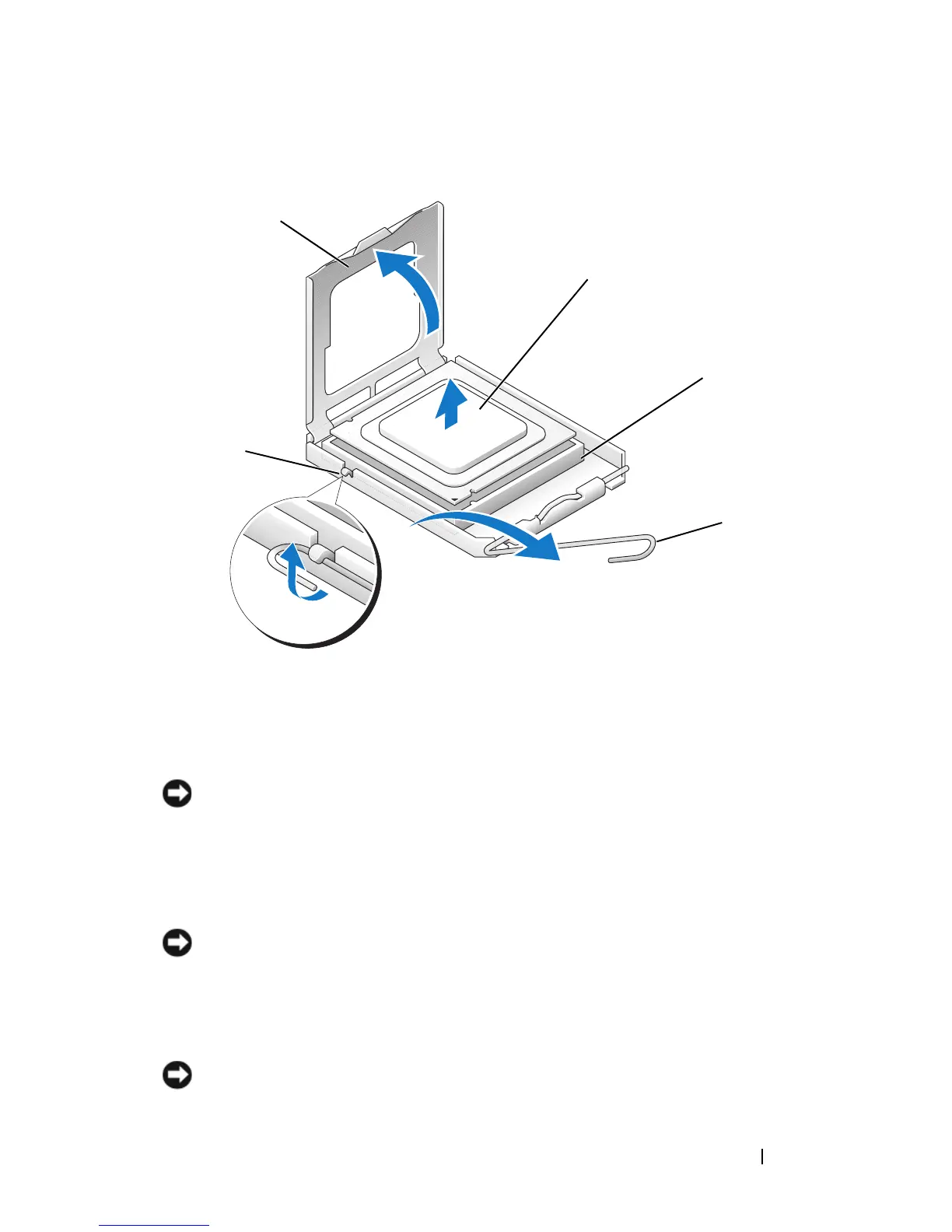
cover latch on the socket. Then pull the lever back to release the processor.
NOTICE: Be careful not to bend any of the pins when you remove the processor.
Bending the pins can permanently damage the processor.
7
Remove the processor from the socket.
Leave the release lever extended in the release position so that the socket is
ready for the new processor.
NOTICE: After removing the processor, be careful not to get any thermal grease on
the processor pins. Thermal grease on the pins can permanently damage the
processor.
Installing the Processor
NOTICE: Ground yourself by touching an unpainted metal surface on the back of
the computer.
1 center cover latch 2 processor cover
3 processor 4 socket
5 release lever
2
3
4
5
1














 To Next Page