250 Desktop Computer Parts
NOTICE: Be careful not to bend any of the pins when you unpack the processor.
Bending the pins can permanently damage the processor.
1
Follow the procedures in "Before You Begin" on page 143.
2
Unpack the new processor, being careful not to bend any of the processor
pins.
3
If the release lever on the socket is not fully extended, move it to that
position.
NOTICE: You must position the processor correctly in the socket to avoid
permanent damage to the processor and the computer when you turn on the
computer.
4
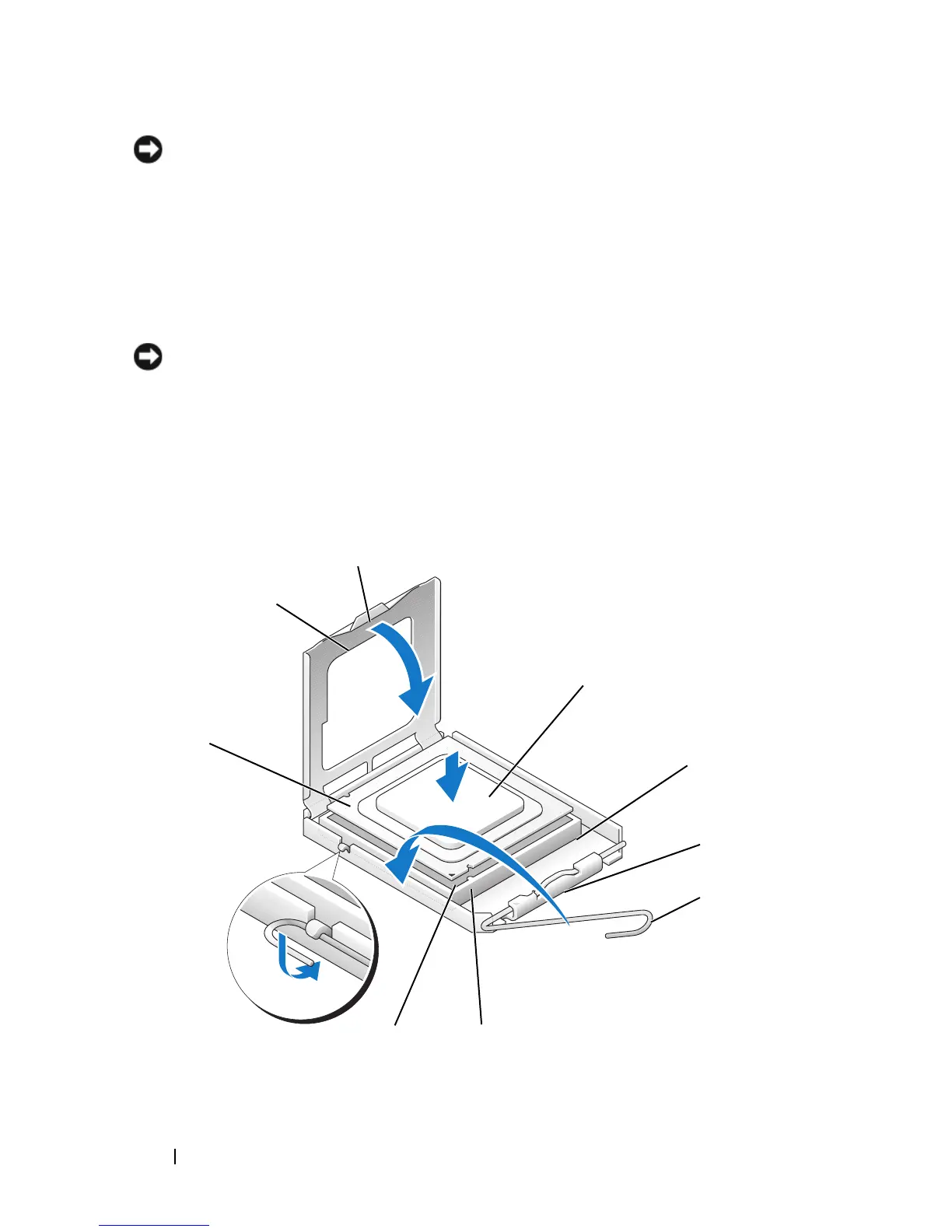
Orient the front and rear alignment-notches on the processor with the
front and rear alignment-notches on the socket.
5
Align the pin-1 corner of the processor and socket.
1
3
4
6
8
7
9
2
5














 To Next Page