168 Mini Tower Computer Parts
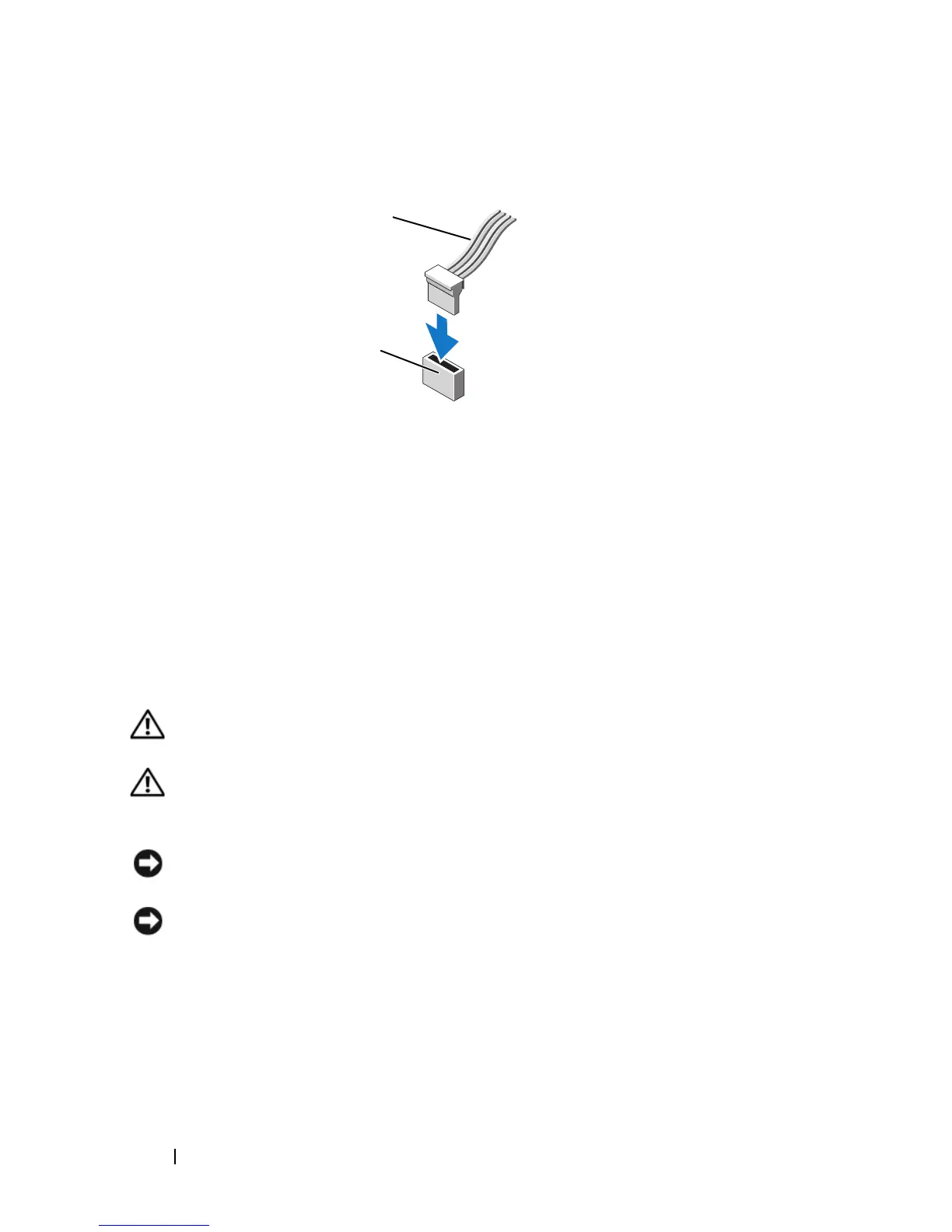
Connecting and Disconnecting Drive Cables
When connecting and disconnecting a serial ATA data cable, disconnect the
cable using the pull-tab.
The serial ATA interface connectors are keyed for correct insertion; that is, a
notch or a missing pin on one connector matches a tab or a filled-in hole on
the other connector.
Hard Drives
CAUTION: Before you begin any of the procedures in this section, follow the
safety instructions in the Product Information Guide.
CAUTION: To guard against electrical shock, laceration by moving fan blades, or
other unexpected injuries, always unplug your computer from the electrical outlet
before removing the cover.
NOTICE: To avoid damage to the drive, do not set it on a hard surface. Instead, set
the drive on a surface, such as a foam pad, that will sufficiently cushion it.
NOTICE: If you are replacing a hard drive that contains data you want to keep,
back up your files before you begin this procedure.
Check the documentation for the drive to verify that it is configured for your
computer.
Removing a Hard Drive
1
Follow the procedures in "Before You Begin" on page 143.
1 interface cable 2 interface connector
Serial ATA Connector
1
2














 To Next Page