Setting Up Your Computer 59
5
Install the printer driver if necessary. See "Reinstalling Drivers and
Utilities" on page 134, and the documentation that came with your printer.
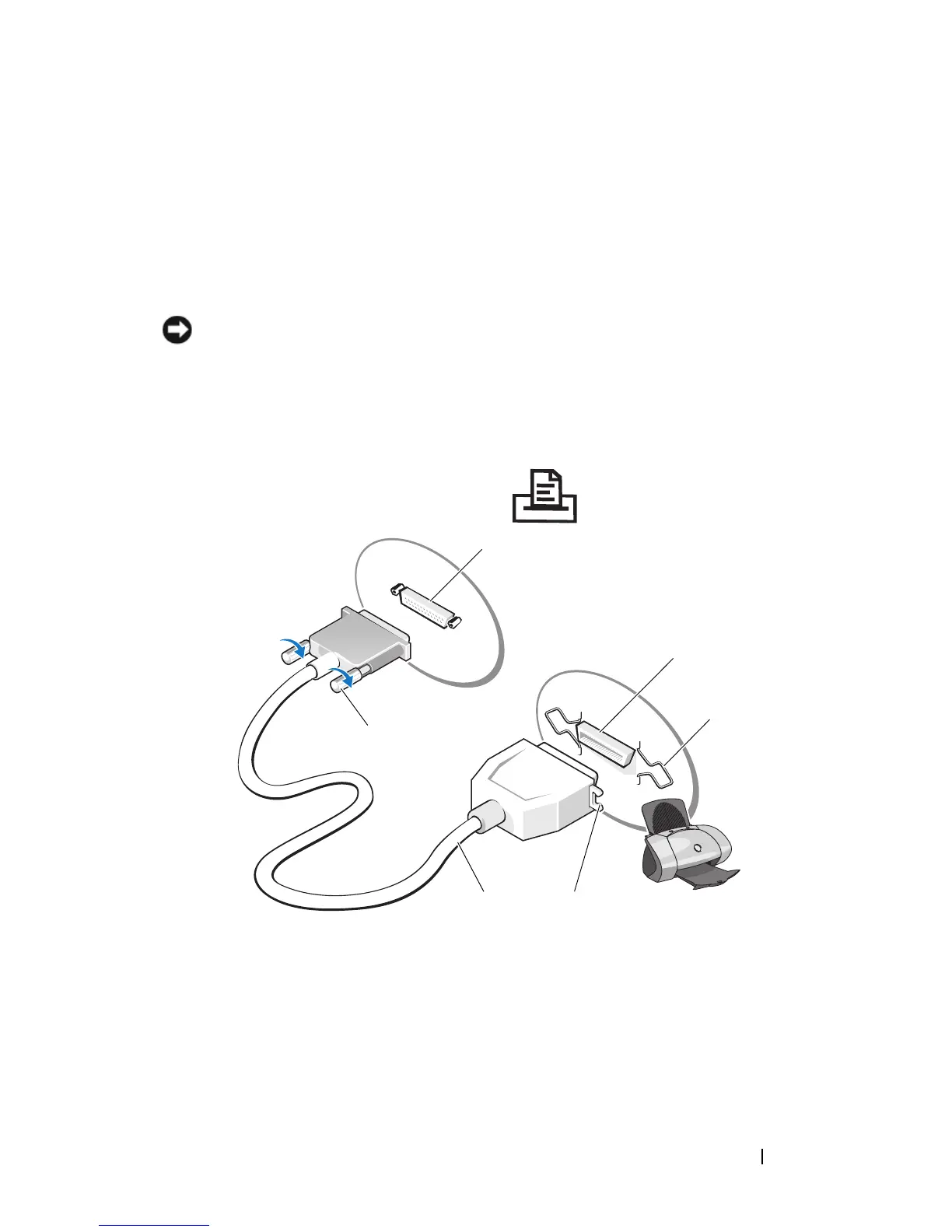
Connecting a Parallel Printer
1
Complete the operating system setup, if you have not already done so.
2
Turn off the computer (see "Turning Off Your Computer" on page 143).
NOTICE: For best results, use a 3-m (10-ft) or shorter parallel cable.
3
Attach the parallel printer cable to the parallel connector on the computer
and tighten the two screws. Attach the cable to the connector on the
printer and snap the two clips into the two notches.
1 parallel connector on computer 2 connector on printer
3 clips (2) 4 notches
5 parallel printer cable 6 screws (2)
5
1
2
6
3
4














 To Next Page