242 Desktop Computer Parts
6
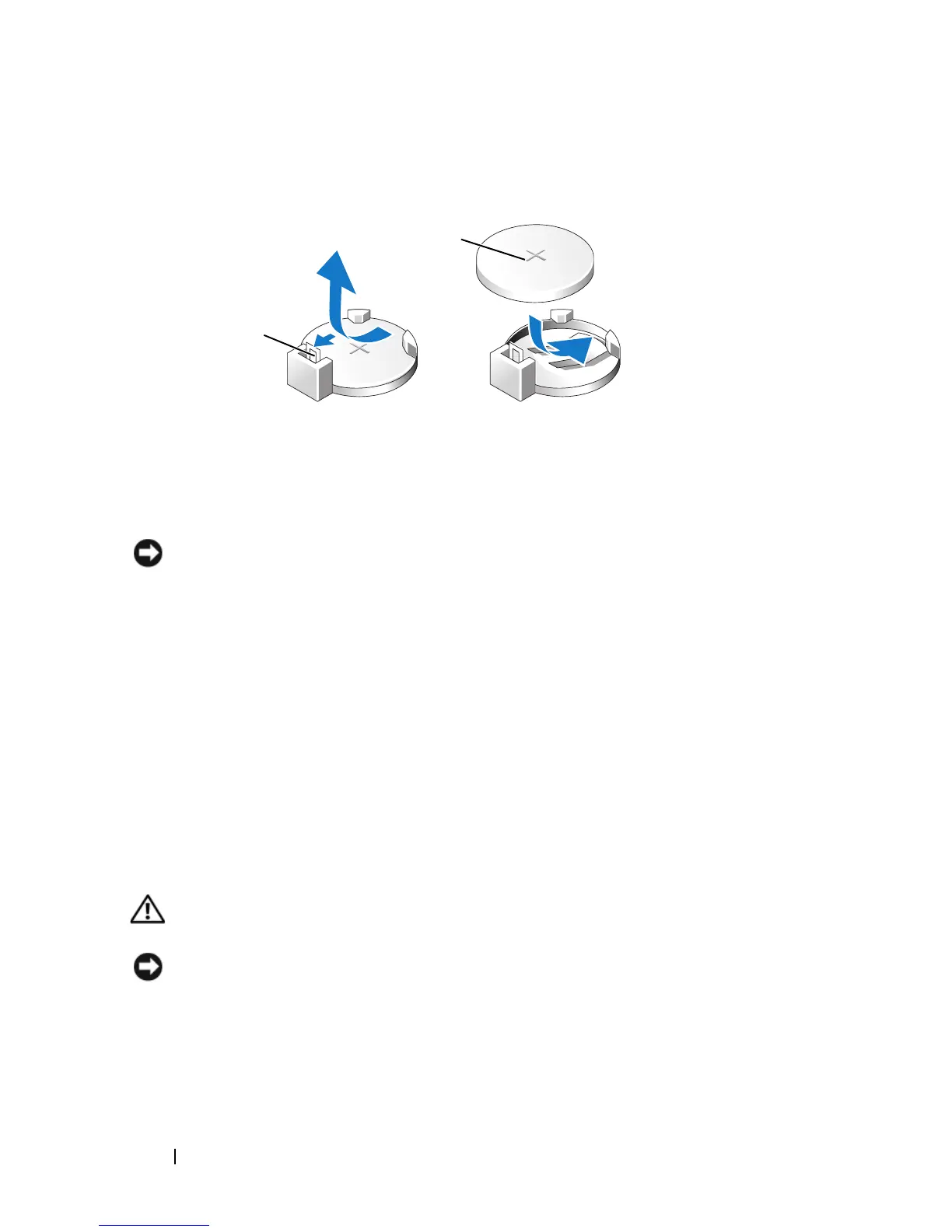
Insert the new battery into the socket with the side labeled "+" facing up,
then snap the battery into place.
7
Replace the computer cover (see "Replacing the Computer Cover" on
page 257).
NOTICE: To connect a network cable, first plug the cable into the network device
and then plug it into the computer.
8
Connect your computer and devices to electrical outlets, and then turn
them on.
9
Enter system setup (see "System Setup" on page 79) and restore the
settings you recorded in step 1. Then go to the
Maintenance
section and
clear the low battery and other errors associated with the battery
replacement in the
Event Log
.
10
Properly dispose of the old battery.
See the
Product Information Guide
for battery disposal information.
Power Supply
CAUTION: Before you begin any of the procedures in this section, follow the
safety instructions located in the Product Information Guide.
NOTICE: To prevent static damage to components inside your computer, discharge
static electricity from your body before you touch any of your computer’s electronic
components. You can do so by touching an unpainted metal surface on the
computer chassis.
1 battery release lever 2 battery (positive side)
2
1














 To Next Page