108 Troubleshooting Tools
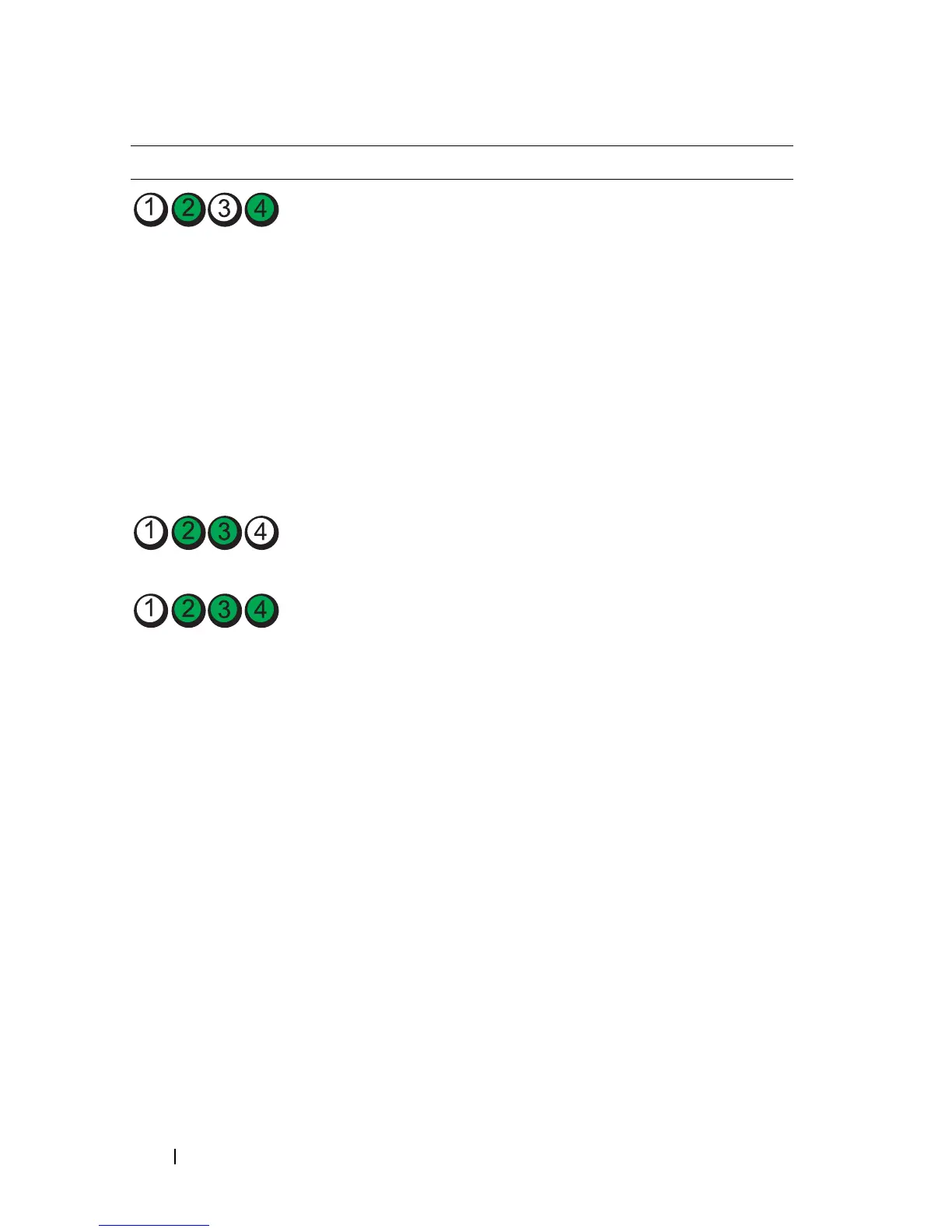
A possible graphics card failure
has occurred.
• If the computer has a
graphics card, remove the
card, reinstall it, and then
restart the computer.
• If the problem still exists,
install a graphics card that
you know works and restart
the computer.
• If the problem persists or the
computer has integrated
graphics,
contact Dell (see
"Contacting Dell" on
page 267).
A possible floppy or hard drive
failure has occurred.
Reseat all power and data
cables and restart the
computer.
A possible USB failure has
occurred.
Reinstall all USB devices,
check cable connections, and
then restart the computer.
Light Pattern Problem Description Suggested Resolution














 To Next Page