110 Troubleshooting Tools
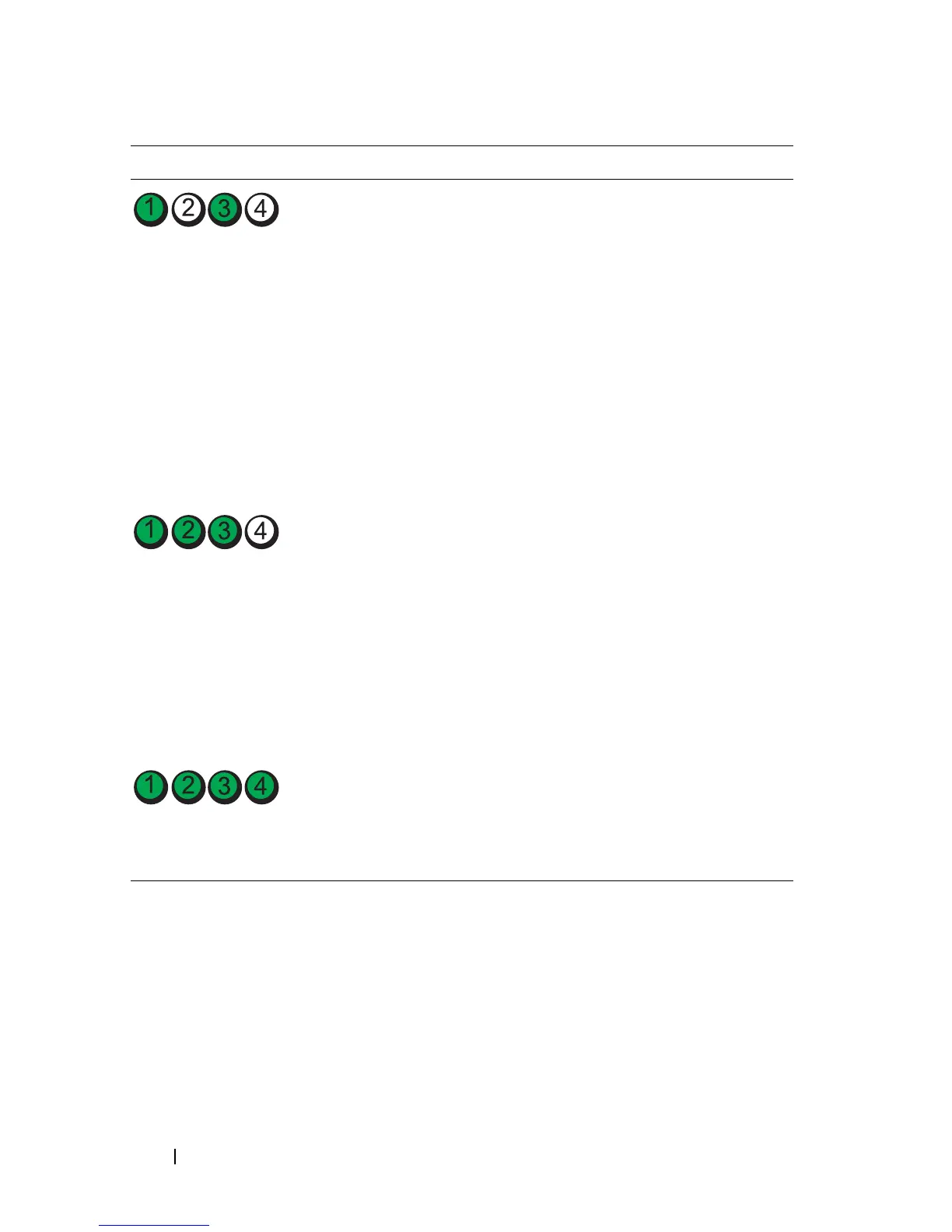
Memory modules are detected,
but a memory configuration or
compatibility error exists.
• Ensure that no
special
memory module/memory
connector placement
requirements
exist (see
"Memory" on page 155).
• Verify that the
memory
modules
that you are
installing are compatible
with your computer (see
"Memory" on page 155).
• If the problem persists,
(
see
"Contacting Dell" on
page 267).
A failure has occurred.
This pattern also displays when
you enter system setup and
may not indicate a problem
(
see "System Setup" on
page 79)
.
• Ensure that the cables are
properly connected to the
system board from the hard
drive and the optical drive.
• Check the computer
message that appears on
your monitor screen.
• If the problem persists,
(
see
"Contacting Dell" on
page 267).
After POST is complete, all
four diagnostic lights turn
green briefly before turning off
to indicate normal operating
condition.
None.
Light Pattern Problem Description Suggested Resolution














 To Next Page