Mini Tower Computer Parts 177
10
Replace the computer cover (see "Replacing the Computer Cover" on
page 207).
NOTICE: To connect a network cable, first plug the cable into the network port or
device and then plug it into the computer.
11
Connect your computer and devices to electrical outlets, and then turn
them on.
12
See the documentation that came with the drive for instructions on
installing any software required for drive operation.
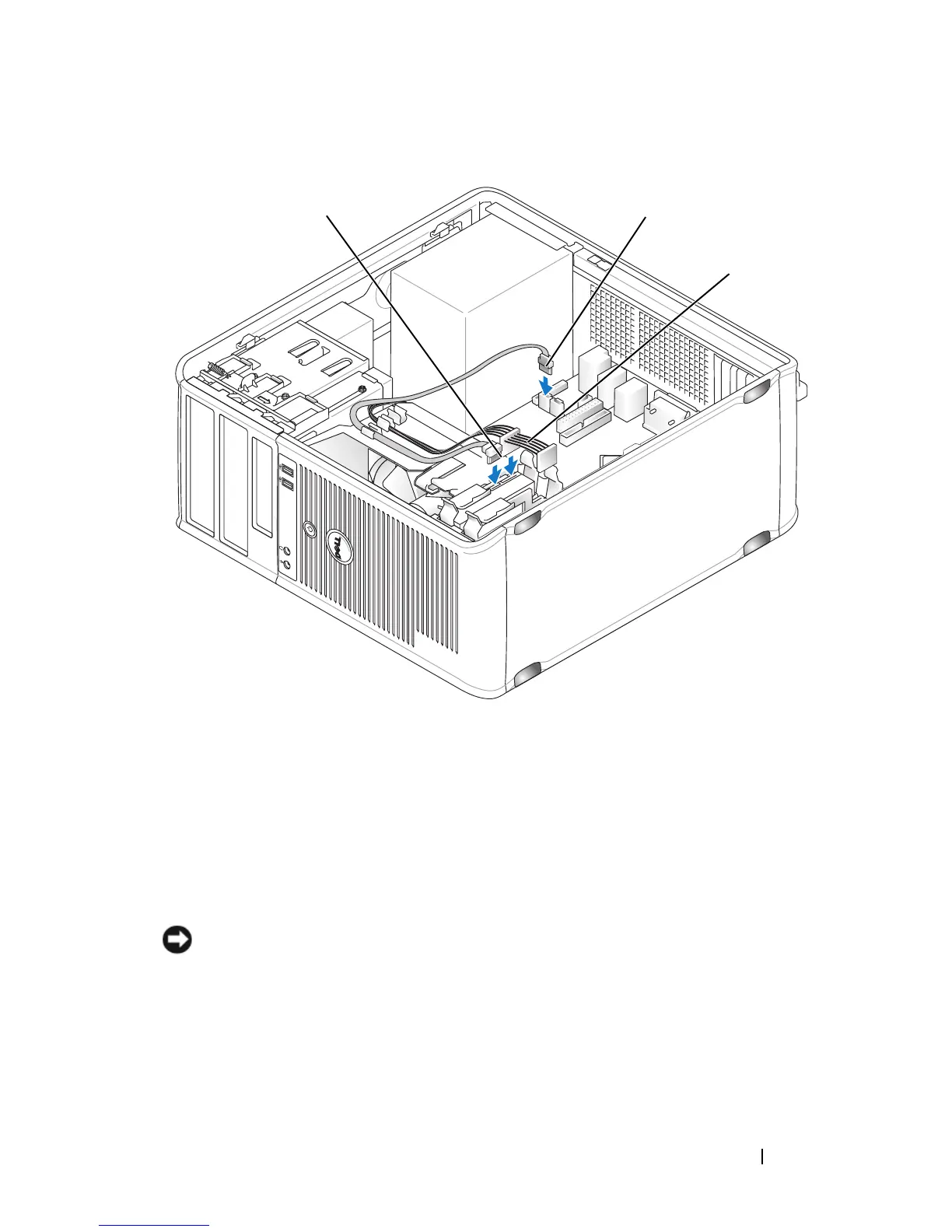
1 hard-drive data cable 2 hard-drive data connector on system
board (SATA0 or SATA1)
3 power cable
3
2
1














 To Next Page