Mini Tower Computer Parts 193
6
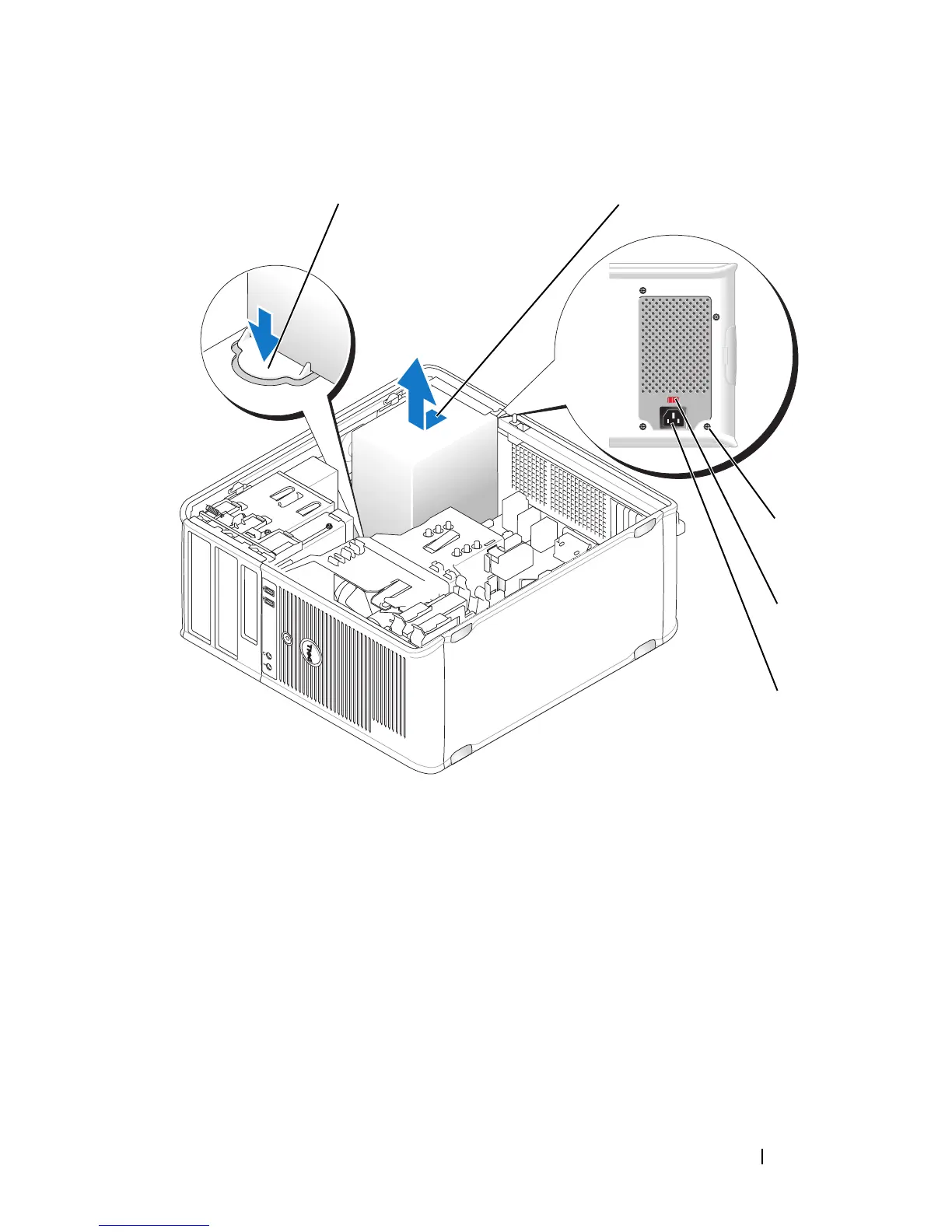
Slide the power supply towards the front of the computer and lift it out.
7
Place and slide the replacement power supply toward the back of the
computer.
8
Replace and tighten all screws that secure the power supply to the back of
the computer chassis.
1 release button 2 power supply
3 screws (4) 4 voltage selection switch (red)
5 AC power connector
1 2
3
4
5














 To Next Page