Desktop Computer Parts 225
5
If you are removing the card permanently, install a filler bracket in the
empty card-slot opening.
NOTE: Installing filler brackets over empty card-slot openings is necessary to
maintain FCC certification of the computer. The brackets also keep dust and
dirt out of your computer.
6
Snap the card retention latch into place.
NOTICE: To connect a network cable, first plug the cable into the network device
and then plug it into the computer.
7
Replace the computer cover (see "Replacing the Computer Cover" on
page 257).
8
Reconnect the computer and devices to electrical outlets, and then turn
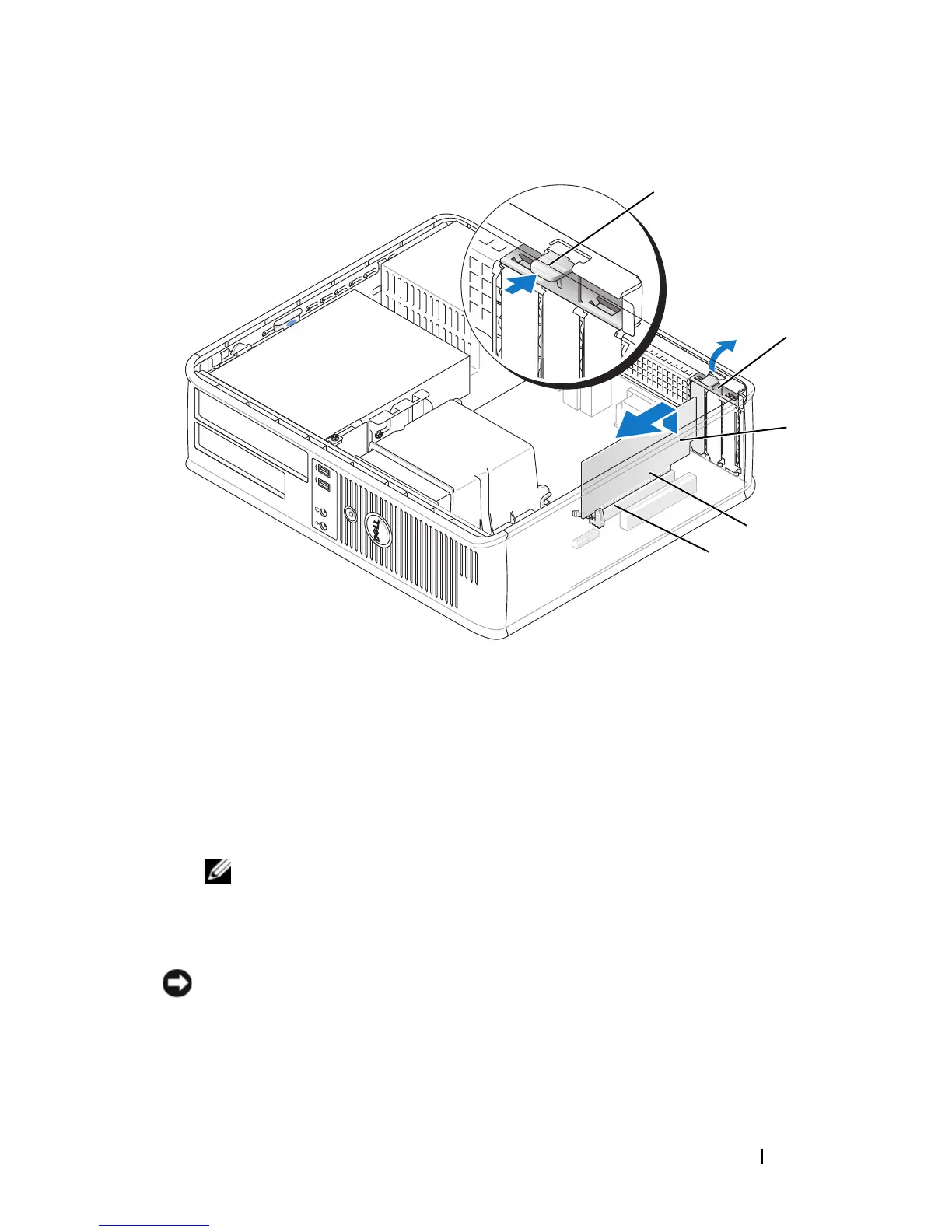
1 release tab 2 card retention latch
3 card 4 card-edge pins
5 card connector
2
1
4
5
3














 To Next Page