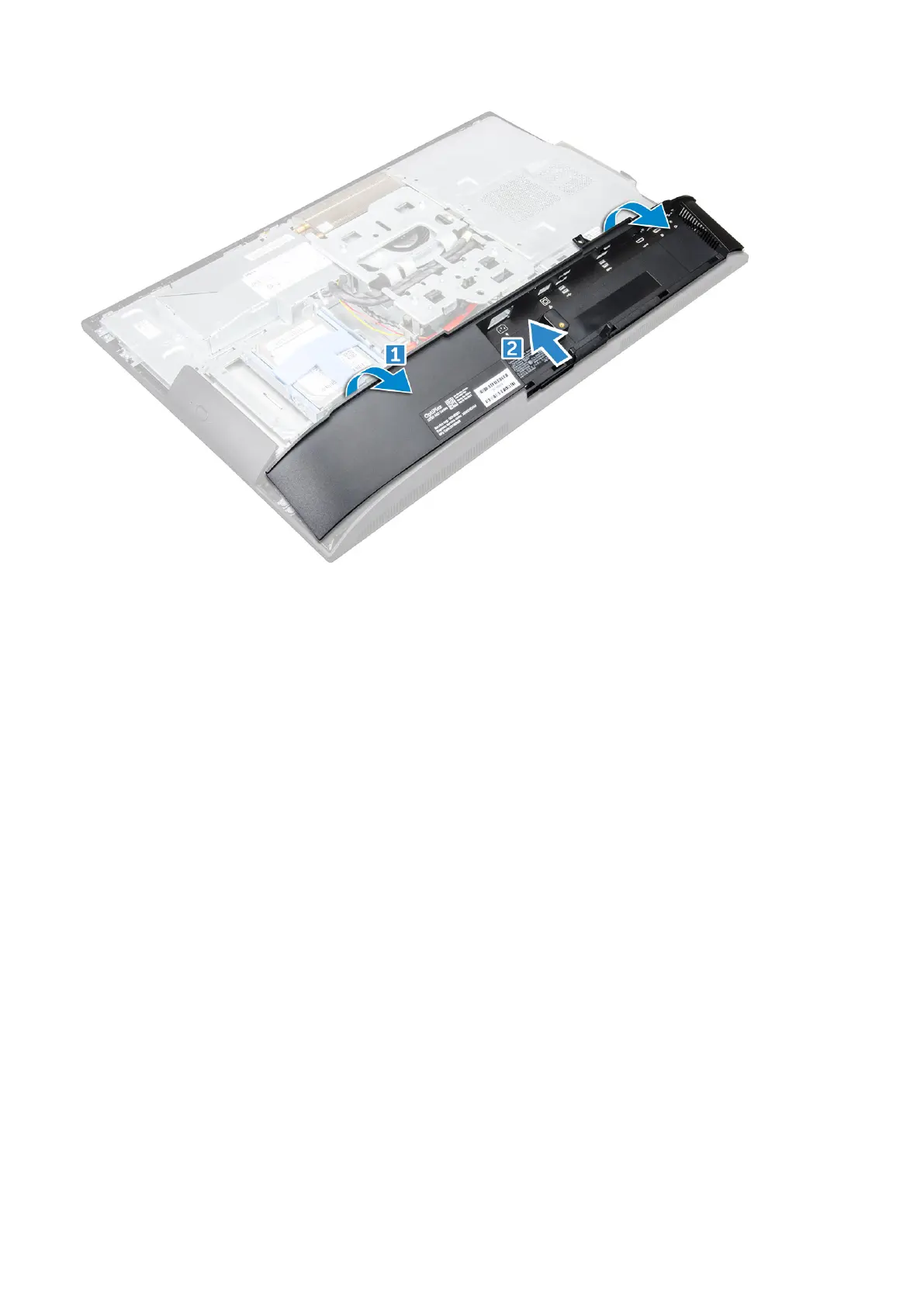
Installing the speaker cover
1. Align and push the speaker cover to pop tabs into its position on the back of the computer.
2. Tighten the screws to secure the speaker cover to the computer.
3. Install the:
a. back cover
b. cable cover
c. stand
4. Follow the procedure in After Working Inside Your Computer.
Hard drive
Removing the hard drive assembly
1. Follow the procedure in Before working inside your computer.
2. Remove the:
a. stand
b. back cover
3. To remove the hard drive assembly:
a. Press the tab on the bracket, and slide the hard-drive assembly until the tabs are released from either side of the
assembly [1].
b. Slide the hard-drive assembly upwards to remove it from the computer [2].
16
Disassembly and reassembly



 To Next Page