m. hard drive
n. cable cover
o. speaker
p. speaker cover
q. back cover
r. stand
5. Follow the procedure in After working inside your computer.
Power supply unit
Removing the Power Supply Unit - PSU
1. Follow the procedure in Before working inside your computer.
2. Remove the:
a. stand
b. back cover
c. cable cover
d. speaker cover
e. system board shield
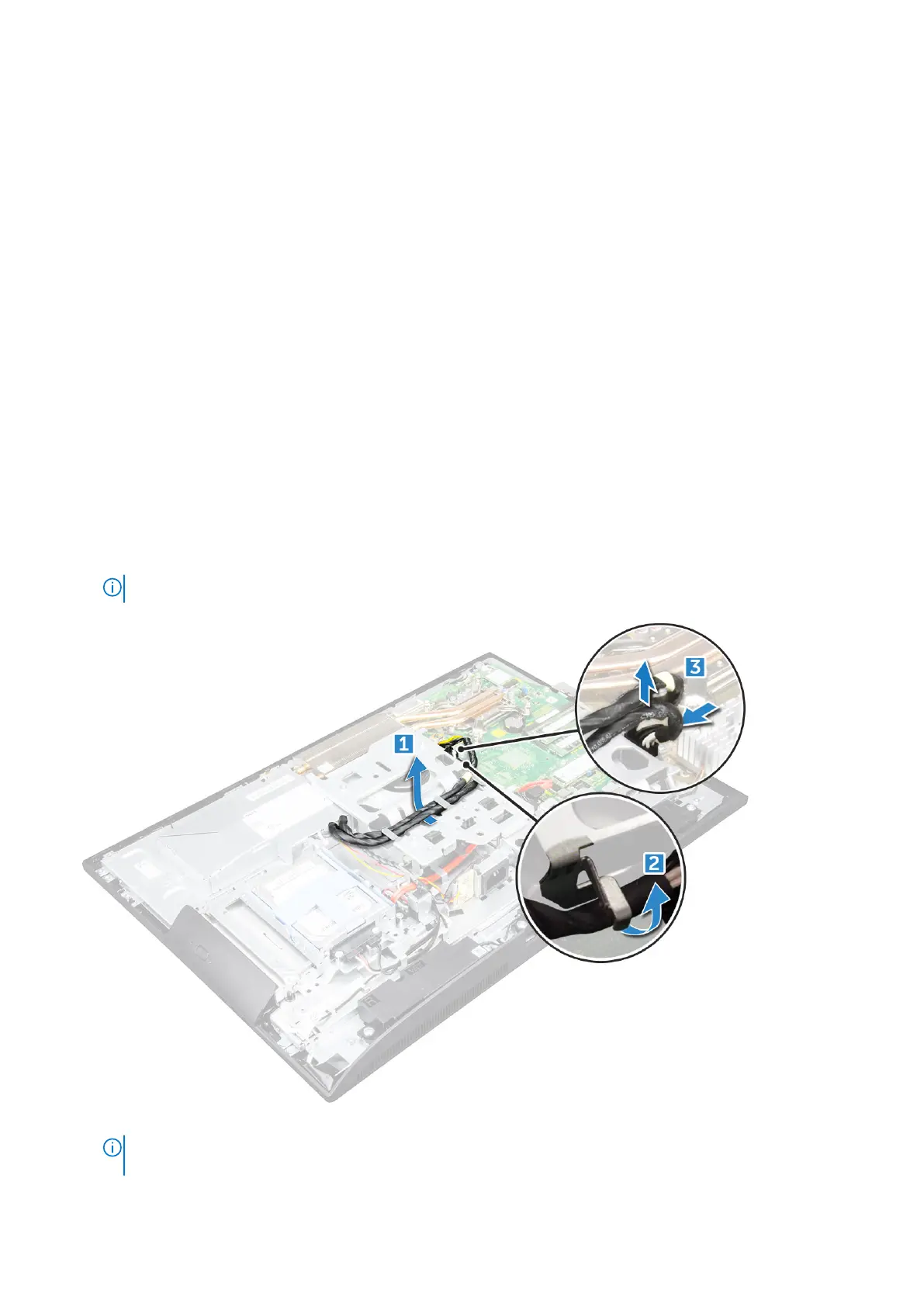
3. To release the PSU cable:
a. Unthread the power supply cables from the retention clips in the chassis [1].
b. Disconnect the power supply cable from the connector on the system board [2].
NOTE: Press lock clip to release the power supply cable from the system board.
4. To release the PSU:
●
NOTE:
There is an additional cable retention clip on the side of the VESA mount bracket. The PSU near that is not
visible in the removing cables from retention clips image.
Disassembly and reassembly 31



 To Next Page