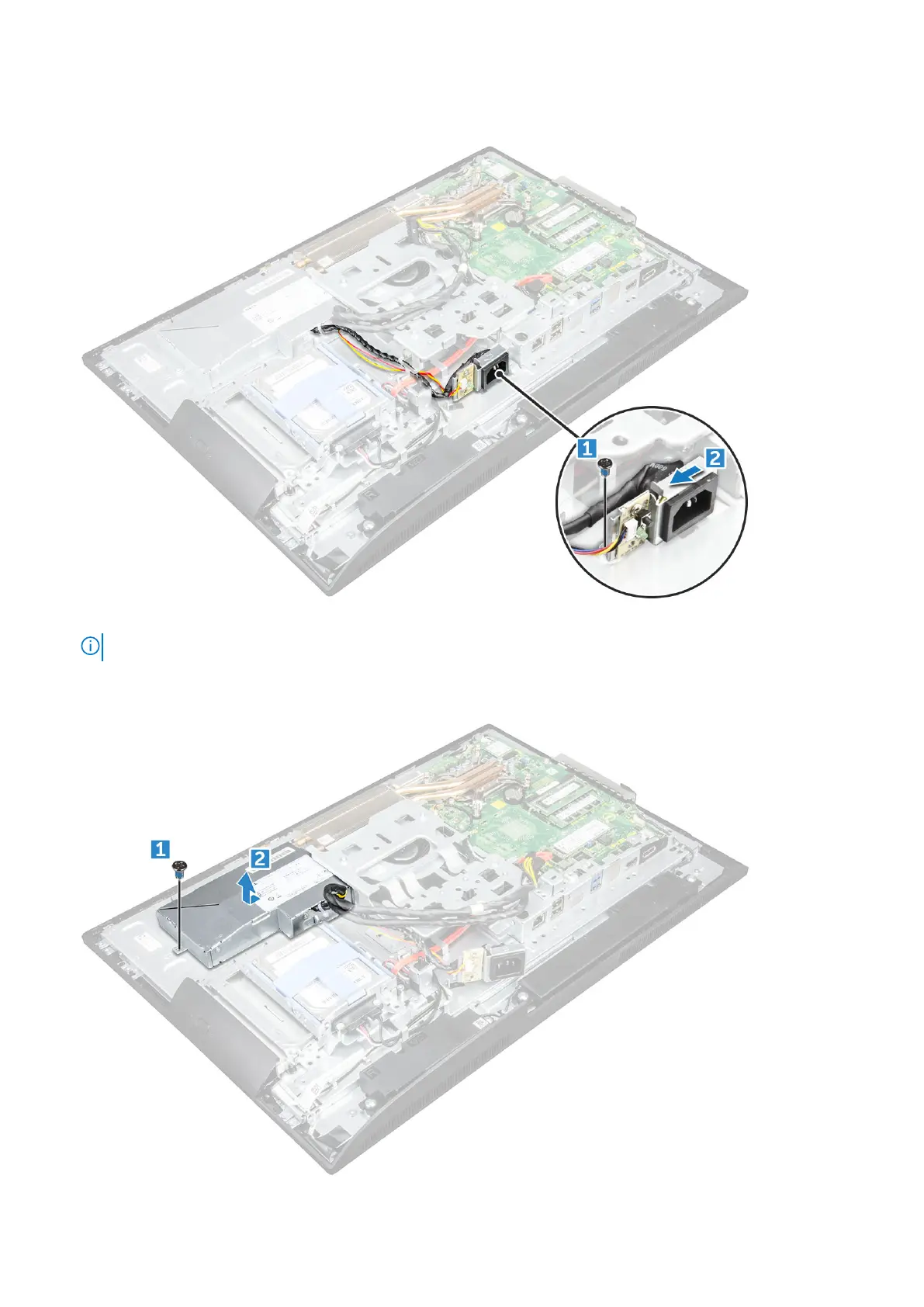
a. Remove the screw that secures the power supply socket to the chassis [1].
b. Slide the socket to remove it from the computer [2].
5. To remove the PSU:
NOTE: Field Engineers to ensure defective Power Supply Unit is returned along with BIST board.
a. Remove the screw that secures the PSU to the chassis [1].
b. Slide the PSU and lift it away from the chassis [2].
32
Disassembly and reassembly



 To Next Page