4. Follow the procedure in After working inside your computer.
Optical drive
Removing the optical drive assembly
1. Follow the procedure in Before working inside your computer.
2. Remove the:
a. stand
b. back cover
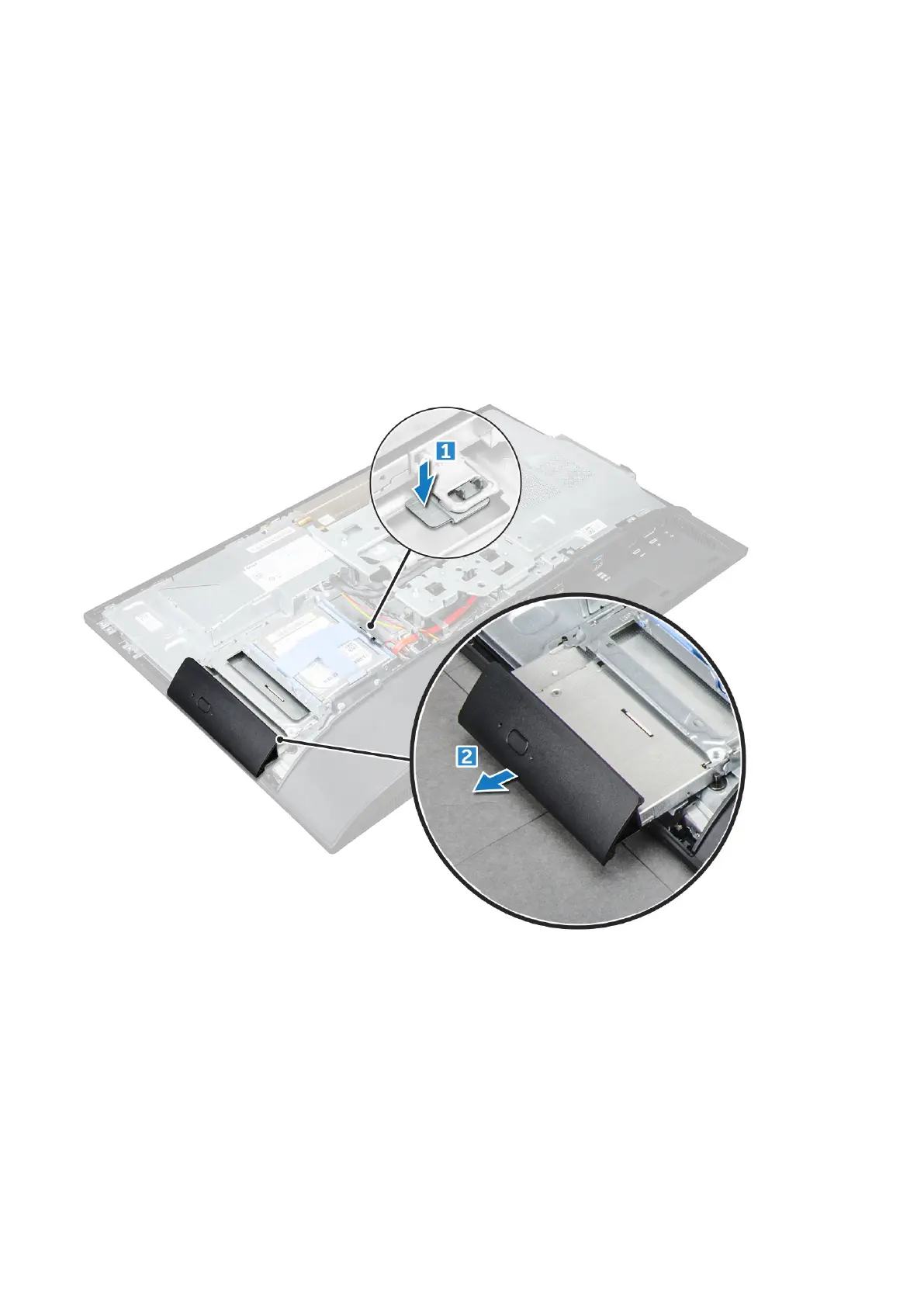
3. To remove the optical drive assembly:
a. Press the securing tab at the base of the drive to release the optical drive assembly [1].
b. Slide the optical drive assembly to remove it away from the computer [2].
4. To remove the optical drive bracket:
a. Remove the screws that secure the optical drive bracket [1].
b. Remove the bracket away from the optical drive [2].
18
Disassembly and reassembly



 To Next Page