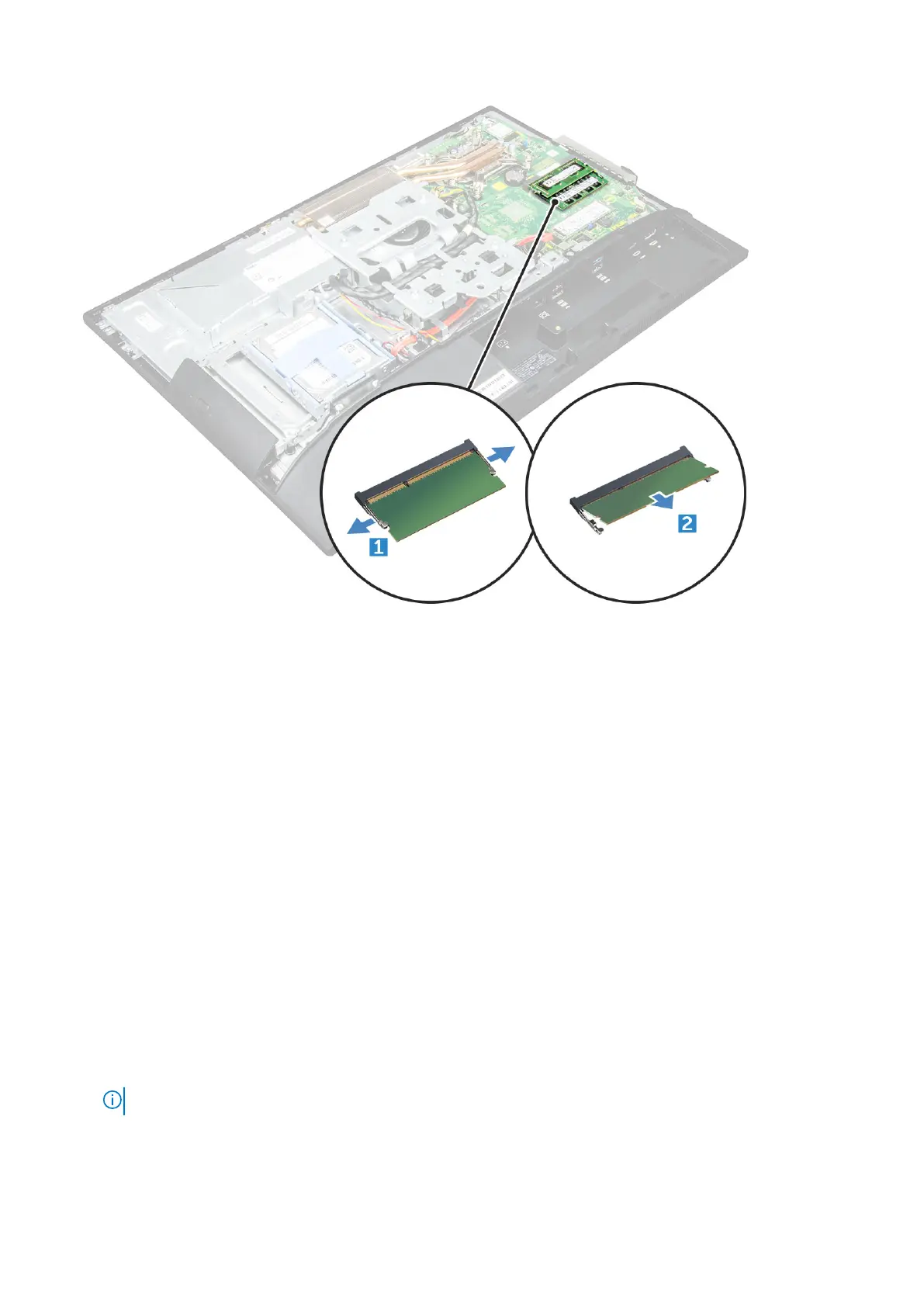
Installing the memory module
1. Insert the memory module on the memory connector until the clips secure the memory module.
2. Install the:
a. system board shield
b. back cover
c. stand
3. Follow the procedure in After working inside your computer.
Solid State Drive
Removing the SSD card
1. Follow the procedure in Before working inside your computer.
2. Remove the:
a. stand
b. back cover
c. system board shield
3. To remove the SSD card:
a. Remove the screw that secures the SSD card to the computer [1].
NOTE: System is shipped with 2.5 inch SATA drive on the ODD drive port (Optional).
b. Lift the SSD card away from the connector [2].
Disassembly and reassembly
21



 To Next Page