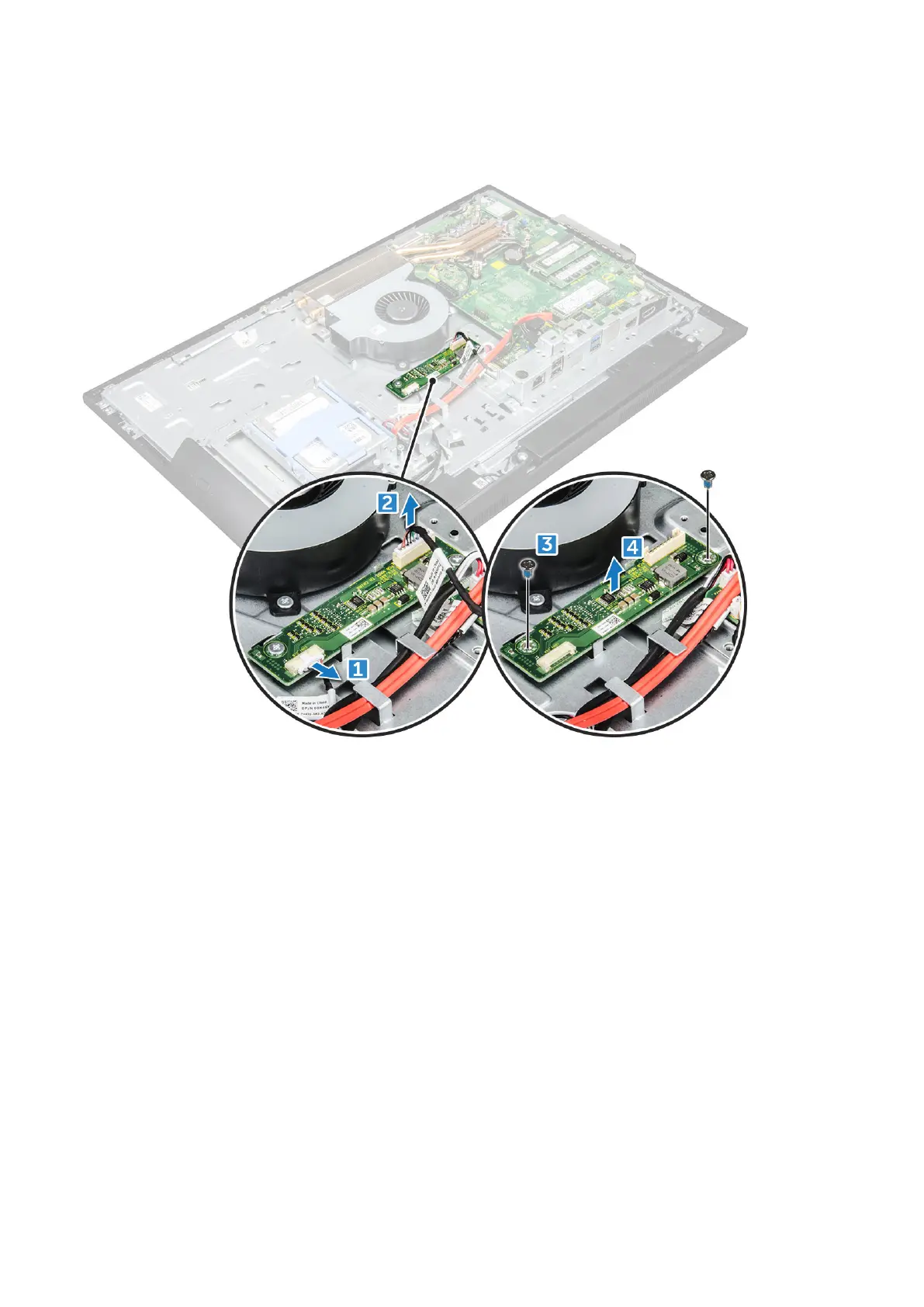
a. Disconnect the convertor board cable from the converter board [1].
b. Disconnect the display backlight cable from the converter board [2].
c. Remove the screws that secure the converter board to the computer [3].
d. Lift the converter board away from the computer [4].
Installing the converter board
1. Place the convertor board in the slot.
2. Tighten the screws to secure the converter board to the chassis.
3. Connect the converter board cable and display backlight cable to the connectors on the converter board.
4. Install the:
a. VESA mount bracket
b. power supply unit
c. system board shield
d. speaker cover
e. cable cover
f. back cover
g. stand
5. Follow the procedure in After working inside your computer.
Disassembly and reassembly
35



 To Next Page