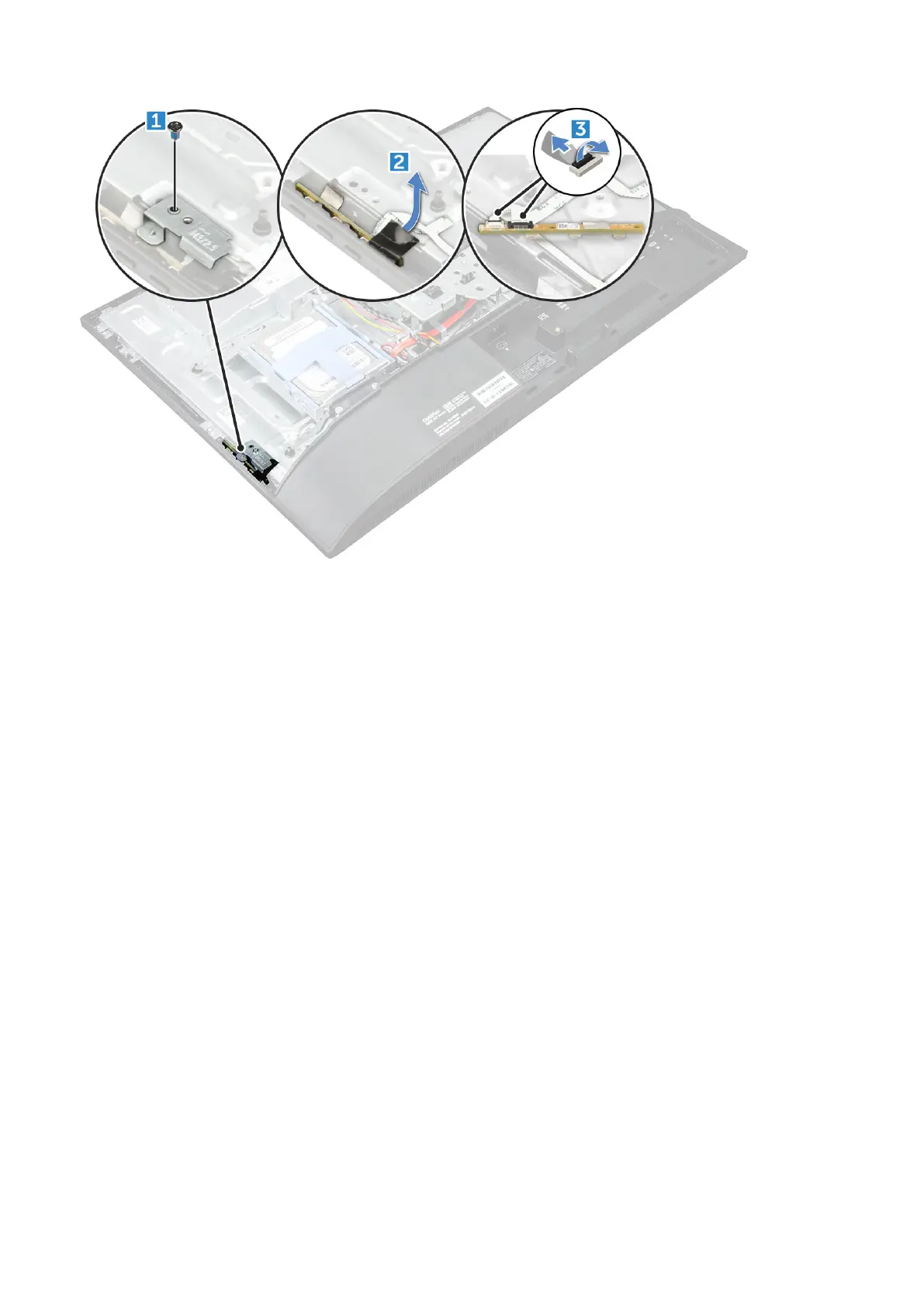
Installing the OSD buttons board
1. Connect the cable to the OSD buttons board.
2. Affix the tape on the OSD buttons board.
3. Insert the OSD buttons board into the slot.
4. Align the metal plate on the OSD buttons board.
5. Tighten the screw to secure the OSD buttons board.
6. Install the:
a. optical drive
b. back cover
c. stand
7. Follow the procedure in After working inside your computer.
Processor
Removing the processor
1. Follow the procedure in Before working inside your computer.
2. Remove the:
a. stand
b. back cover
c. cable cover
d. speaker cover
e. speaker
f. VESA mount bracket
g. system board shield
h. SSD card
Disassembly and reassembly
39



 To Next Page