Table 4. DDR3 vs DDR4(continued)
Feature/Option DDR3 DDR4 DDR 4 Advantages
VREF inputs 2 —DQs and CMD/ADDR 1 — CMD/ADDR VREFDQ Now Internal
tCK — DLL Enabled 300 Mhz-800 Mhz 667Mhz-1.6Ghz Higher data rates
tCK — DLL Disabled 10MHz – 125MHz (optional) Undefined to 125MHz DLL-off now fully supported
Read Latency AL+CL AL+CL Expanded values
Write Latency AL+CWL AL+CWL Expanded values
DQ Driver (ALT) 40&Omega 48&Omega Optimal for PtP Applications
DQ Bus SSTL15 POD12 Less I/O Noise and Power
RTT Values (in &Omega) 120,60,40,30,20 240,120,80,60,48,40,34 Support for higher data rates
RTT not allowed READ Bursts Disables during READ Bursts Ease of use
ODT Modes Nominal, Dynamic Nominal, Dynamic,Park Add’l Control Mode; OTF
Value Change
ODT Control ODT Signaling Required ODT Signaling Not Required Ease of ODT Control; Allows
Non-ODT Routing, PtP Apps
Multi-Purpose Register Four Registers – 1 Defined, 3
RFU
Four Registers – 3 Defined, 1
RFU
Provides Additional Specialty
Readout
DIMM Types RDIMM, LRDIMM, UDIMM,
SODIMM
RDIMM, LRDIMM, UDIMM,
SODIMM
DIMM Pins 240 (R, LR, U); 204
(SODIMM)
288 (R, LR, U); 260
(SODIMM)
RAS ECC CRC, Parity, Addressability,
GDM
More RAS features; improved
data integrity
DDR4 Details
There are subtle differences between DDR3 and DDR4 memory modules, as listed below.
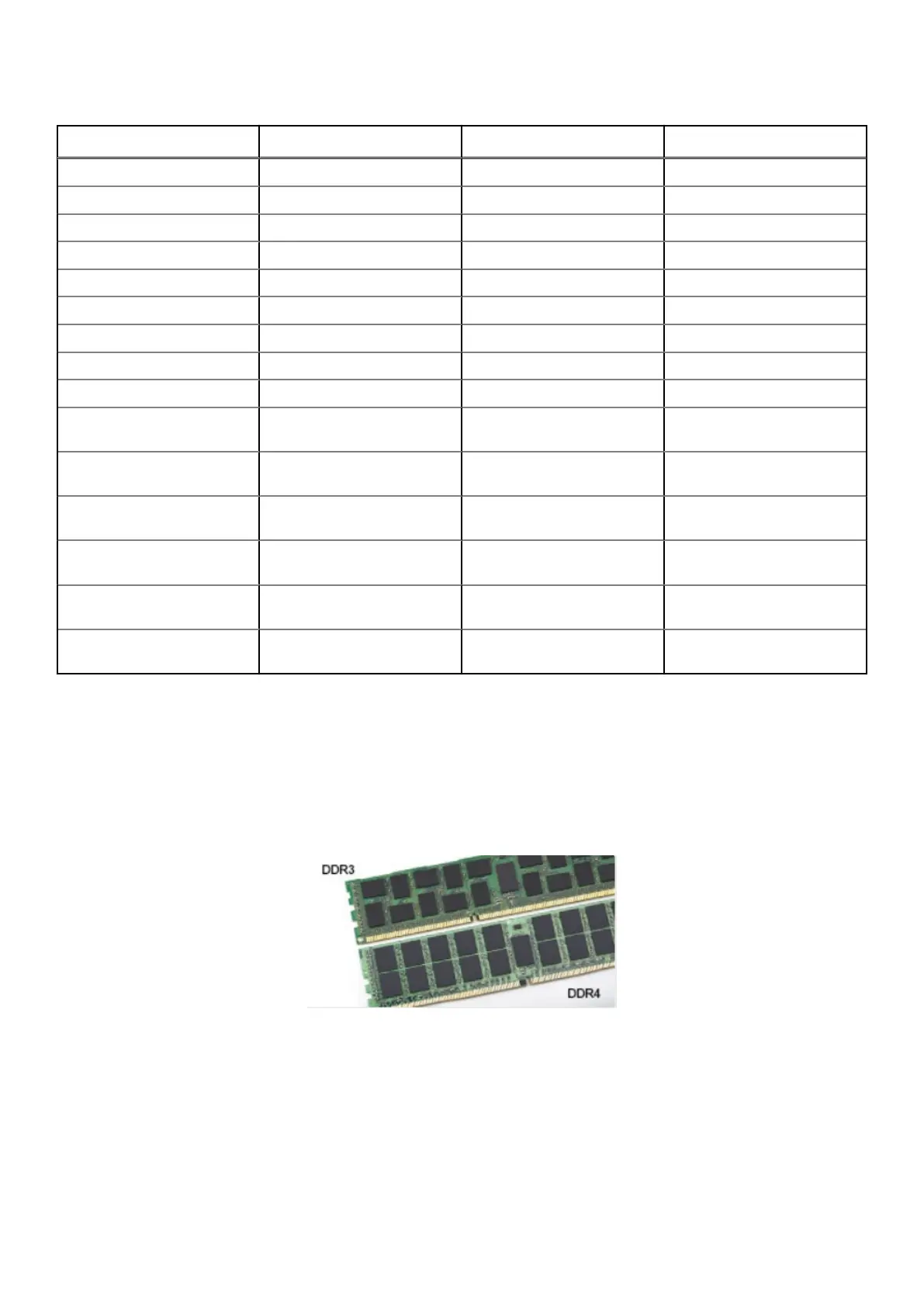
Key notch difference
The key notch on a DDR4 module is in a different location from the key notch on a DDR3 module. Both notches are on the
insertion edge, but the notch location on the DDR4 is slightly different, to prevent the module from being installed into an
incompatible board or platform.
Figure 4. Notch difference
Increased thickness
DDR4 modules are slightly thicker than DDR3, to accommodate more signal layers.
54
Technology and components



 To Next Page