DVW Series Industrial IEEE 802.11 a/b/g/n Wireless AP/WDS/Client/Gateway User Manual
3-8
Description Factory Default
3.2.3 Time Configuration
3.2.3.1 Local Time Configuration
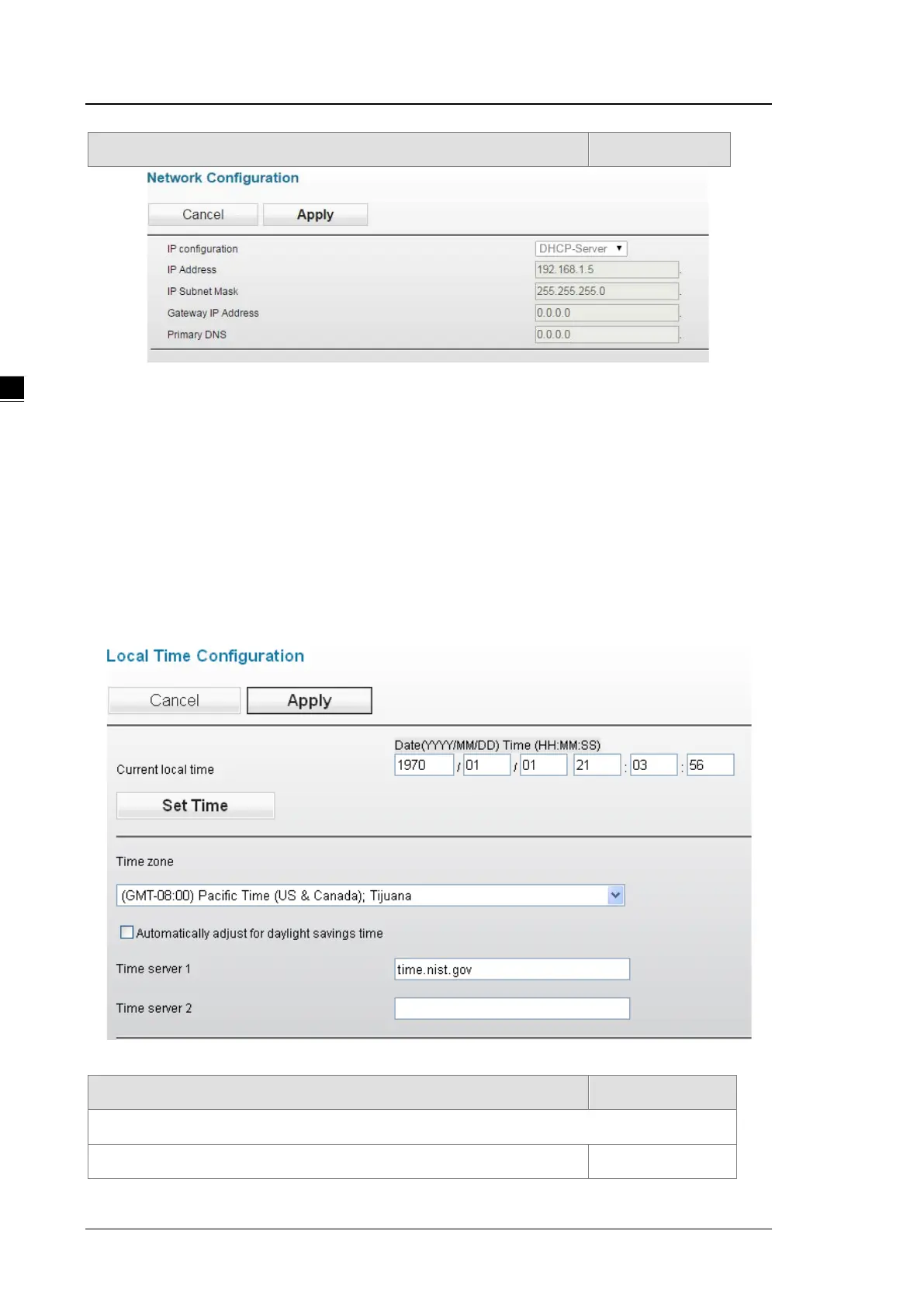
The local time can be set manually or get from NTP server dynamically. In order to get local time dynamically,
user should configure the time zone and time servers correctly. If it belongs to DST area, please also enable
“Automatically adjust for daylight savings time”.
The Current local time shows the DVW’s system time when you open this web page. You can click on the Set
Time button to activate the updated date and time parameters.
Description Factory Default
Current local time
The date and time can be configured as local time. The 24-hour format: None



 To Next Page