DVW Series Industrial IEEE 802.11 a/b/g/n Wireless AP/WDS/Client/Gateway User Manual
3-36
3.4 WLAN Manager
The device should support AP mode, Client mode, Repeater mode and WDS (Master/Slave) mode.
3.4.1 Operation Mode
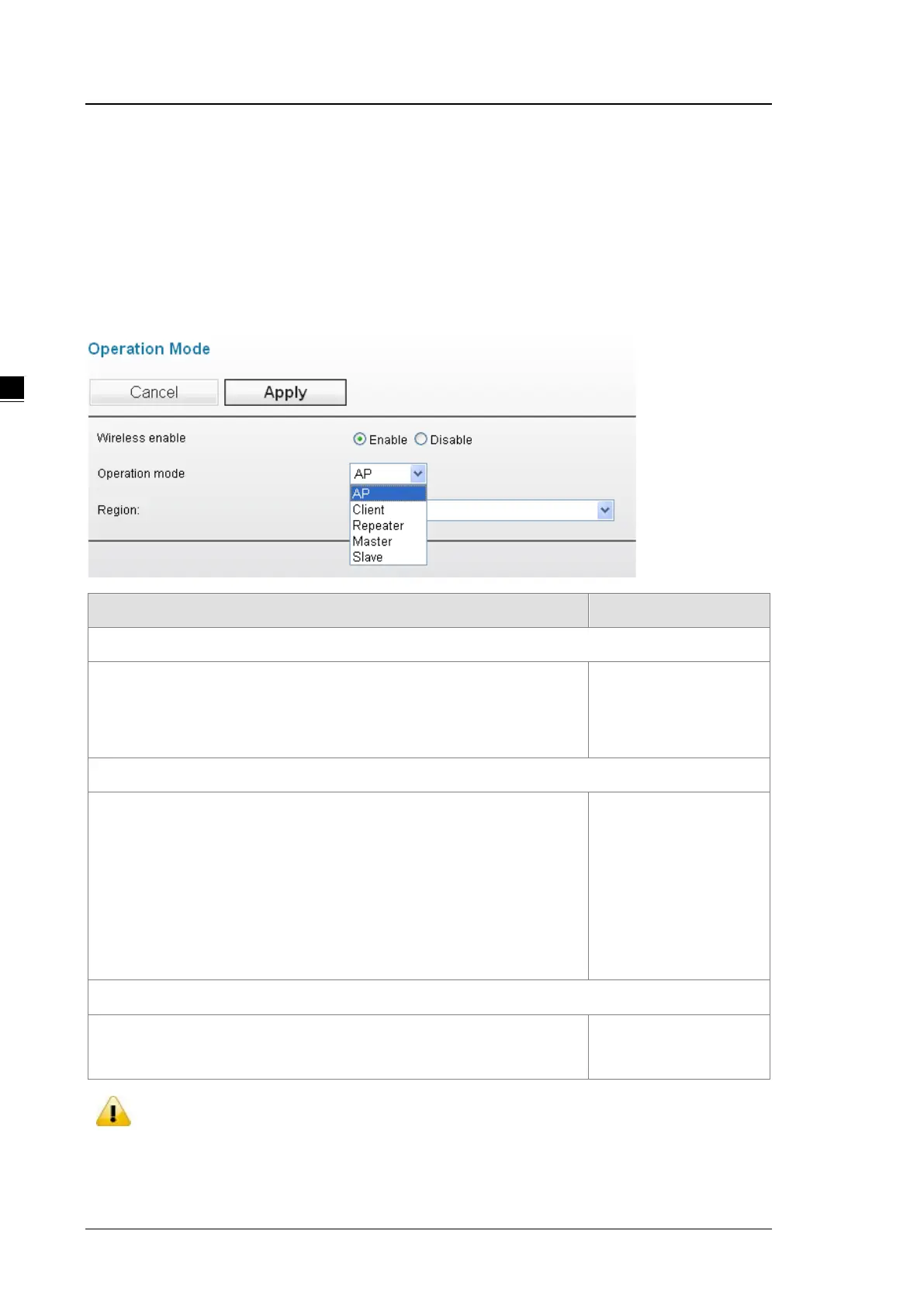
Delta DVW series provides 5 operation modes for you to configure in different network environment. Before you
establish your wireless network, you must specify an operation mode on DVW series.
Description Factory Default
Wireless enable
Specify whether the wireless is enabled or not.
Enable: Wireless function can work.
Disable: Wireless function can’t work.
Disabled
Operation mode
Specify the wireless operation mode:
AP: Specify DVW series work as AP mode.
Client: Specify DVW series work as Client mode.
Repeater: Specify DVW series work as Repeater mode.
Master: Specify DVW series work as a WDS Master mode.
Slave: Specify DVW series work as a WDS Slave mode.
AP
Region
Specify the country where the device locates. English Mode: Europe
Chinese Mode: Asia
Notice:
If you click Cancel button, GUI will revoke all your input and revoke to previous settings, then return
to “Basic Wireless Configuration” page.



 To Next Page